90 • TST-902 Product Manual — Doc. 7750C
Local Configuration
The TST-902 may be monitored and configured using its local setup screens. The setup screens
can be accessed as described in Access the Setup Screens on page 83.
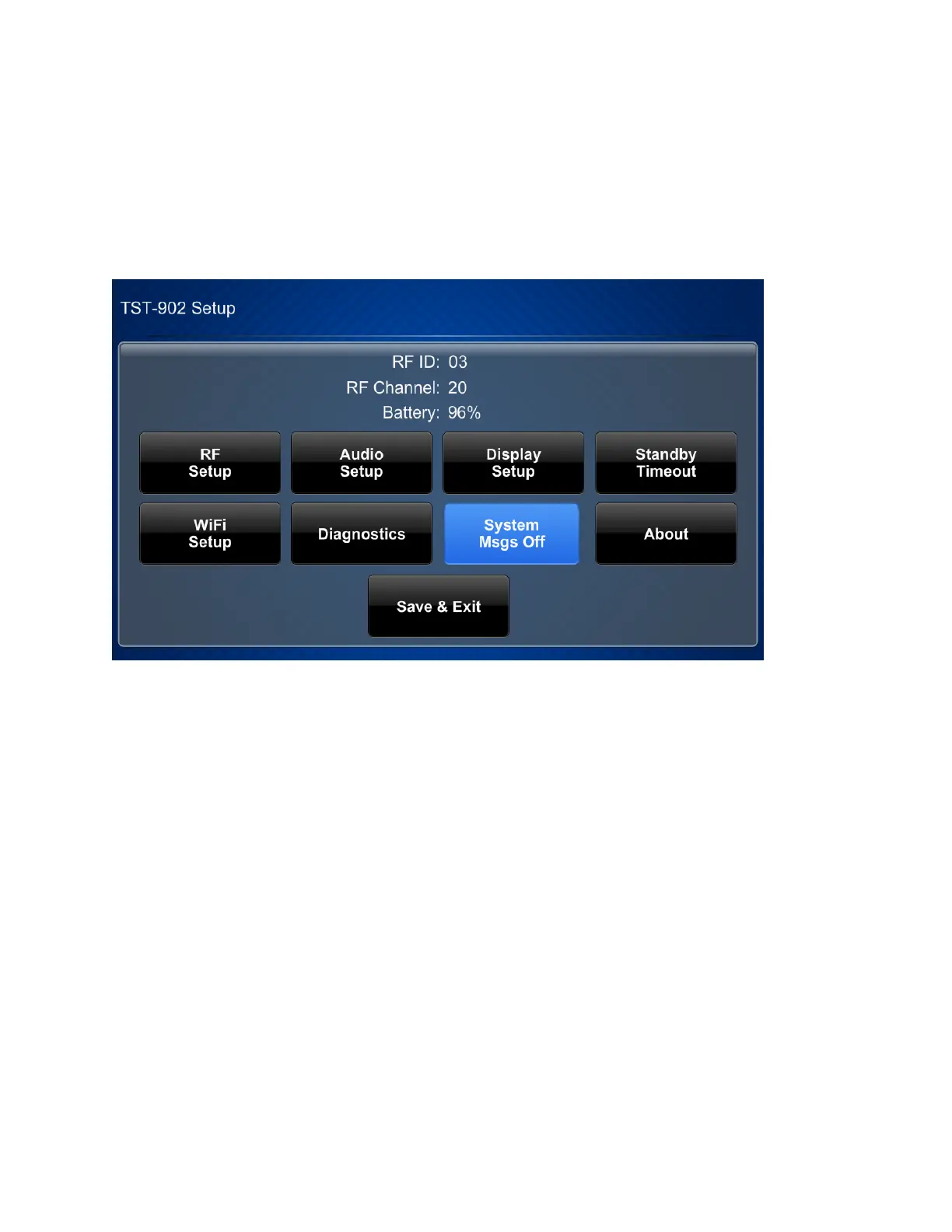
The TST-902 Setup screen is displayed.
The TST-902 Setup screen shows the RFID, RFchannel, and remaining battery life for the
TST-902 and provides the following configuration selections:
l
Buttons for Extended Range (ER)RFsetup, audio setup, display setup, standby timeouts,
Wi-Fi® network setup, and diagnostics.
l
A button to toggle system messages on or off.
l
An About button that provides information about the TST-902.
l
A Save &Exit button that is used to save any changes made to settings, exit the setup
screens, and return to the user project.
The functions of each button are detailed in the following sections.











 To Next Page