Product Manual — Doc. 7750C TST-902 • 67
Install the Mounting Kit
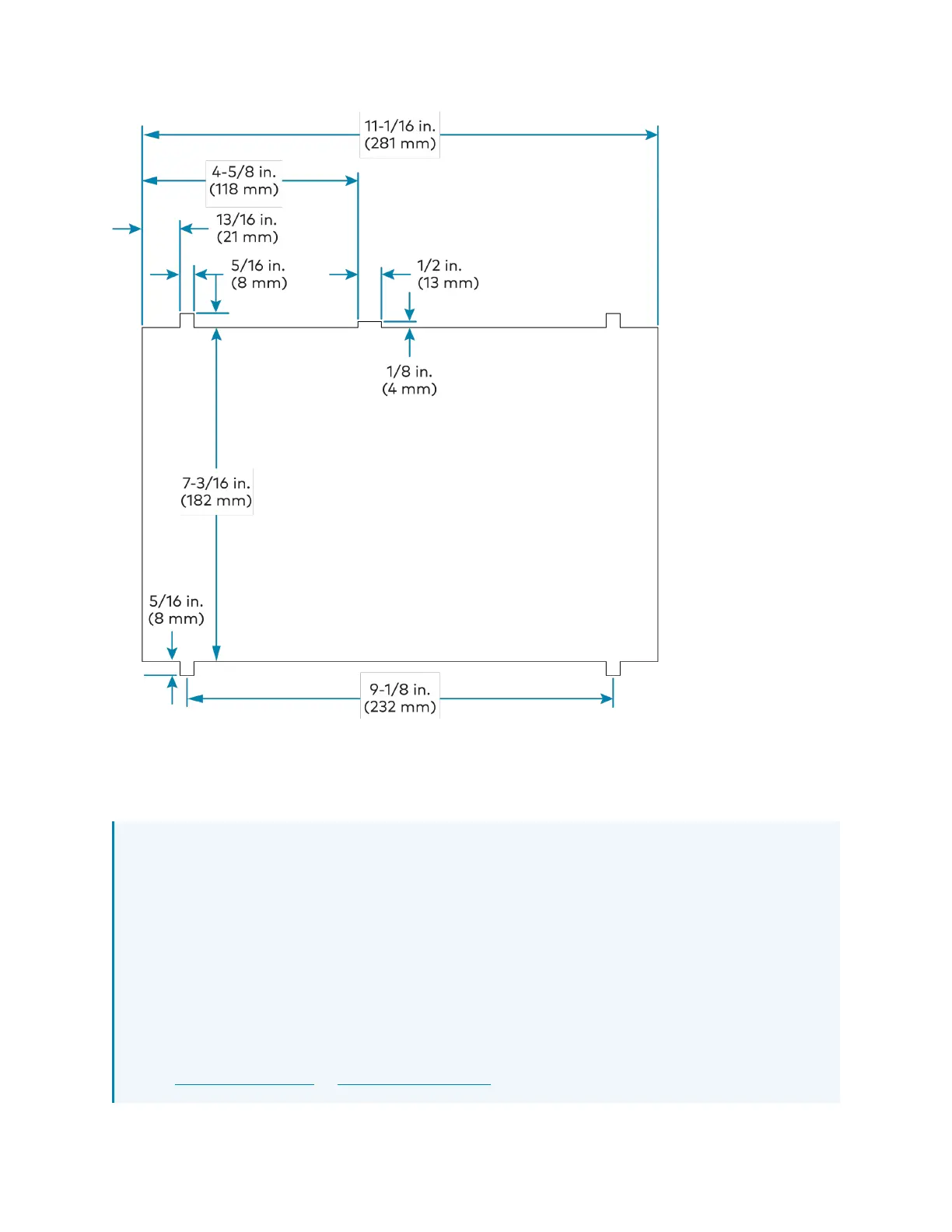
To install the TST-902-DSW-WMKMpostconstruction mounting kit:
NOTES:
l
Ensure the chosen mounting location allows for an air gap of at least 12in. (305mm)
in the wall cavity above and below the TST-902-DSW for heat dissipation.
l
The TST-902-DSW-WMKM has been optimized for mounting into drywall that is
5/8in. (15mm) thick, though it can also be mounted into drywall that is between
1/2in. (13mm)to1in. (25mm) thick. Attempting to mount into thinner or thicker
drywall can cause installation issues.
l
Since the TST-902-DSWcontains moving parts, Crestron recommends mounting it to
a wall stud for more support. While Crestron offers this postconstruction wall mount
kit, a preconstruction mounting option that is secured to a stud, such as the
TST-902-DSW-BB or TST-902-DSW-PMK, is recommended instead when feasible.











 To Next Page