92 • TST-902 Product Manual — Doc. 7750C
l
Tap 3-Series or 2-Series under Control System to indicate whether the connected control
system is a 3-Series® control system or a 2-Series control system.
Tap the back button to return to the TST-902 Setup screen.
Audio Setup
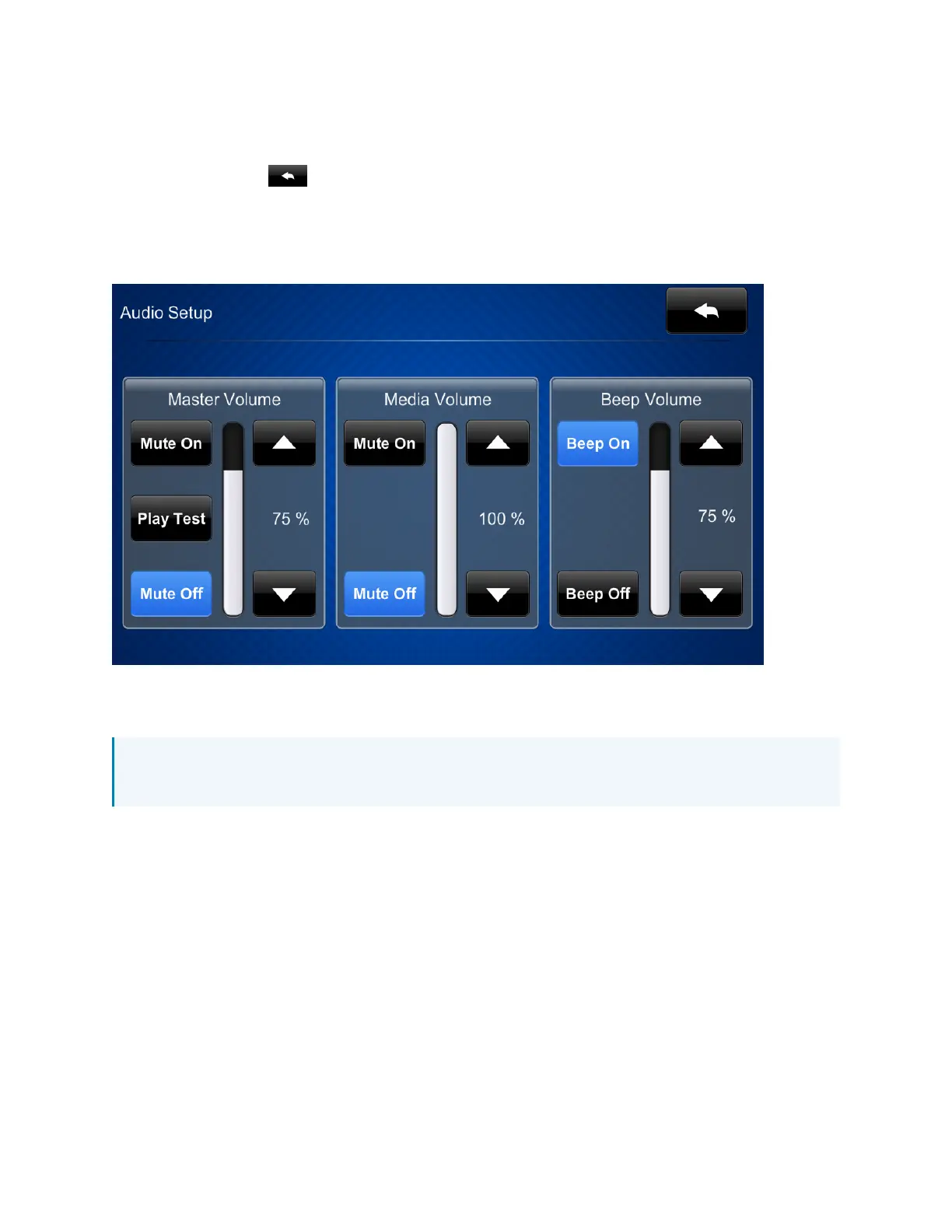
Tap AudioSetup on the TST-902 Setup screen to display the AudioSetup screen.
Use the Audio Setup screen to control the main volume, media volume, and beep volume settings
for the touch screen.
NOTE: The Media Volume controls adjust the H.264 streaming media level in relation to the
Volume controls.
l
Master Volume
o
Tap the up and down arrow buttons to raise or lower the main touch screen volume
incrementally from 0 to 100%.
o
Tap Mute On or Mute Off to mute or unmute the main volume.
o
Tap Test to play a test recording at the current volume level.
l
Media Volume
o
Tap the up and down arrow buttons to raise or lower the touch screen media volume
incrementally from 0 to 100%.
o
Tap Mute On or Mute Off to mute or unmute the media volume.











 To Next Page