50 • TST-902 Product Manual — Doc. 7750C
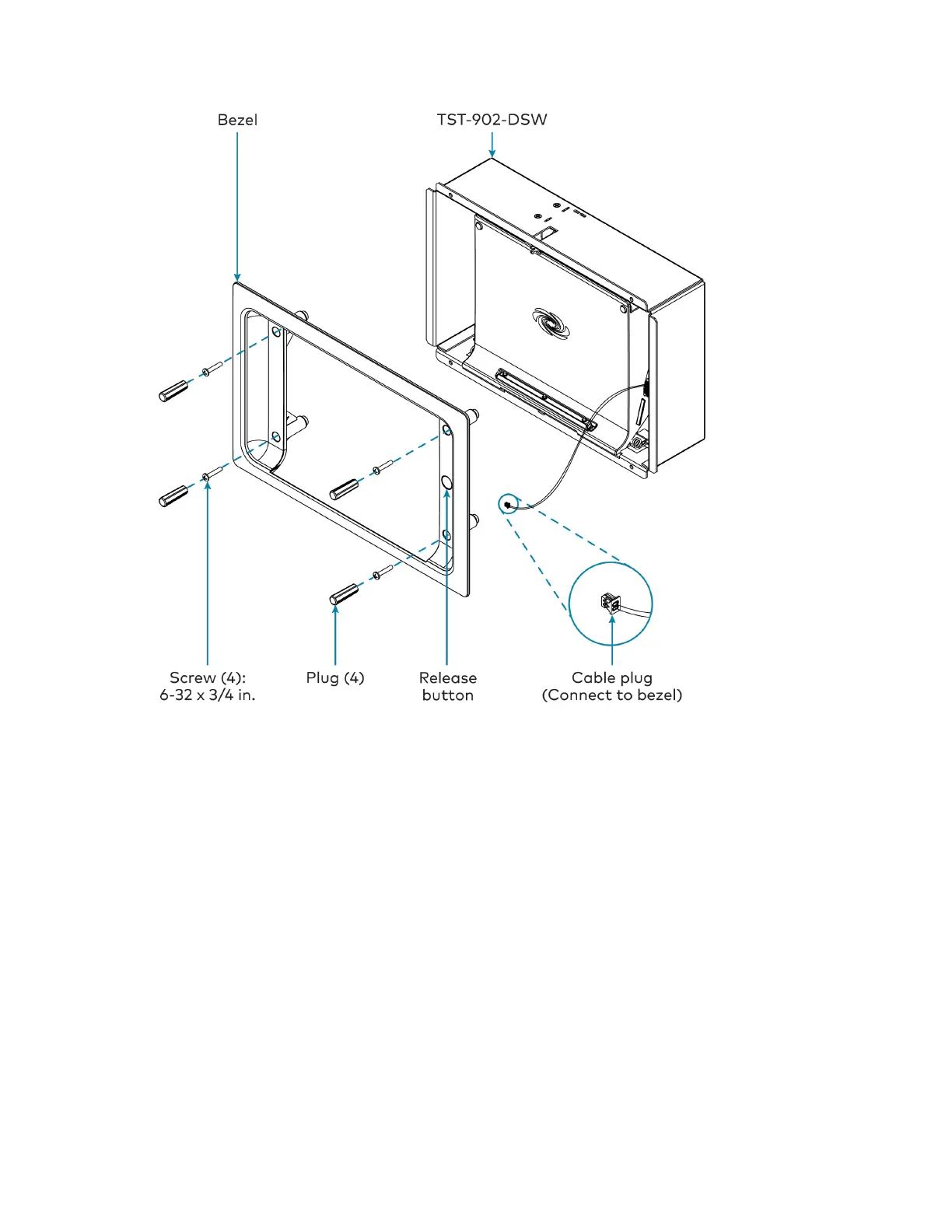
8. Test the installation by pushing the release button on the right of the bezel to open the
cradle. Then, push the cradle back into place to close it.
Dock the Touch Screen
To dock the TST-902 touch screen once the TST-902-DSWhas been installed:
1. Push the release button on the right of the bezel to open the cradle.
2. Insert the bottom of the touch screen into the cradle, and then push the top of the touch
screen into place so that it attaches to the TST-902-DSWmagnetically.
3. Push the cradle with the touch screen back into place to close it.
Undock the Touch Screen
To undock the TST-902 touch screen from the TST-902-DSW:
1. Access the touch screen setup screens as described in Access the Setup Screens on page
83.











 To Next Page