98 • TST-902 Product Manual — Doc. 7750C
Select a Wi-Fi AccessPoint
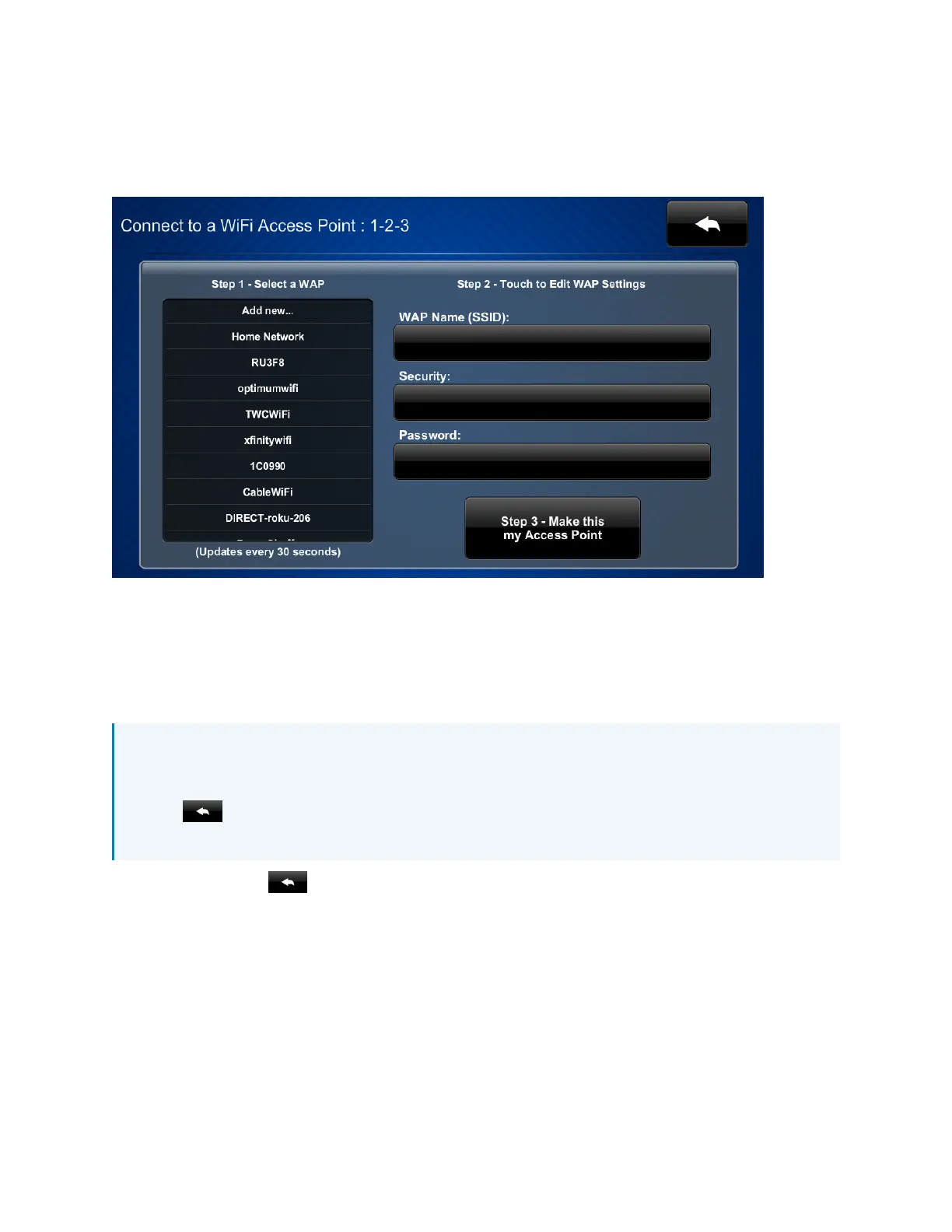
On the Wi-Fi Setup screen, tap Select a Wi-Fi Access Point. The Connect to a Wi-Fi Access Point:
1-2-3 screen is displayed.
Use the Connect to a Wi-Fi Access Point: 1-2-3 screen to connect the touch screen to an existing
wireless access point (WAP)that is in range or to configure a new WAP. Any WAPs that are in
range and discoverable are displayed under Step 1 - Select a WAPupon successful discovery.
For instructions on connecting the TST-902 to a Wi-Fi network, refer to Set Up a Wi-Fi Network
Connection on page 85.
NOTE: If four WAPs have already been assigned, the TST-902 will indicate that the WAP list
is full when attempting to add a new WAP. Tap Delete an access point? to display the
Manage Wi-Fi Access Points screen, where an existing WAP may be deleted, or tap the back
button to cancel adding the new WAP. For more information, refer to Manage Wi-Fi
AccessPoints on page 99.
Tap the back button to return to the Wi-Fi Setup screen.











 To Next Page