38 • TST-902 Product Manual — Doc. 7750C
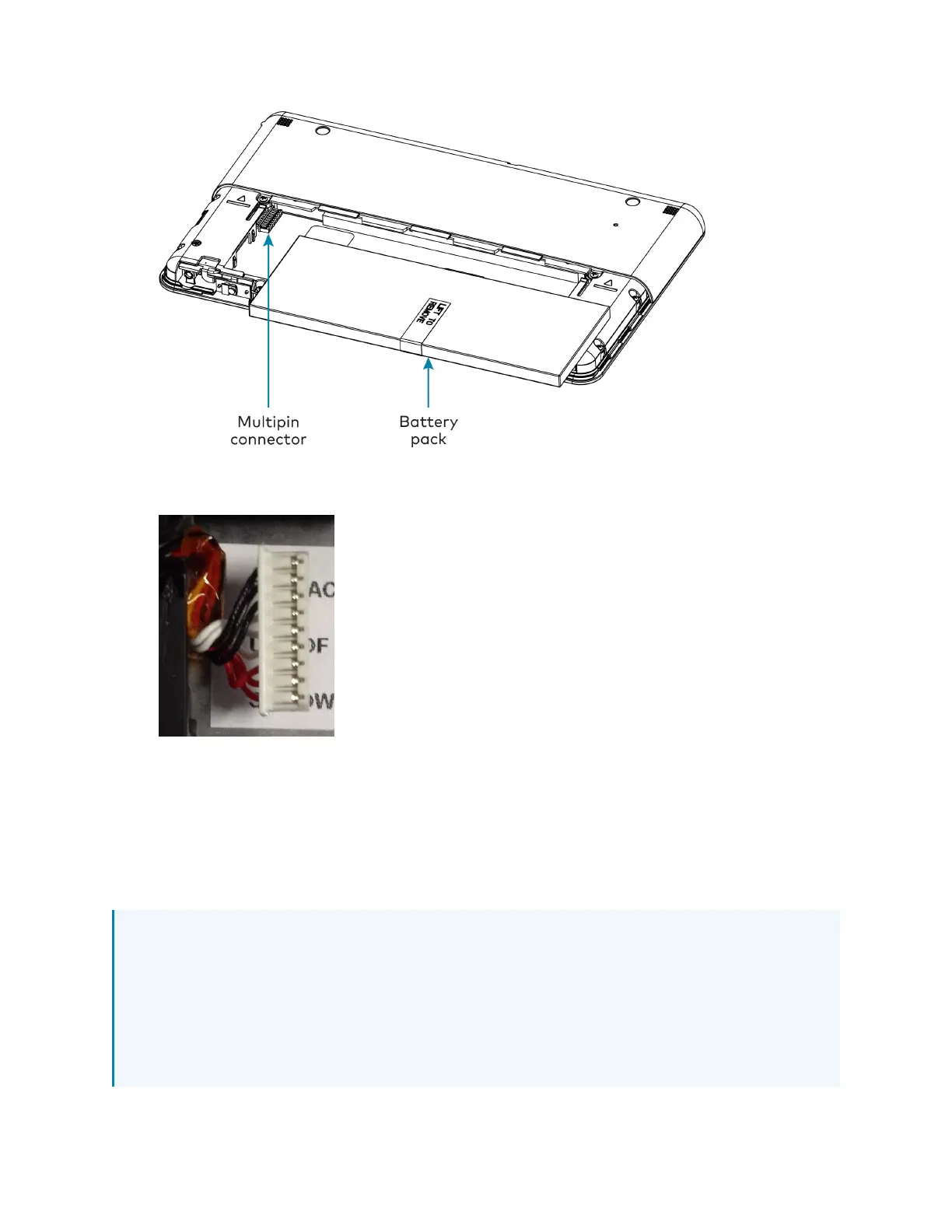
6. Ensure the pin side of the multipin connector on the TST-902 is facing upward, and then
connect it to the battery pack wire harness as shown in the following image.
7. Place the battery pack gently into the TST-902 battery compartment.
8. Reattach the bottom cover by placing it on the rear of the TST-902 below the cover
markings and then sliding it back into place.
Once the battery pack has been installed, it can be charged by placing the TST-902 in the
included table dock (TST-902-DS) or the optional wall dock (TST-902-DSW, not included). For
more information, refer to Place the TST-902 on page 39.
NOTES:
l
Allow the TST-902 to charge overnight completely before removing it from its dock.
l
If the TST-902 is in use while charging, the battery may take up to six hours to charge.
l
The battery pack should be replaced every 18 to 24 months under normal usage. For
more information on replacing the battery pack, refer to TST-902-BTP Installation on
page 40.











 To Next Page