84 • TST-902 Product Manual — Doc. 7750C
To acquire the TST-902 to a Crestron ERgateway:
1. Place the ERgateway into Acquire mode as described in its documentation.
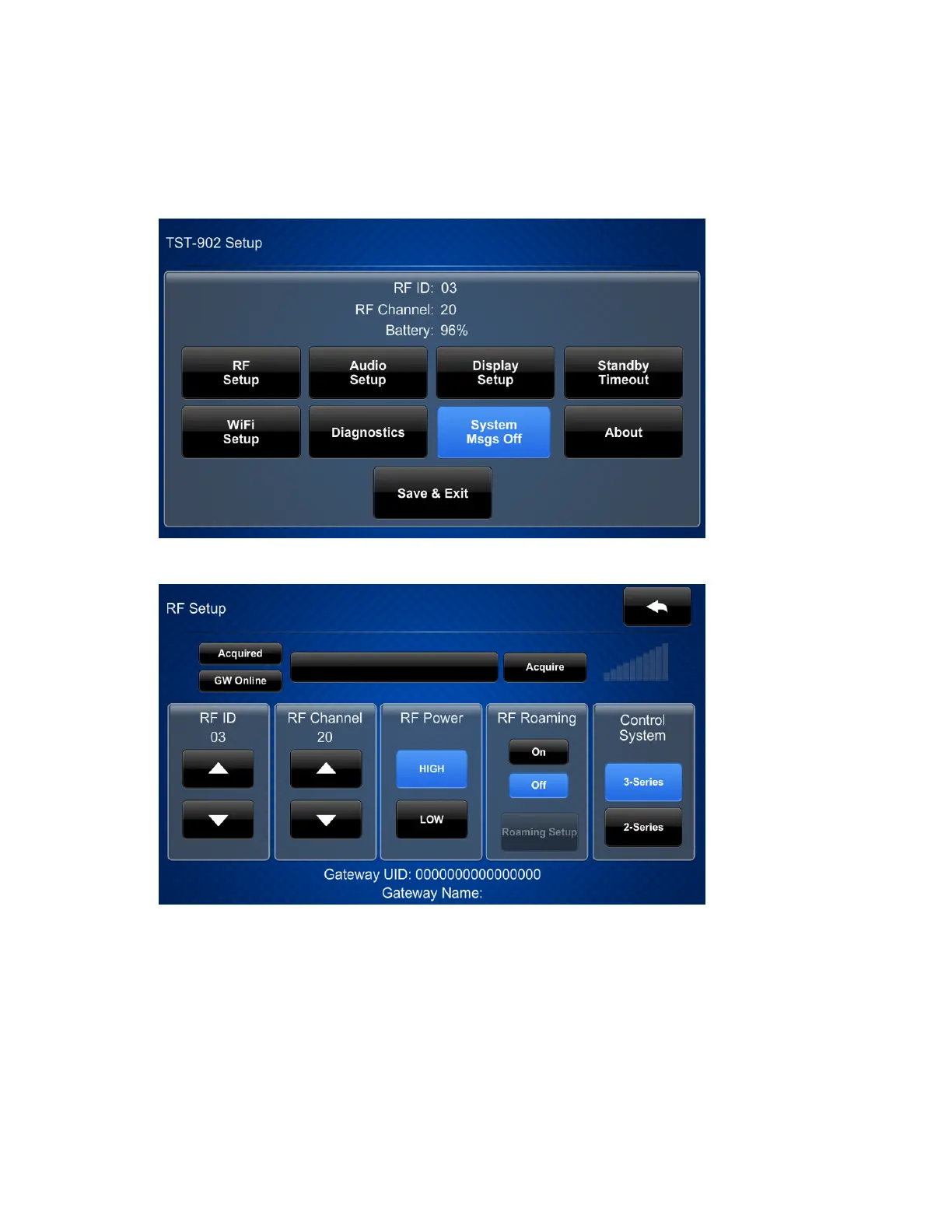
2. Access the TST-902 setup screens as described in Access the Setup Screens on page 83.
The TST-902 Setup screen is displayed.
3. Tap RFSetup. The RFSetup screen is displayed.
4. Tap Acquire to place the TST-902 into Acquire mode. An "Acquire in progress" message is
displayed on the RFSetup screen, and the TST-902 will be acquired by the ERgateway
within two minutes.
5. Once an "Acquire OK"message is displayed on the RFSetup screen, exit Acquire mode on











 To Next Page