Chapter 6. Manage / Configure the Switch
119
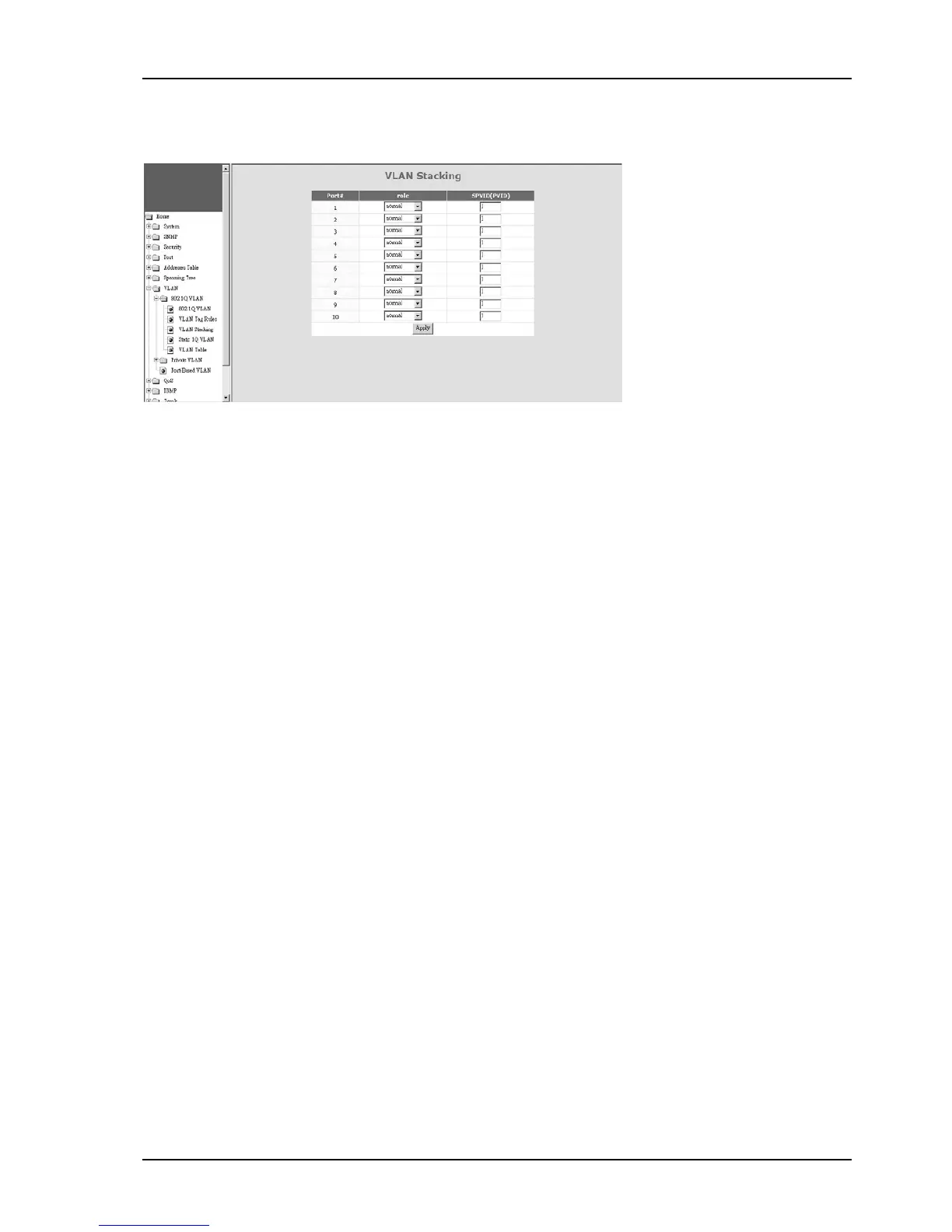
1-3). VLAN Stacking
VLAN Stacking function allows two VLAN tags in a packet for 802.1Q VLAN tunnelling application through a central network.
For VLAN Stacking operation, port role definition is needed for each port. There are three roles for a port - Normal,
Tunnel, and Access.
Normal - It will set the port(s) as normal 802.1Q VLAN port(s). And the tagged/untagged setting will follow the
settings in 802.1Q VLAN.
Access - It will set the port(s) as access port(s) for VLAN stacking operation. It will strip a tag from tagged or double-
tagged packets before forwarding. It is for downward connection of VLAN stacking operation.
Tunnel - It will set the port as tunnel port for VLAN stacking operation. It will add a tag and allow two 802.1Q VLAN
tags in a packet. It is for tunnel and upward connection of VLAN stacking operation.
SPVID is used as the Port VLAN ID of VLAN Stacking (L2 Tunnel) operation if the port role is “access”.


 To Next Page
 Loading...