19
GenesisPlus Operator Manual
D1151, R
EV C, 10/16
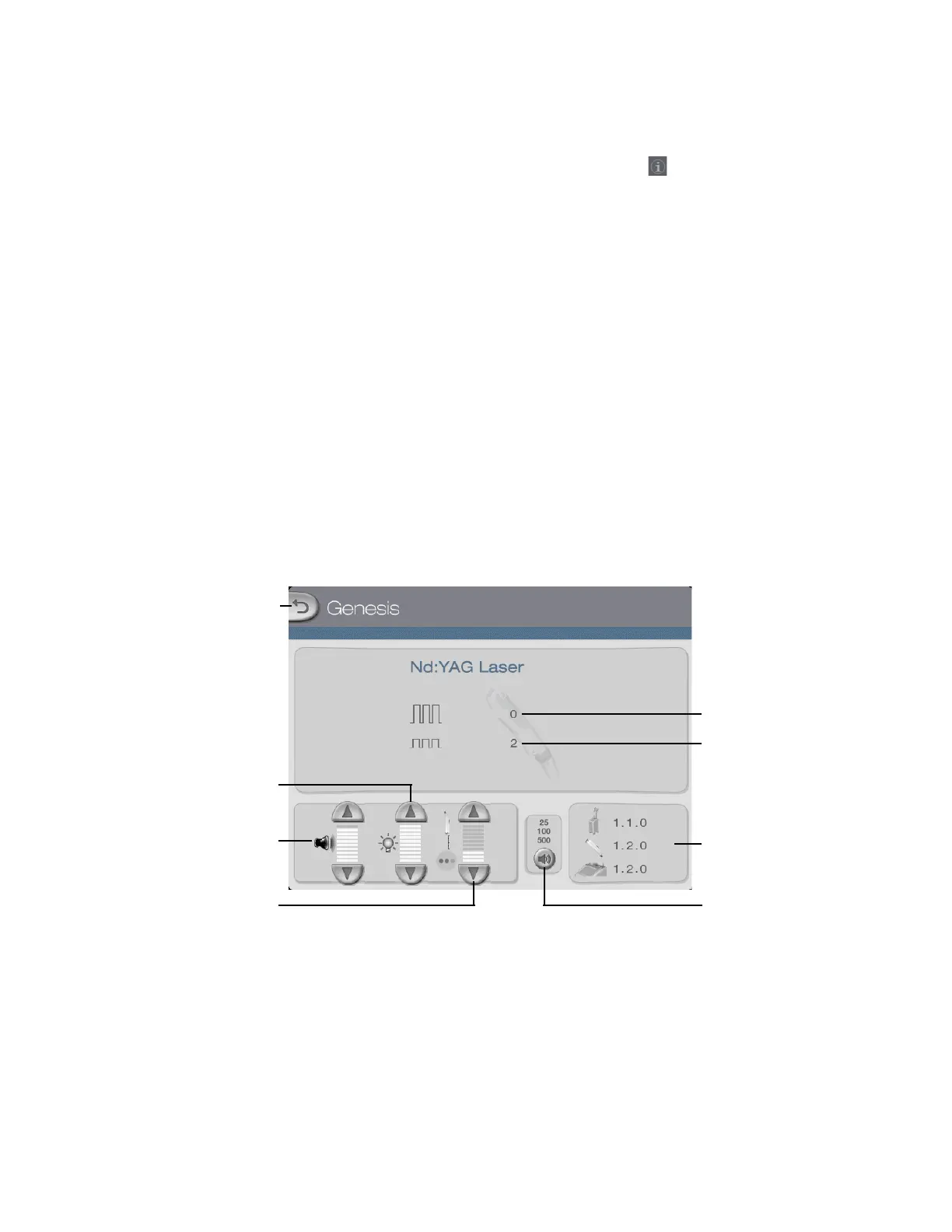
Information & Adjustment Screen
To access the Information & Adjustment Screen, press the tab on the Genesis or Warts
Control Screen. From the Information & Adjustment Screen, you can:
• adjust the volume of the laser emission indicator and other audible tones (refer to the
Audible Tones subtopic)
• adjust the touchscreen backlighting
• adjust the working distance beam intensity
• select the audible pulse counter interval (refer to the Audible Pulse Counter subtopic)
• view the version of the system software
• view the total number of high and low energy pulses ever recorded
NOTE
High and low energy pulses refer to the amount of energy delivered
to the lamp, not to the treatment area. High energy pulses are those
that are greater than 800 J; low energy pulses are those that are less
than or equal to 800 J.
Information & Adjustment Screen
Laser emission indicator/
Versions of system
Number of high energy
pulses ever recorded
Number of low energy
pulses ever recorded
Touchscreen backlighting
controls
Back button
software used
Working distance beam
Audible pulse counter
audible tones volume
controls
intensity controls
interval control



 To Next Page