14
GenesisPlus Operator Manual
D1151, R
EV C, 10/16
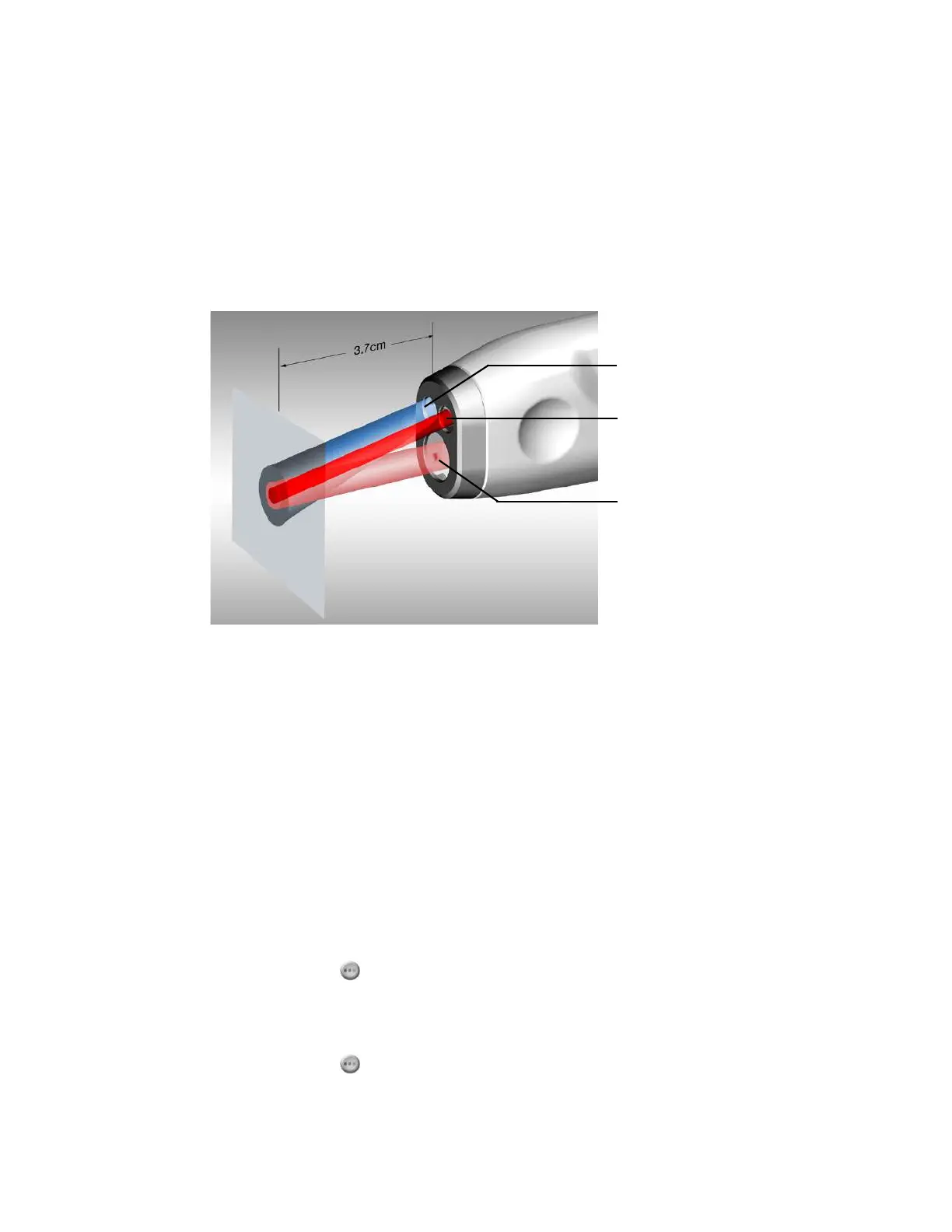
Treatment, Aiming and Working Distance Beams
The GenesisPlus system produces three separate laser beams:
• a treatment beam
• an aiming beam
• a working distance beam
Aiming beam and
Temperature sensor
treatment beam (not visible)
Working distance beam
(not visible)
(optimal working distance)
Treatment Beam
The 1064 nm Nd:YAG treatment beam falls in the near infrared region of the electromagnetic
spectrum and is invisible to the human eye. Therefore, an aiming beam is provided to enable
accurate positioning of the treatment beam.
Aiming Beam
The aiming beam is a low power, visible laser beam that is coaxial with the invisible treatment
beam and is used to target the treatment area. All aiming beam functions are controlled from
the touchscreen display. There are four intensities in continuous and blink modes, as well as an
OFF mode. To adjust the intensity of the aiming beam:
1. Press the (aiming beam) button on the Genesis or Warts Control Screen.
2. Point the handpiece at the targeted treatment site.
3. Press the (aiming beam) button again to toggle through the modes and intensities.



 To Next Page