11D-Link DIR-895L User Manual
Section 2 - Choosing an Operation Mode
Access Point
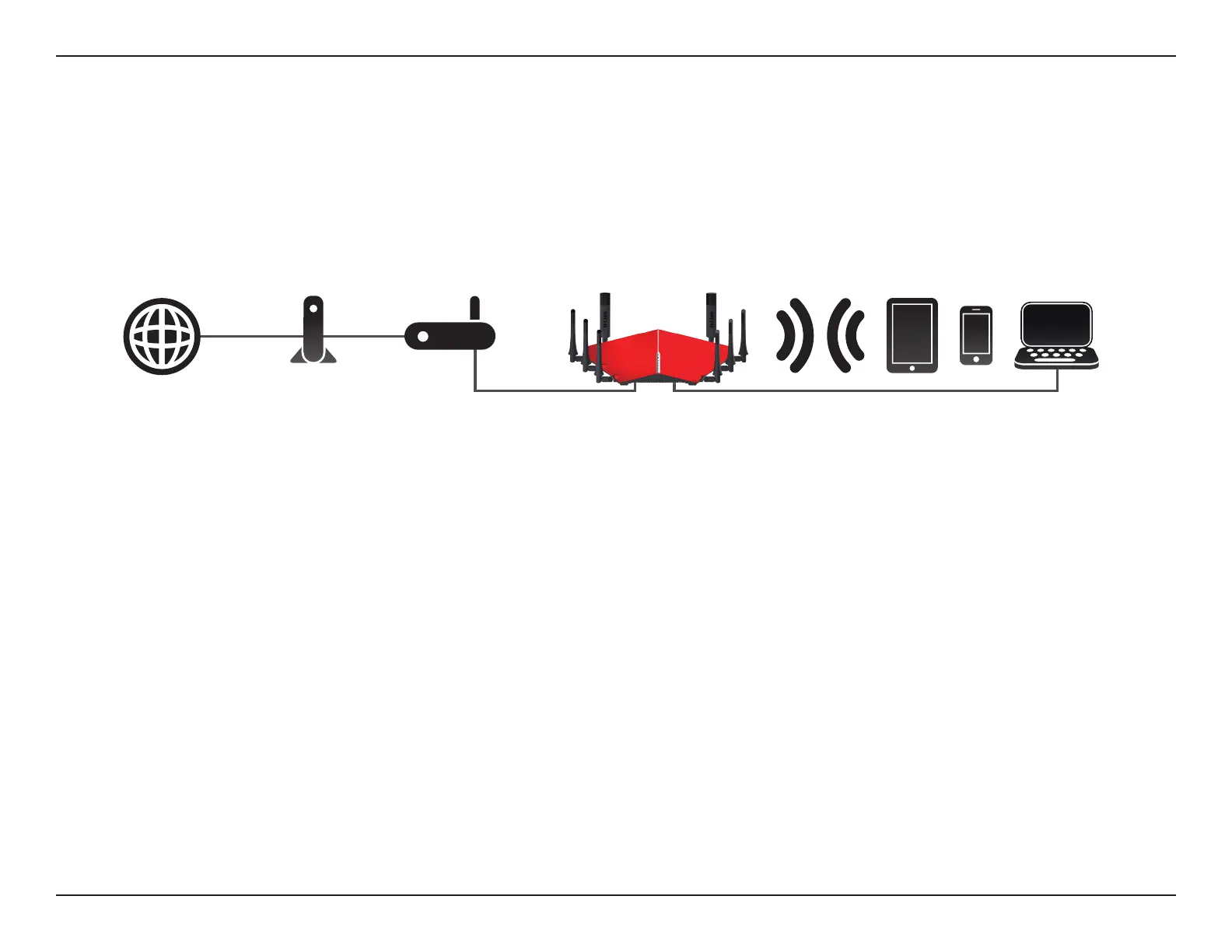
Create a Wireless Network using Ethernet
The DIR-895L operates as an Access Point when the mode switch is in the Extender position, the Existing Network is congured as Ethernet
using the web conguration utility, and an Ethernet cable is connected from the WAN Ethernet Port to an uplink network.
Use this mode for:
• Extending your current network.
• Providing better signal for parts of your home or oce that may have poor reception.
• Bringing Wi-Fi to an area it doesn't currently reach.
• Adding Wi-Fi to a wired network.
• Maximizing bandwidth.
• Creating a Wi-Fi pocket away from your existing network.
Note: Extending a network to a desired location via Ethernet may require additional cable. The maximum length of Category 5/5E cables is limited
to 100 meters (330 feet). Use a Gigabit-capable Ethernet connection where possible to ensure the best networking experience.
To use your DIR-895L as an Access Point, refer to Installation - Access Point on page 26.
Broadband
Connection Device
(e.g. DSL/Cable Modem)
Existing
Network
Internet Wired and Wireless DevicesDIR-895L


 To Next Page