21D-Link DIR-895L User Manual
Section 3 - Installation - Router
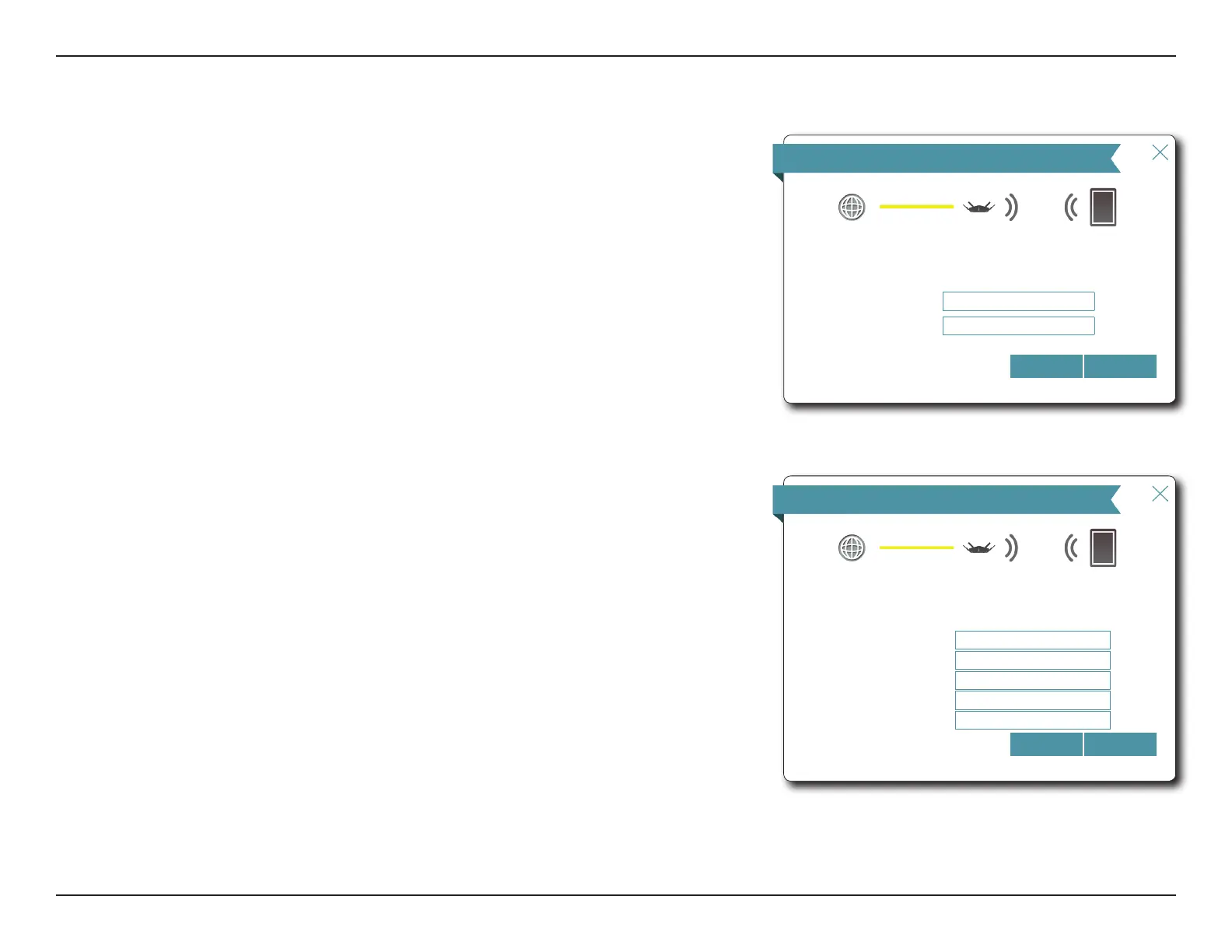
If the router detected or you selected PPPoE, enter your PPPoE username and password
and click Next to continue.
Note: Make sure to remove your PPPoE software from your computer. The software is no longer
needed and will not work through a router.
If the router detected or you selected Static, enter the IP and DNS settings supplied by your
ISP. Click Next to continue.
Setup Wizard (continued)
PPPoE
Internet
Wi-Fi ClientDIR-895L
To setup this Internet connection, you will need to have a User Name from your Internet
Service Provider. If you do not have this information, please contact your ISP.
NextBack
Username:
Password:
Static IP
Internet
Wi-Fi ClientDIR-895L
To set up this connection you will need to have a complete list of IP information by your
Internet Service Provider. If you have a Static IP connection and do not have this
information, please contact your ISP.
NextBack
IP Address:
Subnet Mask:
Gateway Address
Primary DNS Address
Secondary DNS Address


 To Next Page