31D-Link DSL-520B ADSL2+ Modem User Manual
Section 9 - Advanced Setup
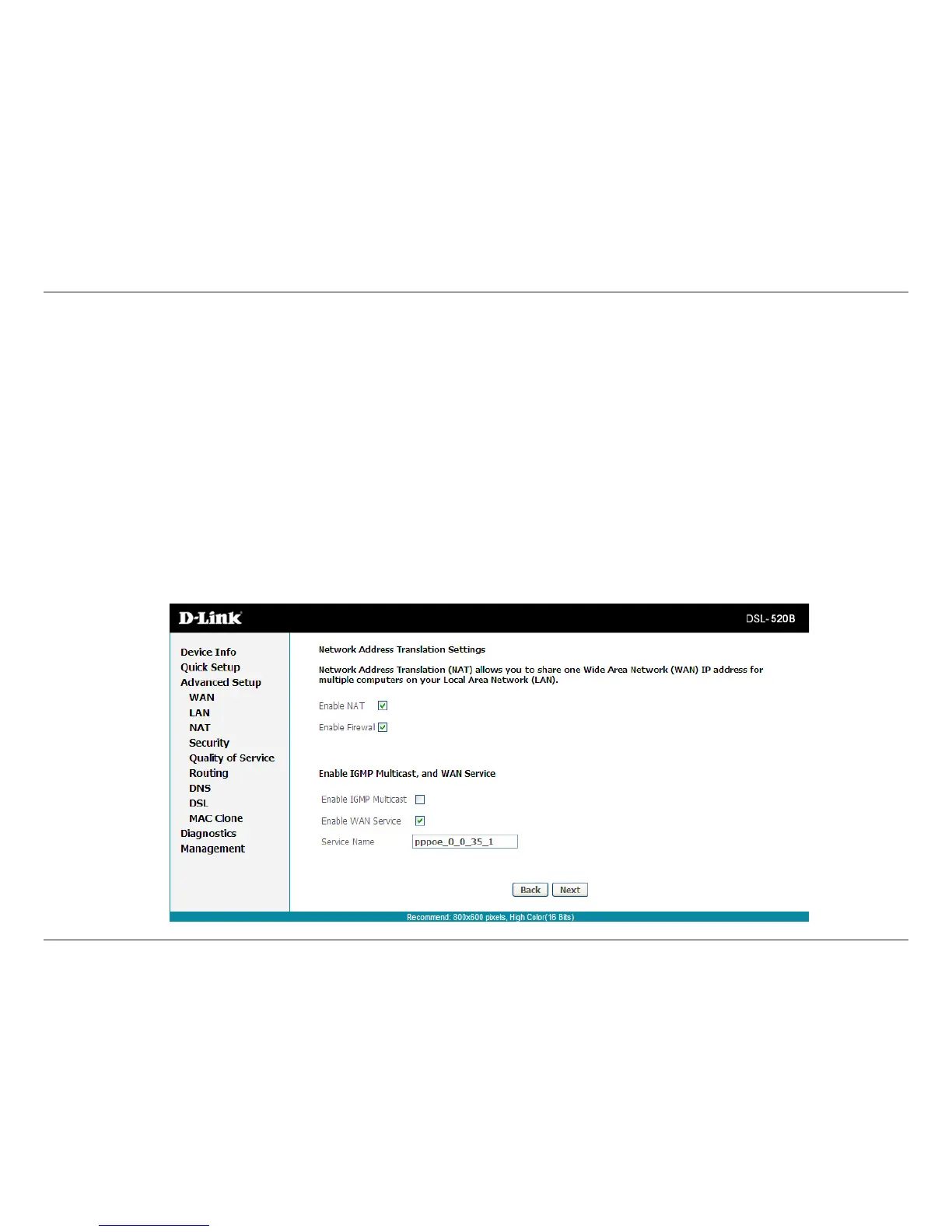
Network Address Translation Settings (PPPoE)
Enable NAT: Selectifyouwouldliketoshareyourinternetconnection.SharingyourconnectionmayalsorequireanEthernetswitchtoconnect
multiple computers.
Enable Firewall: Select if you would like to utilize the rewall to help protect you from unwanted internet threats.
Enable IGMP Multicast: Use the default setting unless otherwise instructed by your ISP.
Enable WAN Service: This option is Enabled by default. Deselecting this option will cause your DSL connection to be disabled.
Service Name: Enter any name that will help you identify your connection. This eld will not aect your connection.
Click Next.



 To Next Page