28D-Link DNR-322L User Manual
Section 3 - Conguration
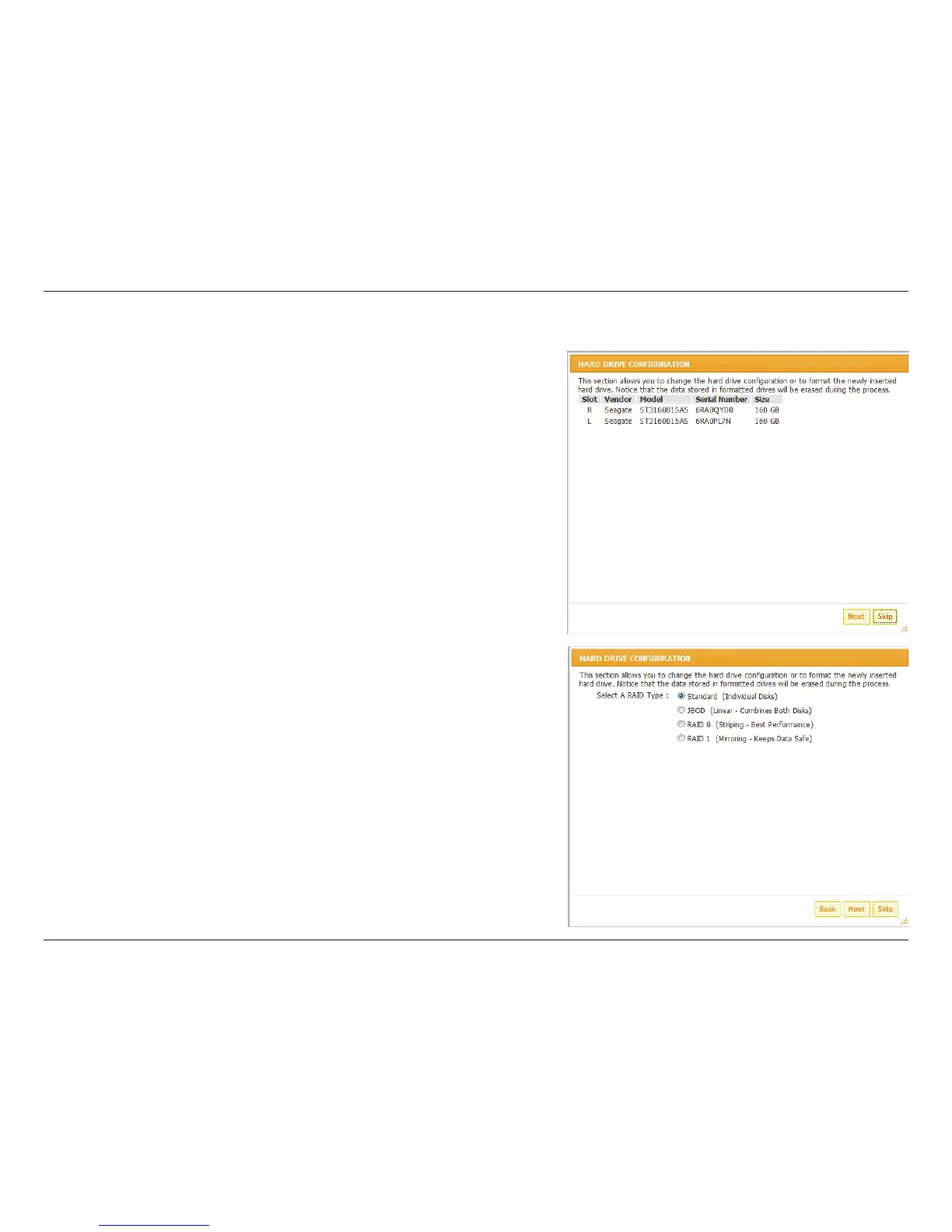
If HDD is exist, this screen displays the currently installed HDD
information.
Congure Hard Drive
You must decide on the RAID type you would like to format your HDDs with.
Click the Next button to continue or click Exit to cancel.
Note: Any data on the installed hard drives will be lost by the formatting!


 To Next Page
 Loading...