51D-Link DNR-322L User Manual
Section 3 - Conguration
Dynamic DNS
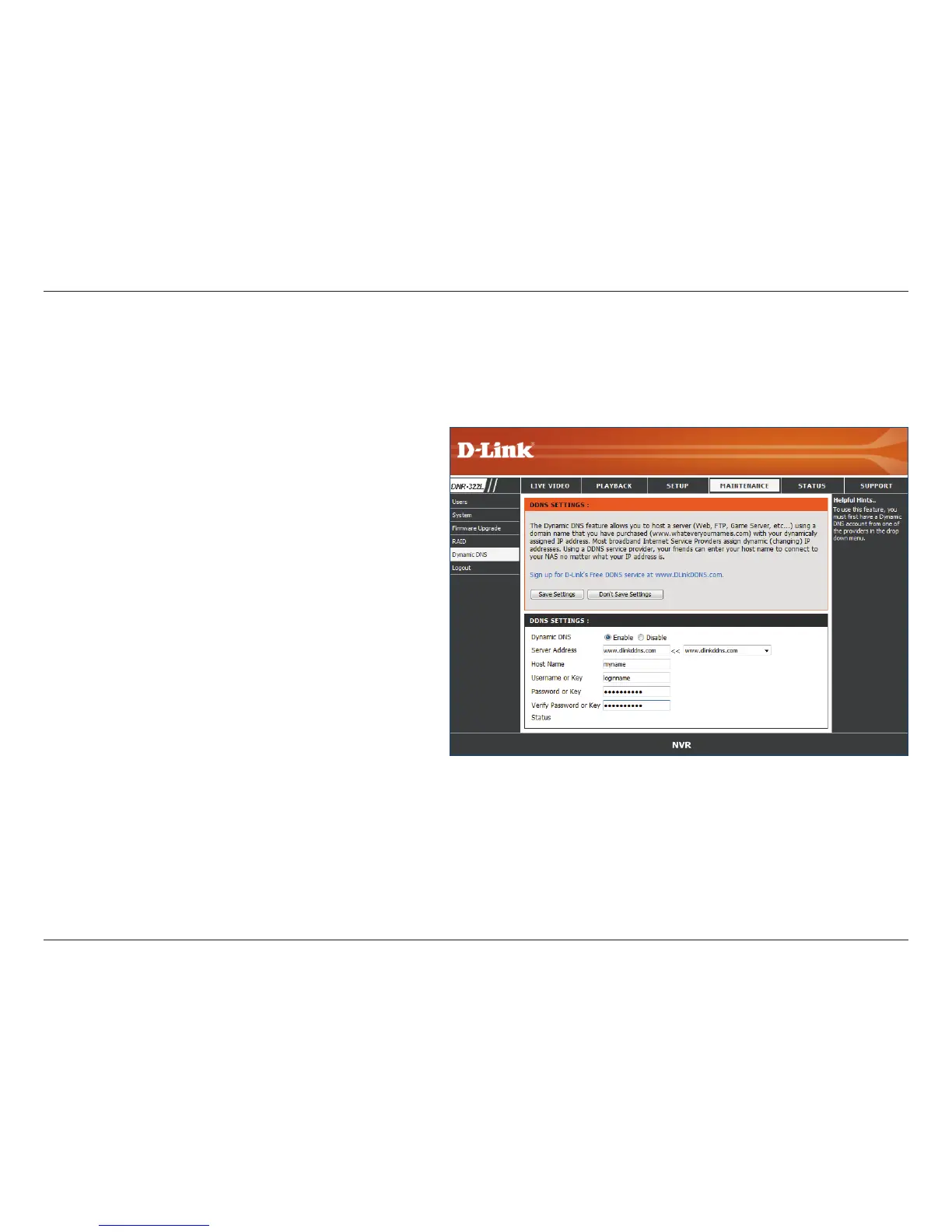
Server
Address:
Host Name:
Username or
Key:
Password or
Key:
Verify
Password or
Key:
Status:
Select a dynamic DNS service provider from the
pull-down list.
Enter your host name. For example: myhost.
mydomain.net.
Enter the username or key provided by your
service provider. If the Dynamic DNS provider
supplies only a key, enter that key in all three
elds.
Enter the password or key provided by your
service provider.
Re-type the password or key provided by your
service provider.
Displays the current status of connection to the
DDNS server.
Enable this option only if you have purchased a domain name and registered with a dynamic DNS service provider. The following
parameters are displayed when the option is enabled.


 To Next Page
 Loading...