3131
SettIng the mode dISplay
MODE DISPLAY INTRODUCTION
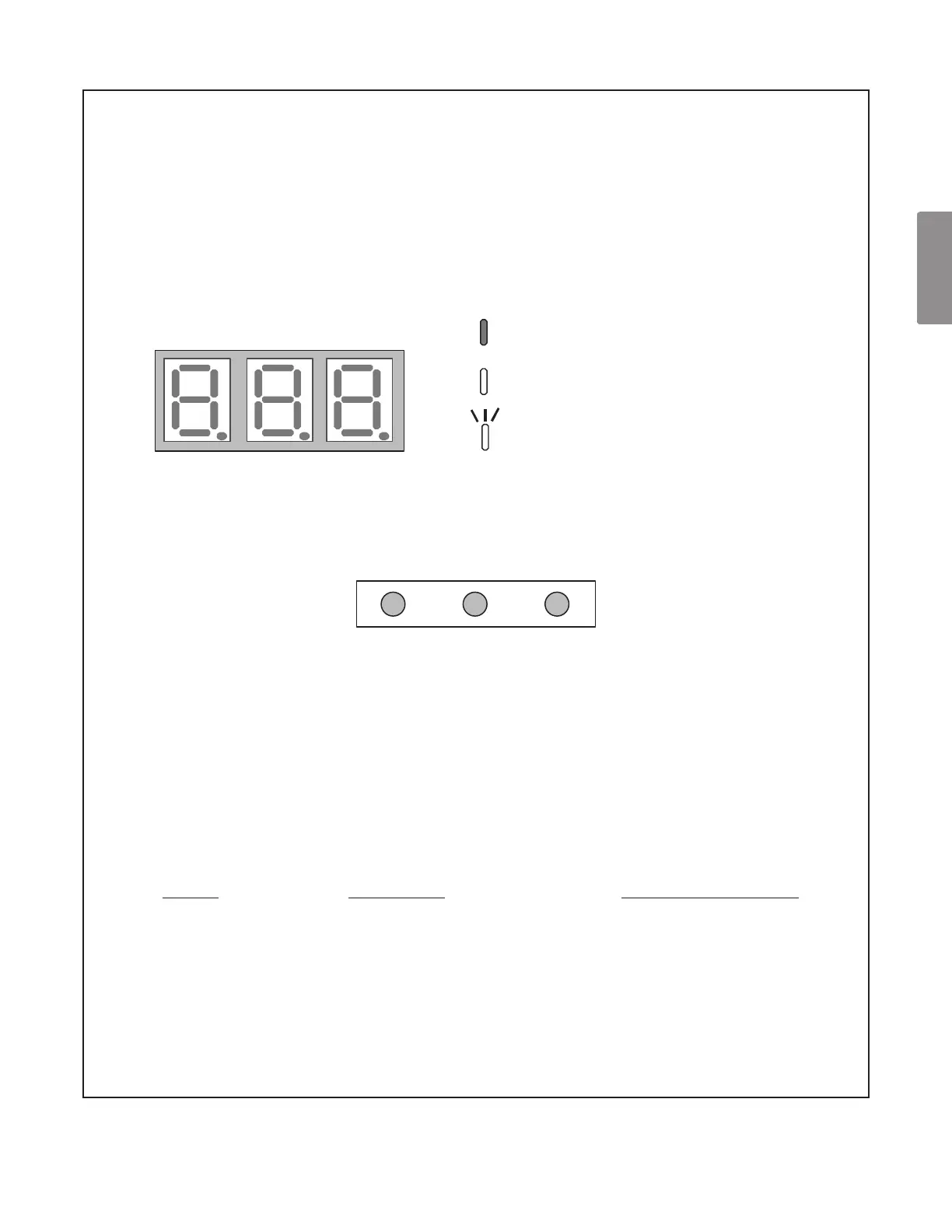
A 3-digit display is provided on the printed circuit board (PCB)
as a backup tool to the thermostat for reading faults, fault history,
monitoring and setting up the heat pump. Follow the information
provided in this section to learn how to use the mode display.
DISPLAY
The display consists of 3 digits.
OFF
ON
Blink interval: 0.4 sec. On - 0.4 sec. Off
SEG1 SEG2 SEG3
DISPLAY BUTTON LAYOUT
The display buttons shown can be used to navigate and select items:
TEST
RECALLLEARN
MODES
There are 5 modes which can be accessed using the setting display:
“FAULT CODE, FAULT HISTORY, MONITORING, SETTING MODE 1” and “SETTING MODE 2”.
To enter any of these modes, use the schemes shown in this section. Each mode has its own
corresponding “Screen #” within the display itself which allows the user to navigate and use the
features. (Example: The Fault Code is accessed and displayed from
“Screen Zero” of the 7-segment display. The Fault History is accessed and displayed using “Screen
One” of the display, etc.)
MODE
Fault Code Display
Fault Code History
Monitoring Mode
Setting Mode 1
Setting Mode 2
FUNCTION
Present fault (if any).
6 Recent faults stored.
*Monitors system values.
*Can change system settings
*Can change system settings.
DISPLAY SCREEN #
0 (Default)
1
2
3
4
*See tables at the end of this section.



 To Next Page