Test Operation Si-95
64 Test Operation Inverter K Series
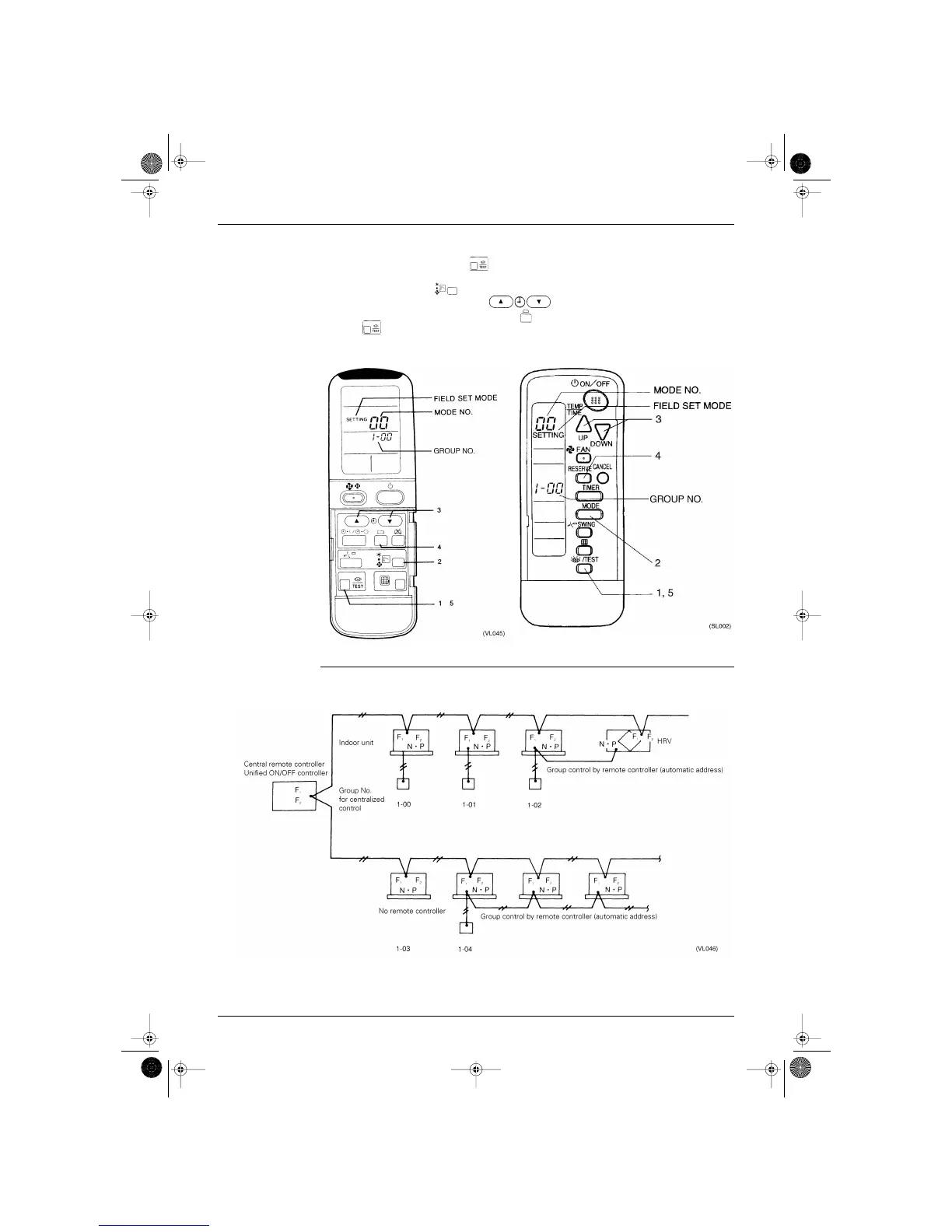
■ Group No. setting by wireless remote controller for centralized control
1. When in the normal mode, push button for 4 seconds or more, and operation then enters the
“field set mode.”
2. Set mode No. “00” with button.
3. Set the group No. for each group with button (advance/backward).
4. Enter the selected group numbers by pushing button.
5. Push button and return to the normal mode.
Group No. Setting
Example
■ If you have to set the address for each unit for calculating cost, etc., set the mode No. to “30.”
SI-95.BOOK Page 64 Friday, March 31, 2000 10:59 AM




 To Next Page