13
Dallmeier electronic GmbH & Co.KG
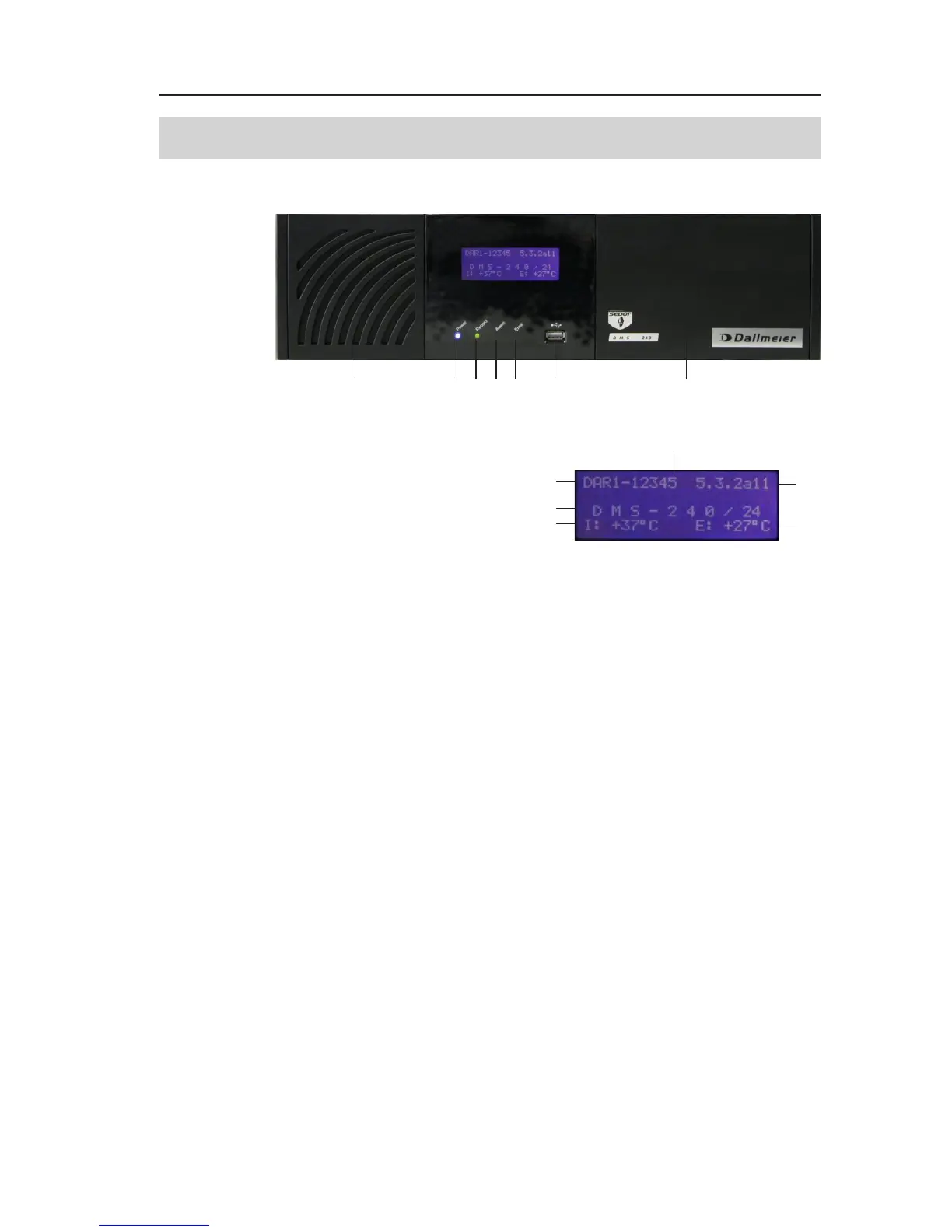
1 Filter pad (behind the panel)
2 Display
3 Serial number
4 Version number
5 Product name/Number of activated cameras
6 Internal temperature
7 External temperature
8 Status LEDs
9 Power (blue)
Always lights up while the unit is switched on.
10 Record (green)
Indicates the recording activity (hard disk activity) of the
recorder.
11 Alarm (orange)
Indicates the alarm status of the recorder.
12 Error (red)
Indicated failures, e.g. camera failures or hard disk faults.
13 USB port
14 HDD, CD/DVD drives (behind the panel)
4 Display indications and ports on the front side
Fig. 4-1: Front view DMS 240
1
8
9101112 13 14
2
3
4
5
6
7



 To Next Page