25
Dallmeier electronic GmbH & Co.KG
6.4 Camera control
The graphical user interface allows to control a controllable camera
(dome, PTZ head) if such a camera has been connected to the
recorder and defined as controllable (see Installation and
Configuration).
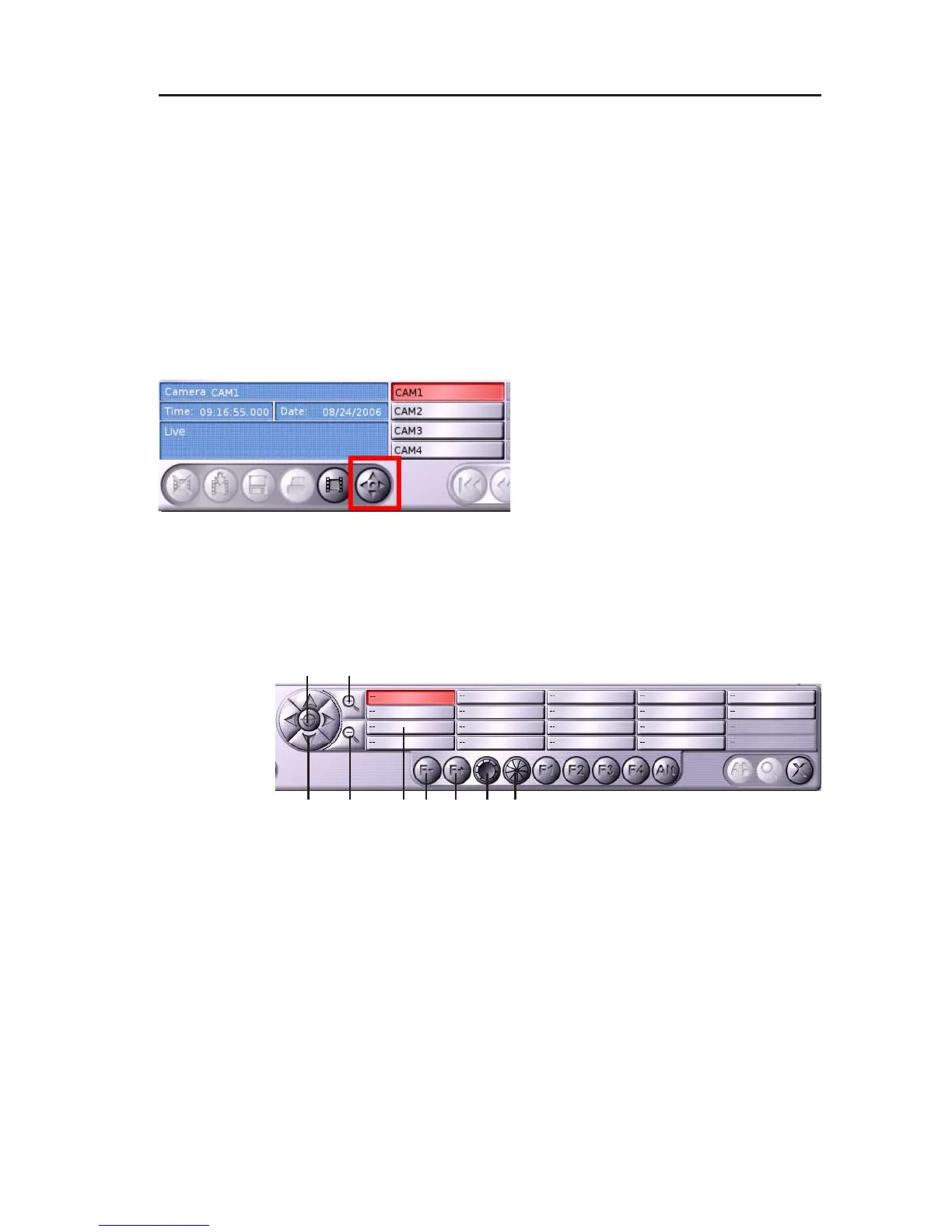
" Click on the corresponding camera button in the Playback / Live
mode.
The live image of the camera will be displayed.
The camera control button will be activated.
" Click on the camera control
button.
The camera control panel will be
displayed.
6.4.1 Functions
1 Control buttons (left, right, up, down)
2 Starting position
3 Zoom +
4 Zoom -
5 Focus +
6 Focus –
7 Open shutter
8 Close shutter
9 PTZ preset buttons
Fig. 6-8: Camera control button
Fig. 6-9: Camera control panel
1
2 3
4 56879



 To Next Page