32
Dallmeier electronic GmbH & Co.KG
DMS 240 / DMS 160 / DMS 80
7.1.2 Track selection
There are different methods for selecting a track:
Direct selection
This method allows a LP track to be quickly selected.
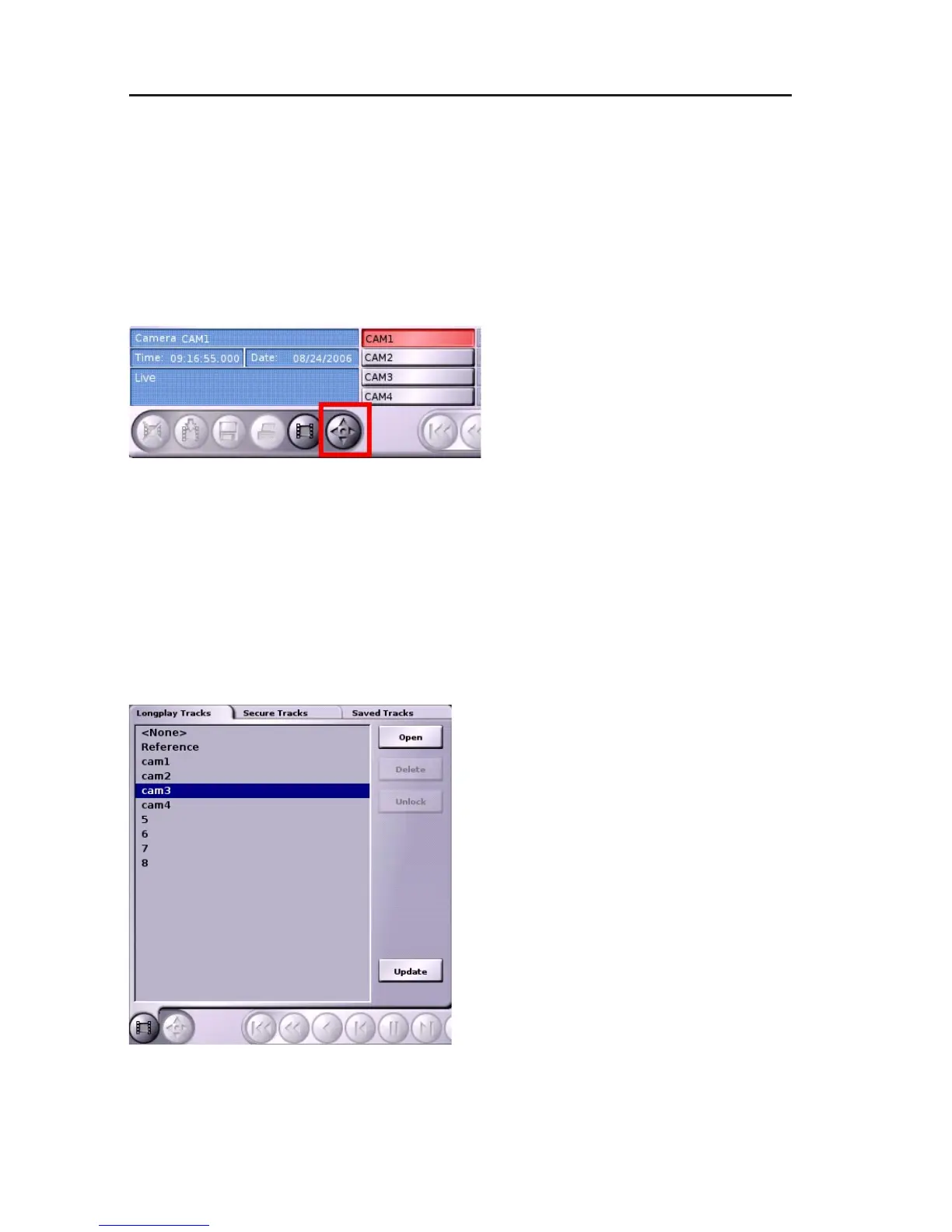
" Click on a camera button in the Playback/Live mode to display
the live image of the camera.
" Left-click on the Select track
button.
The recorder will switch to Playback mode. The latest image in the
LP track of the corresponding camera will be displayed.
Selecting a track in the Select track panel
Every track type can be selected for recording in the Select track
panel.
" Right-click on the Select track button.
The Select track panel will be displayed.
" Select the tab with the relevant track
type.
" Left-click a track to mark it.
" Click on Open.
The recorder will switch to Playback
mode. The latest picture in the track
will be displayed.
Fig. 7-1: Select track button
Fig. 7-2: Select track panel



 To Next Page