28
Dallmeier electronic GmbH & Co.KG
DMS 240 / DMS 160 / DMS 80
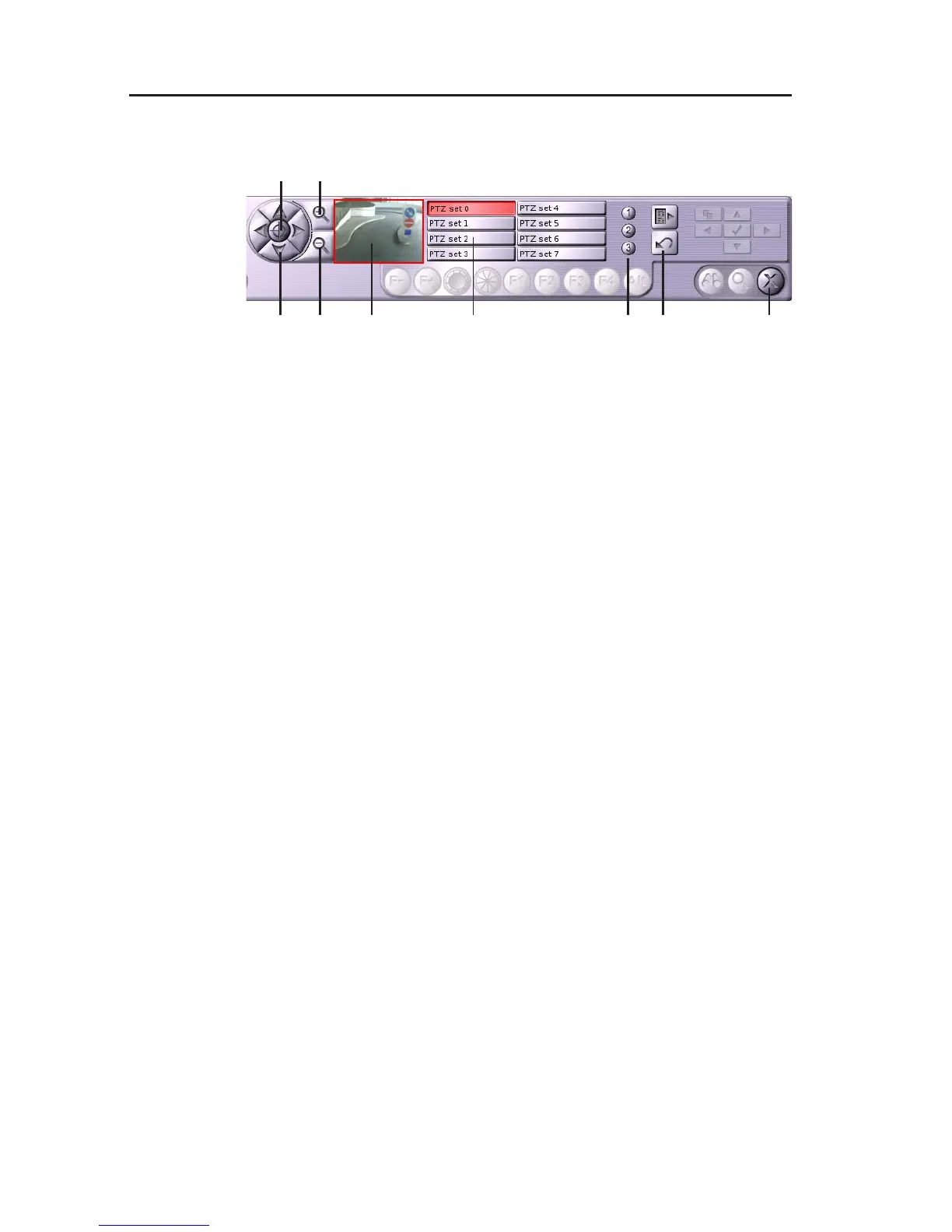
6.5.1 Functions
1 Control buttons
2 Reset zoom
3 Zoom +
4 Zoom -
5 Preview window
6 PTZ preset buttons
7 Preset 1 – 3
8 Menu on/off
9 Reset settings
The functions 6 - 8 allow to change the internal configuration of a
Dallmeier electronic UTC camera. Normally, it is not necessary to
change this configuration. This functionality is described in the
documentation Installation and Configuration.
6.5.2 Zoom control
" Define the size of the relevant image section with Zoom + and
Zoom –.
A red frame in the preview window shows the position of the image
section.
" The control buttons allow you to position the image section.
The drag & drop method also allows you to change the position of
the section in the preview window.
6.5.3 PTZ presets
The current position of the relevant image section can be saved as
preset. For this purpose 8 presets are available.
Fig. 6-13: UTC zoom control panel
1
2 3
4 5 976 8



 To Next Page