52
Dallmeier electronic GmbH & Co.KG
DMS 240 / DMS 160 / DMS 80
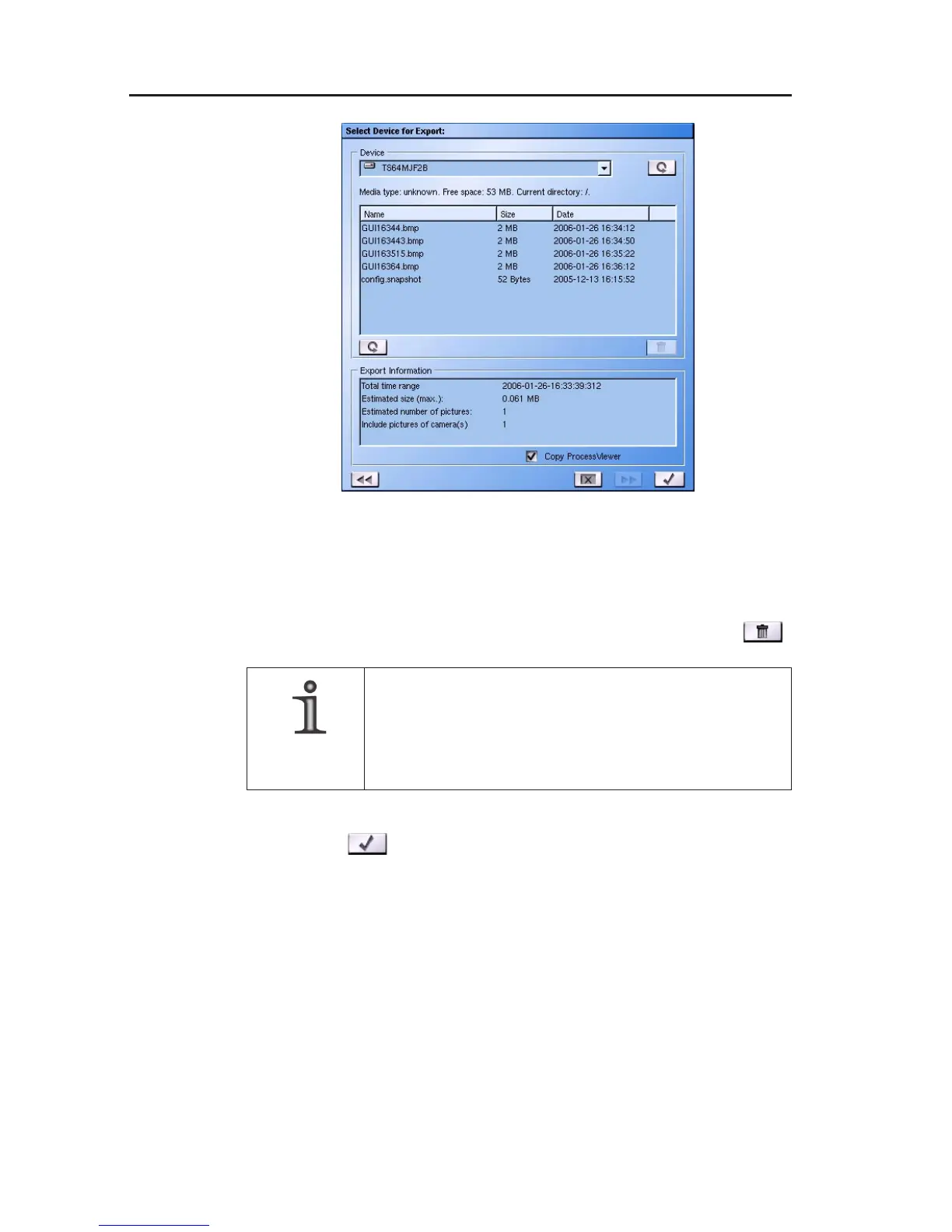
" Compare the Export Information with the free memory of your
selected medium.
" If necessary delete some data from your medium. To do this mark
the appropriate file in the information window and click on
.
NOTE
If a CD/DVD medium is used, only the whole
medium can be erased.
It is not possible to delete individual files.
" Click on
to save the files.
9.1.5 Exporting...
After you have confirmed the save procedure, the Exporting…
window will open.
" Check the checkbox Show export`s log file to view information
about the saving procedure.
Fig. 9-5



 To Next Page