EasyManua.ls Logo

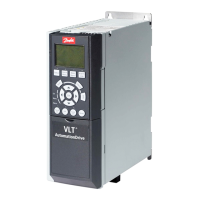
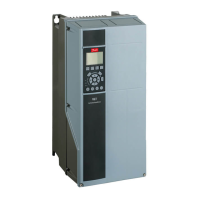
Danfoss VLT series - User Manual

Danfoss VLT series
98 pages
Print Icon
To Next Page IconTo Next Page
Loading...
MAKING MODERN LIVING POSSIBLE
Operating Instructions
VLT
®
AutomationDrive FC 302
12-pulse
vlt-drives.danfoss.com

Table of Contents

Other manuals for Danfoss VLT series

Questions and Answers

  • R
    Rachel ByrdSep 8, 2025
    Why does my Danfoss Control Unit have no output voltage?
    • A
      Amy FrostSep 8, 2025
      If the Danfoss Control Unit shows no output voltage, first check the AC input voltage and ensure that no phases are missing. If the external fuse of the power supply module is blown, it indicates a failure within the module, and it should be sent to Danfoss for repair.
  • R
    rodriguezkevinAug 23, 2025
    Why do Danfoss Servo Drives stop suddenly and not restart?
    • B
      Billy AndersonAug 23, 2025
      If the drive stops suddenly and does not restart, this may be because of no drive communication or the servo drive is in error mode. Check the fieldbus connection and the status indicators (LEDs) on the servo drive.
  • T
    Terry GrayAug 25, 2025
    What to do if Danfoss Servo Drives speed drops sharply under load?
    • T
      Troy MillerAug 25, 2025
      If the drive speed drops sharply under load, it may be running at the current limit or with incorrect parameters. Check the application and the parameter settings.
  • O
    owilliamsAug 26, 2025
    Why Danfoss Servo Drive does not run or starts up slowly?
    • J
      Jessica JohnsonAug 27, 2025
      If the servo drive does not run or only starts up slowly or with difficulty, it could be due to bearing wear, incorrect parameter settings, incorrect control loop parameters, or incorrect torque settings. Check the bearings and shaft, and verify the parameter settings.
  • Y
    yallenAug 27, 2025
    What to do if Danfoss Servo Drives LEDs do not light up?
    • L
      Linda BishopAug 27, 2025
      If the LEDs do not light up, the cause is likely that there is no power supply. Check the power supply.
  • M
    Marcus BrownSep 22, 2025
    What to do when Danfoss Control Unit shows no output voltage due to internal failure?
    • M
      Matthew HarperSep 22, 2025
      If your Danfoss Control Unit has no output voltage due to an internal failure, contact Danfoss-Service. If the external fuse is broken, do not attempt to restore mains voltage to the power supply module.
  • T
    Terry ChambersSep 16, 2025
    What causes reduced output voltage in Danfoss Control Unit due to heatsink temperature?
    • W
      William CastroSep 16, 2025
      If the output voltage of your Danfoss Control Unit is possibly reduced and the internal heatsink temperature is too high, check that the air inlet and outlet are free from obstructions. Also, verify that the ambient temperature is not excessively high. If the temperature is above the "Warning Level", the output current will be limited to 4 A.
  • C
    Cynthia VasquezSep 18, 2025
    What to do if fan problems reduce Danfoss Control Unit output voltage?
    • C
      Cynthia LindseySep 18, 2025
      If the output voltage of your Danfoss Control Unit is possibly reduced, it may be due to the fan being blocked or its speed being reduced. Check if the fan is mechanically locked, perhaps by parts inside the power supply. If a replacement is needed, send the power supply module to Danfoss. If the fan is blocked, the output current is automatically limited to 4 A.
  • D
    Daniel WadeSep 7, 2025
    What does Error 0xFF91 mean on Danfoss Servo Drives?
    • S
      Sydney MartinSep 7, 2025
      Error 0xFF91 indicates that increments between succeeding values are too big. Check for velocity or guide value plausibility distance.
  • R
    Rebecca PittsSep 4, 2025
    What causes Danfoss Servo Drives to make a screaming noise?
    • K
      Kathleen LiSep 4, 2025
      If the drive is screaming, it may be due to incorrect calibration, a faulty current measurement, or incorrect control loop parameters. Check the parameter settings and contact Danfoss.

Summary

Introduction

Purpose of the Manual

Explains the manual's scope and content for using the frequency converter.

Additional Resources

Lists other documents and online resources for technical information and guidance.

Safety Instructions

Safety Symbols

Defines warning symbols used throughout the manual to indicate hazards.

Qualified Personnel

Specifies requirements for personnel authorized to install, commission, and maintain the equipment.

Safety Regulations

Outlines essential safety regulations and warnings related to high voltage and unintended start.

How to Install

Pre-installation

Covers planning the installation site, inspection on receipt, and transportation.

Mechanical Installation

Details preparation, tools, general considerations, terminal locations, and cooling requirements.

Electrical Installation

Covers grounding, protection, RFI switch, torque, cables, mains connection, and fuses.

How to Programme

The Graphical LCP

Describes the Local Control Panel (LCP) layout, display lines, and functional groups.

Initial Commissioning

Provides a step-by-step guide for initial setup and configuration using the Quick Menu.

Quick Set-up

Explains the Smart Application Setup (SAS) for quick commissioning of applications and fieldbusses.

General Specifications

Mains Supply

Details supply voltage, frequency, imbalance, power factor, and environmental considerations.

Cable Specifications

Specifies maximum cable lengths, cross-sections, and types for motor, control, and brake connections.

Control Input;output and Control Data

Lists digital and analog input/output specifications, including voltage levels and resistance.

Warnings and Alarms

Warning and Alarm Types

Categorizes warnings and alarms, explaining reset procedures and display indicators.

Warning and Alarm Definitions

Provides detailed explanations of specific warning/alarm conditions, causes, and troubleshooting steps.

Danfoss VLT series Specifications

General IconGeneral
SeriesVLT
CategoryDC Drives
Output Voltage0-100% of input voltage
Protection FeaturesOvervoltage, Undervoltage, Overcurrent, Overtemperature, Short Circuit, Ground Fault
Communication InterfacesProfibus, CANopen
Enclosure RatingIP20, IP21, IP55, IP66
Cooling MethodForced Air Cooling, Convection Cooling
Control ModeSensorless Vector, Closed Loop Vector
Ambient Temperature-10°C to +50°C (14°F to 122°F)

Related product manuals