CONTENTS
22
MEMOR™ 30/35 FAMILY
APPLICATIONS
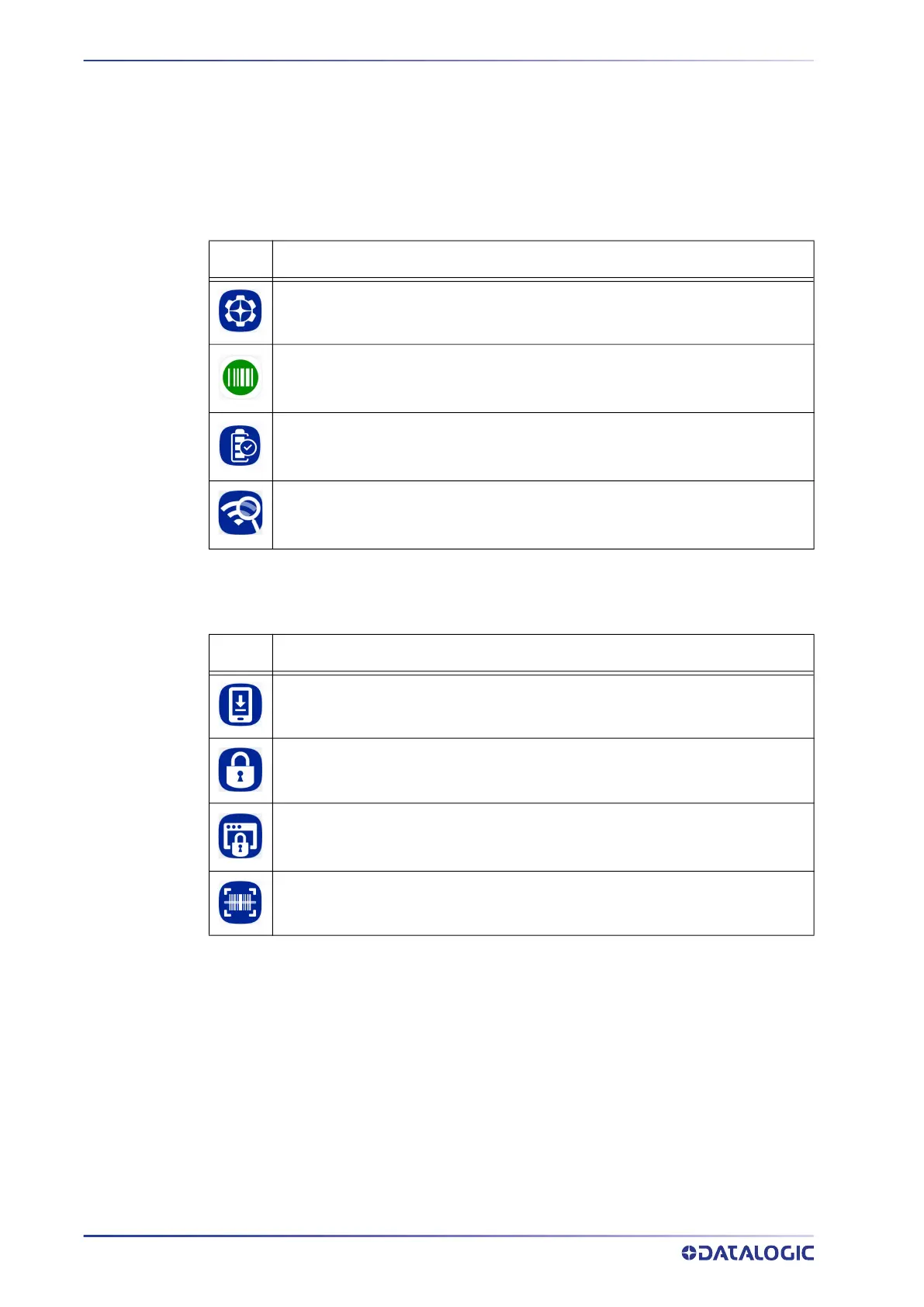
The All Apps screen displays icons for all installed applications. The table below lists the
default applications installed on the Memor 30/35.
Datalogic Utilities
Datalogic Tools
Icon Description
Datalogic Settings - See "Datalogic Settings" on page 29.
SoftSpot - A configurable application meant to provide easy access to frequently
used functionalities, as well as activating the scan engine of the device (see
"SoftSpot™" on page 78).
Battery Manager - Provides information on the battery type, charge, status and
temperature, allows to set the charging profile and to log battery data (see "Bat-
tery Manager" on page 70)
WiFi Guard - Android application that collects information on a Wi-Fi network
and provides tools to assist in improving network performance and diagnosing
connection problems.
Icon Description
Scan2Deploy - Configuration tool (see "Scan2Deploy" on page 83).
Launcher - Android application that locks down the device to launch only
allowed applications (see "Datalogic Launcher" on page 83).
Browser - Android application for web browsing to only allowed sites and to
expose JavaScript access to the scanner (see "Datalogic Enterprise Browser"
on page 83.
Scan Demo – Enables data capture (see "Data Capture" on page 84).



 To Next Page