AP20 Installation and Operating Guide Page 101
AP20 Installation & Operating Guide Document # 9301H39200 Ver. 1.25
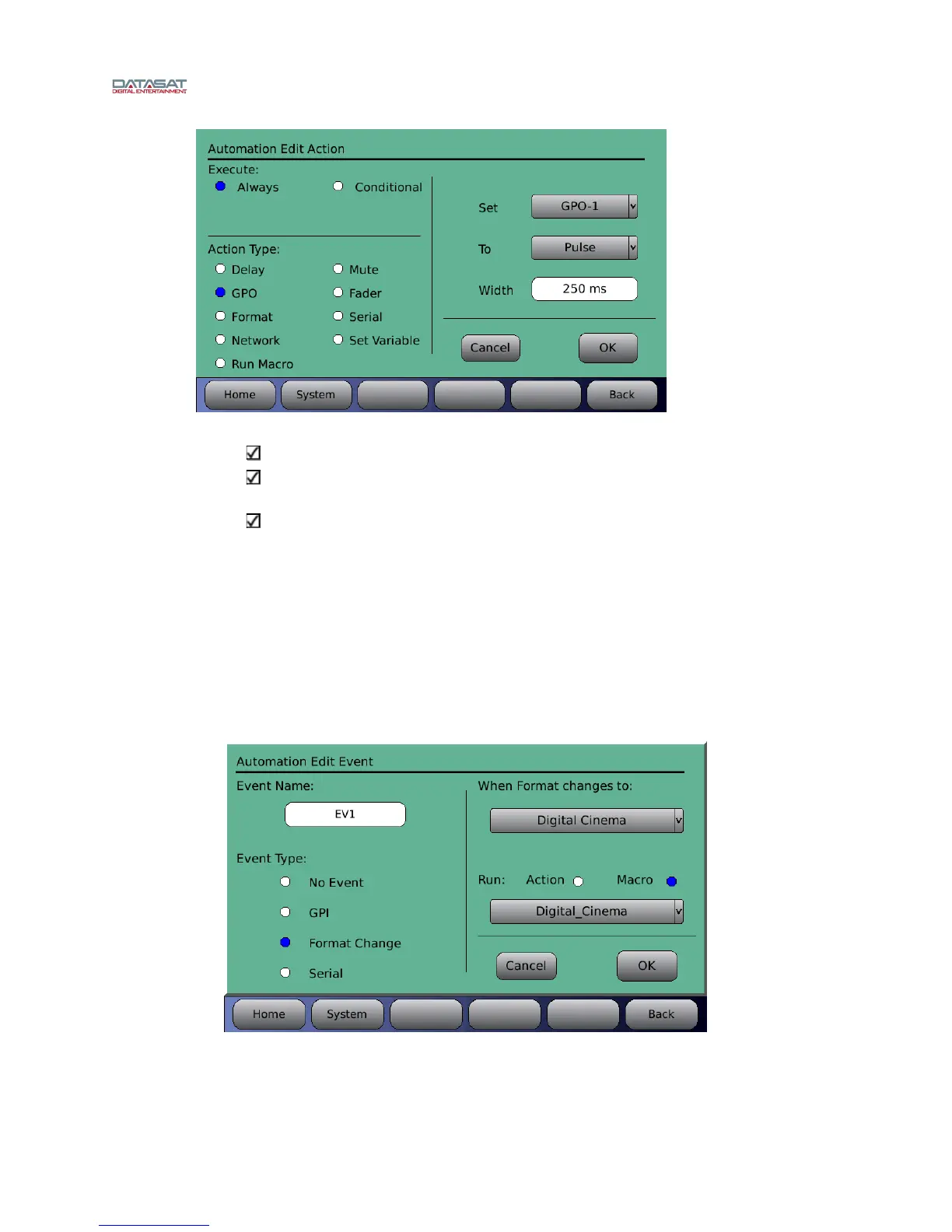
Figure 83. Automation Edit Action screen – Conditional GPO
Use descriptive variable names.
Try to keep variable names short and simple. The conditional action will not
work as expected if the name does not match exactly.
If the conditional action occurs and the variable has not been set as TRUE or
FALSE, the variable is presumed to be FALSE.
Format Change – Configure an event when a format is changed.
When Format Change is selected, an action or macro is run when the format changes to one
selected from the dropdown list. Select an Action or Macro to run. If Macro is selected,
choose a macro from the dropdown list. If Action is selected, touch the white box that
appears below it. This will bring up the Automation Edit Action screen (for a description of
options available, see Figure 81, and text following it, above). In Figure 84 below, when the
format changes to “Digital Cine
ma” the Digital Cinema macro is run.
Touch OK when finished, or touch Cancel to cancel this task.
Figure 84. Automation Edit Event screen – Format Change



 To Next Page