AP20 Installation and Operating Guide Page 103
AP20 Installation & Operating Guide Document # 9301H39200 Ver. 1.25
Fire Alert Event
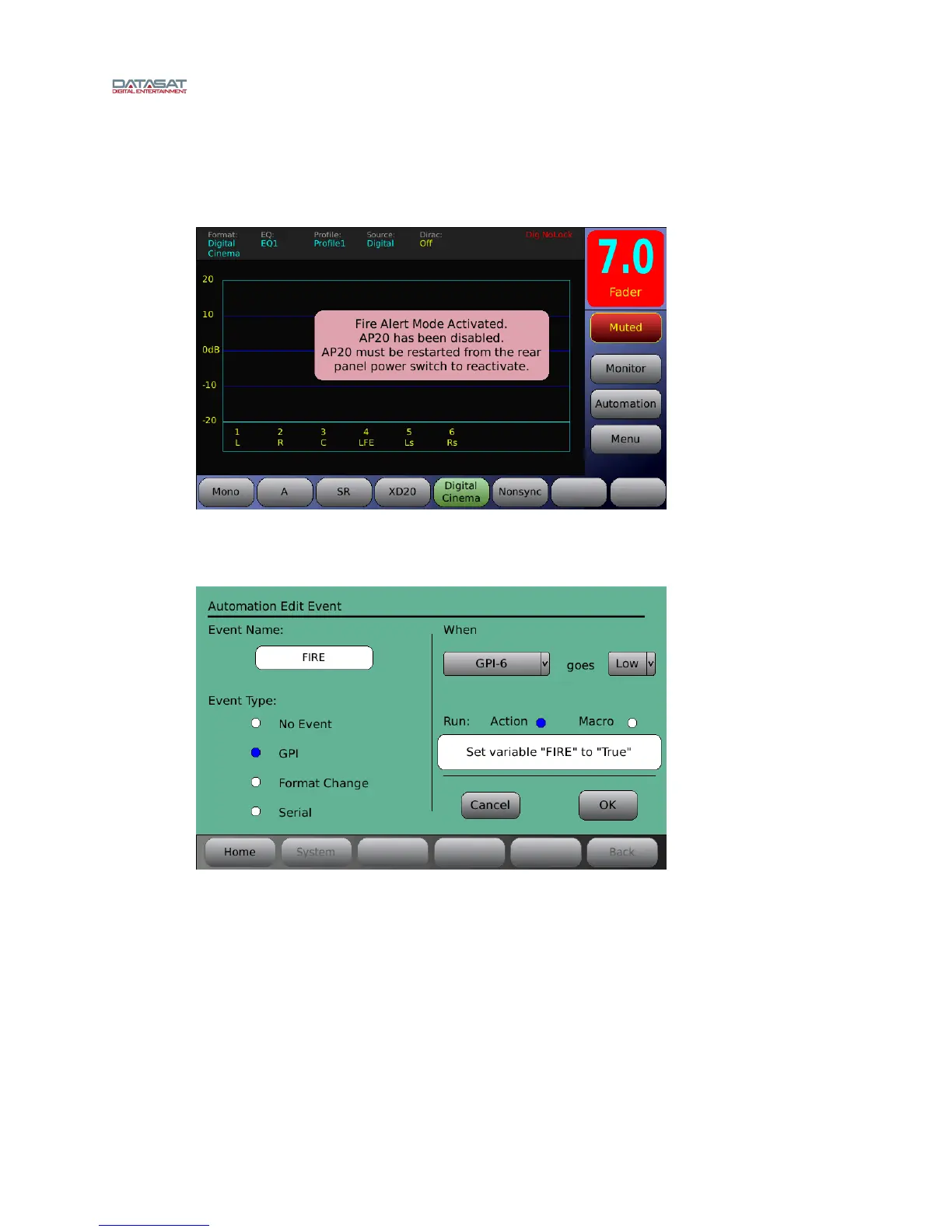
A Fire Alert event will shut down the AP20 audio and display a popup on the home screen
that says “Fire Alert Mode Activated” will be seen (as shown below). The AP20 audio and
menus are disabled until the unit is reset from the back power button.
Fire Alert event is activated by an event that sets the variable FIRE to TRUE (In the
Automation Edit Action screen set Action Type = Set Variable, Variable Name = FIRE, and
Set to = TRUE).
Example: The Fire Alert event programmed to occur when GPI-6 goes low.



 To Next Page