AP20 Installation and Operating Guide Version 1.25
Appendix F. H338 Optical Film Card Option F-17 Document #: 9301H39200 Ver. 1.25
Next turn on the subwoofer channel, enable pink noise on the LFE channel, and then select the
Bass Gain by pressing the <Gain> button. Use the AP20 fader knob, or up and down keys
when using a laptop, to adjust the Bass Gain to match the Center channel level previously
noted on the RTA display. The Bass Gain range is -10dB to +10dB.
F4.4.8. Optical Surrounds Delay Settings
Surround delays are in addition to any channel delays.
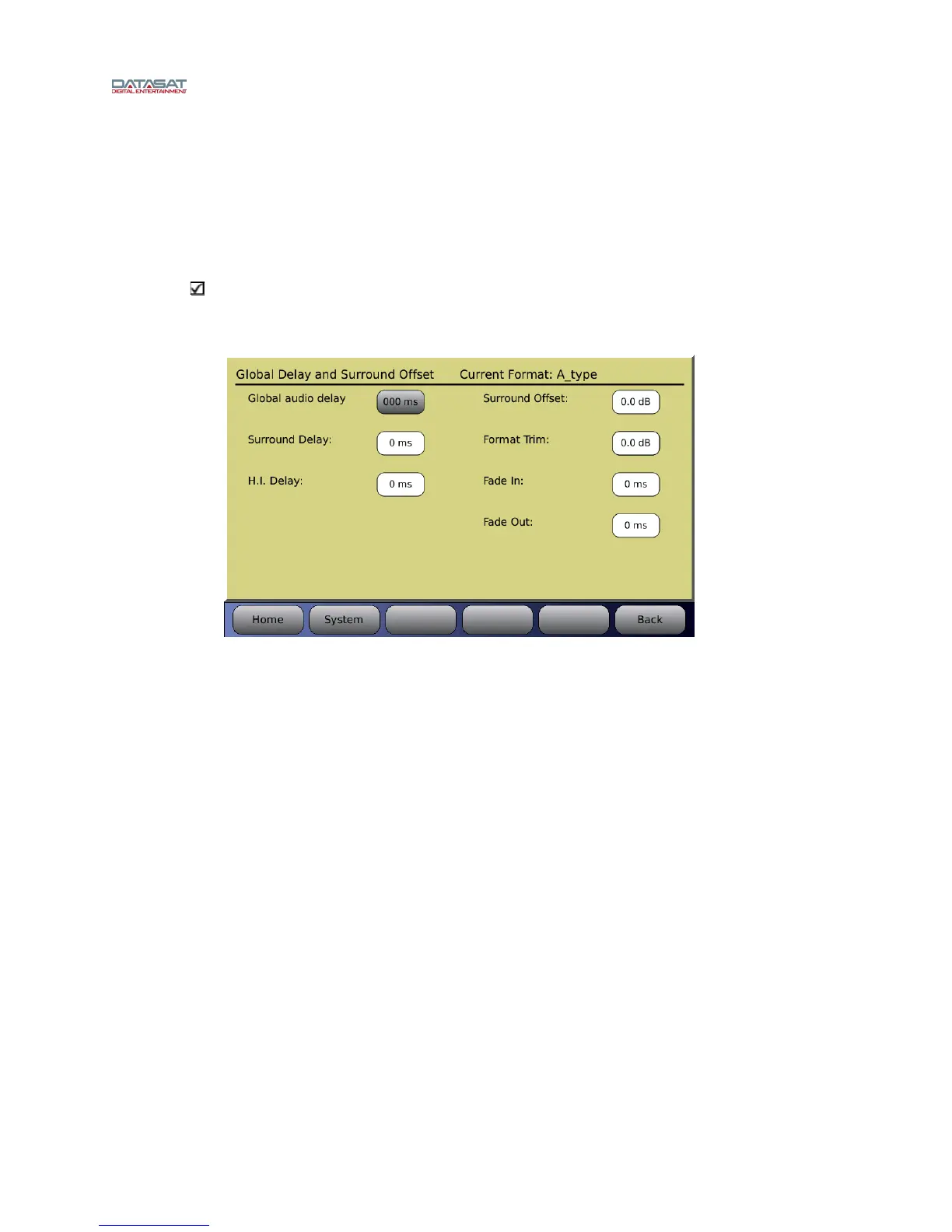
To set surround delays for the optical formats, go to Menu (System) → Formats → Format
Options → Global Delay and Surround Offset
Figure 22 – Surround Delay
Select Surround Delay. Enter the desired delay (in milliseconds). The delay is entered by
selecting the Surround Delay box and then dialing in the correct value using the front panel
rotary encoder.
For more information on calculating the Surround Delay, see section 4.6.3.1 in this manual.
F4.4.9. Recheck Optical Gain Levels
See F4.4.1 above: Optical Gain Adjustment. If any adjustments were made it may be
necessary to reset these levels. This will complete the optical alignment.
F4.5. Trouble shooting
No activity seen on AP20 Film Card Setup Screen.
Confirm projector optical LED is on, next check connections from Projector to H338 card,
confirm which Projector input is being used, and check that LED light is on next to input, if not
select an optical format on the home screen.
The AP20 mutes when switching from optical card to digital or analog input
source
This may occur if the digital soundtrack input is not set correctly. Go to the Film Card Setup
screen and select Digital Soundtrack Input, in this menu choose the input source in use, analog or
digital.



 To Next Page