AP20 Installation and Operating Guide Page 53
AP20 Installation & Operating Guide Document # 9301H39200 Ver. 1.25
4.1 The Menu Button
The Menu Button is intended to be used by theater technicians only. Password protection is highly
recommended.
Selecting the
button, after first powering up the AP20, will display the System Setup screen.
This will provide access to the Setup menus.
In the next section, we will discuss in detail the options available through the menu bar. Pressing
the Home button will take you back to the Home or Main screen.
4.2 System Setup Screen
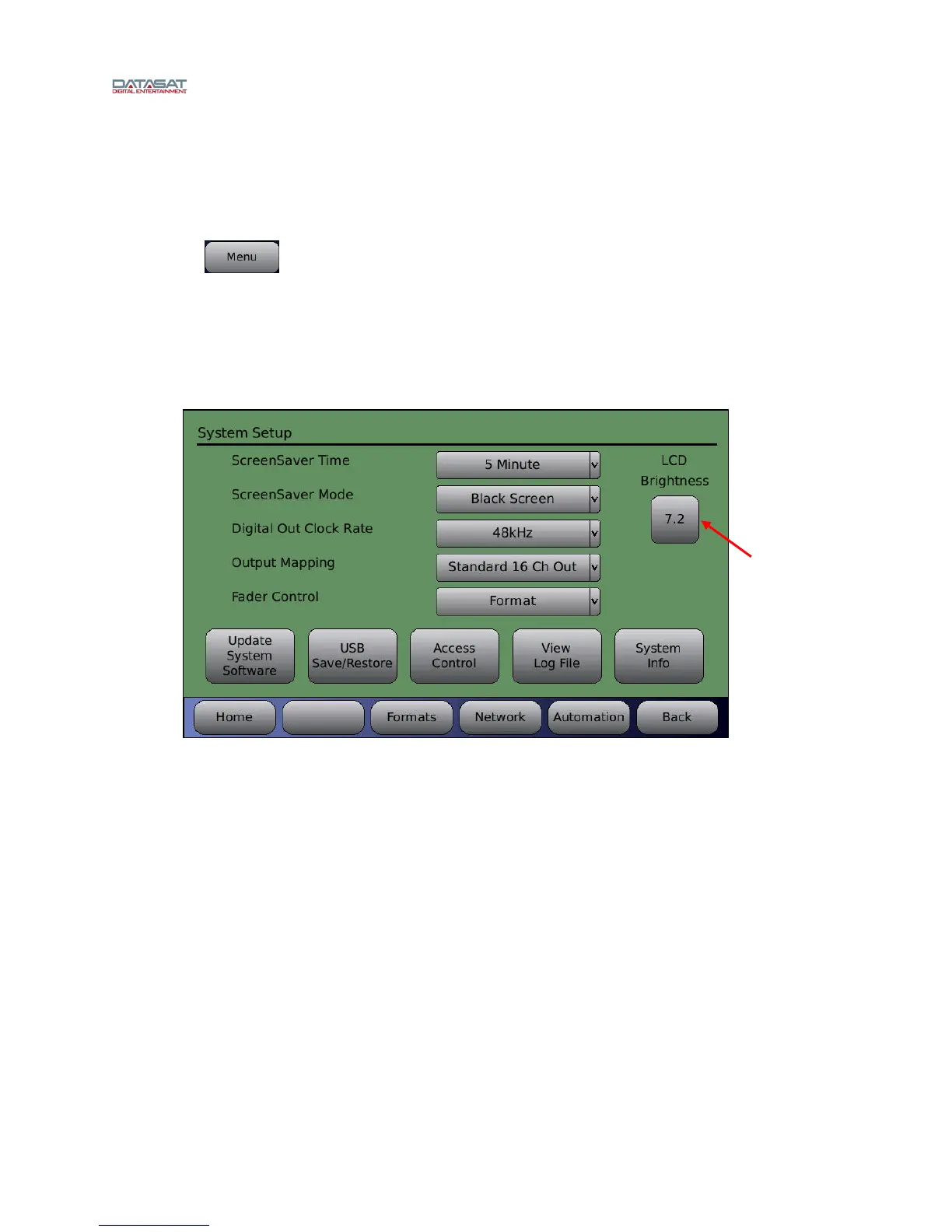
Menu (System) > System Setup
Figure 24. System Setup Screen
The following options are available directly from this screen.
ScreenSaver Time - Options include a 10 second delay, 1 minute delay, or 5 minute delay
before screen saver initiates.
ScreenSaver Mode - Disabled, Dim Screen, Graphic, or Black screen.
Disabled will turn off the screen saver.
Dim Screen will reduce the LCD brightness after the time specified in the ScreenSaver
Time drop-down menu. Touching the screen or turning the adjustment knob will restore
the brightness.
Graphic mode uses the stored screen saver graphic. Touching the screen or turning the
adjustment knob will restore the Home screen.
Black Screen will black out the screen after the specified time selected under Screensaver
Time.
Turn adjustment
knob to adjust
brightness



 To Next Page