Edit Configuration – Expansion
101
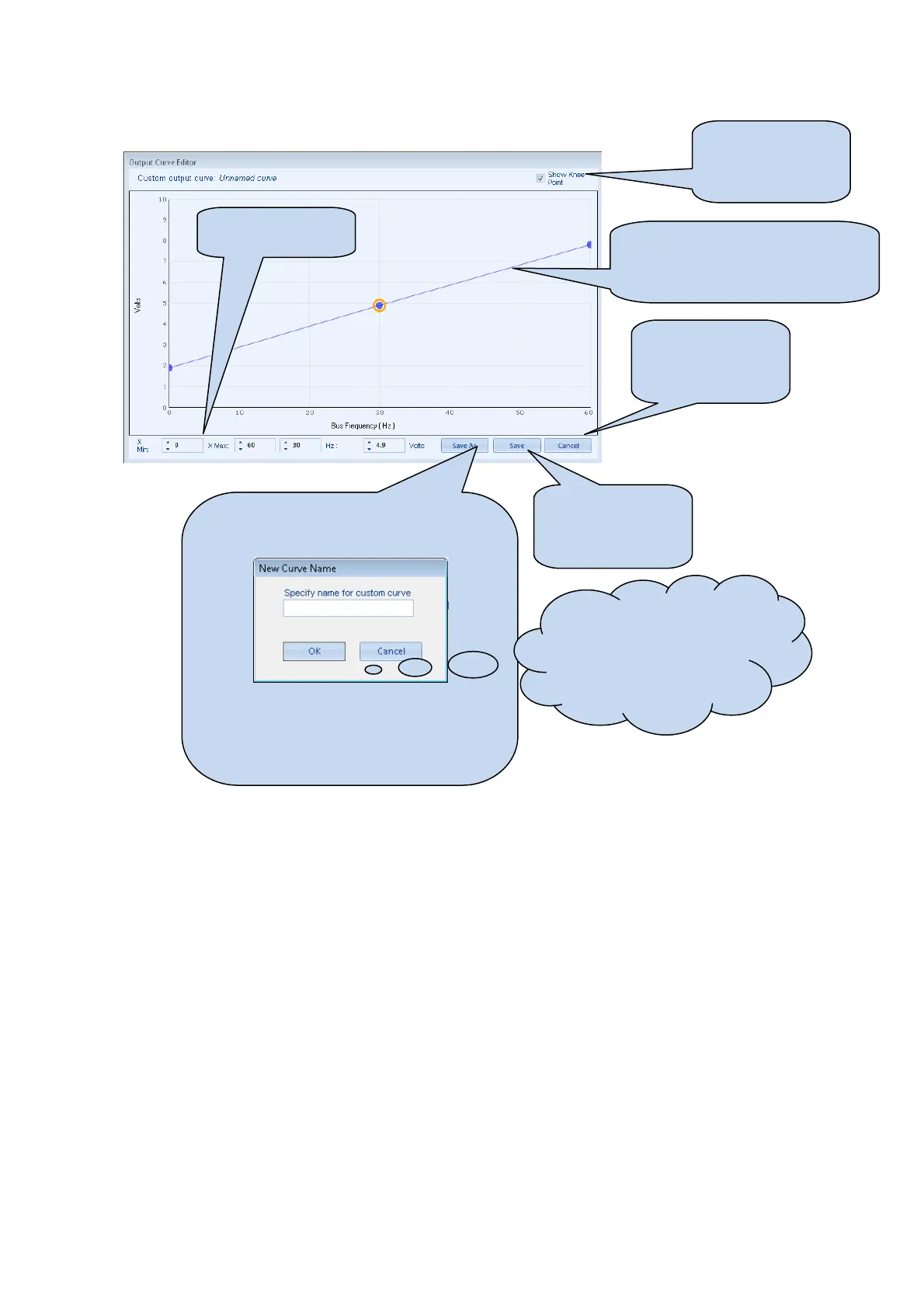
4.14.4.1 EDITING THE OUTPUT CURVE
Click and drag the points on the
graphs to change the settings. In
this example 0 Hz – 60 Hz wiill be
output as 2 V to 8 V.
Click OK to accept
the changes and
return to the
configuration editor
Click CANCEL to
ignore and lose any
changes you have
made
Click SAVE AS, you are prompted to name
your curve....
Click OK to save the curve.
Any saved curves become selectable in the
Input Type selection list.
Hint: Deleting, renaming or
editing custom sensor curves
that have been added is
performed in the main menu,
select Tools | Curve Manager.
Show and hide the
knee point (middle
point) of the output
curve
Choose the x axis
start and end points



 To Next Page