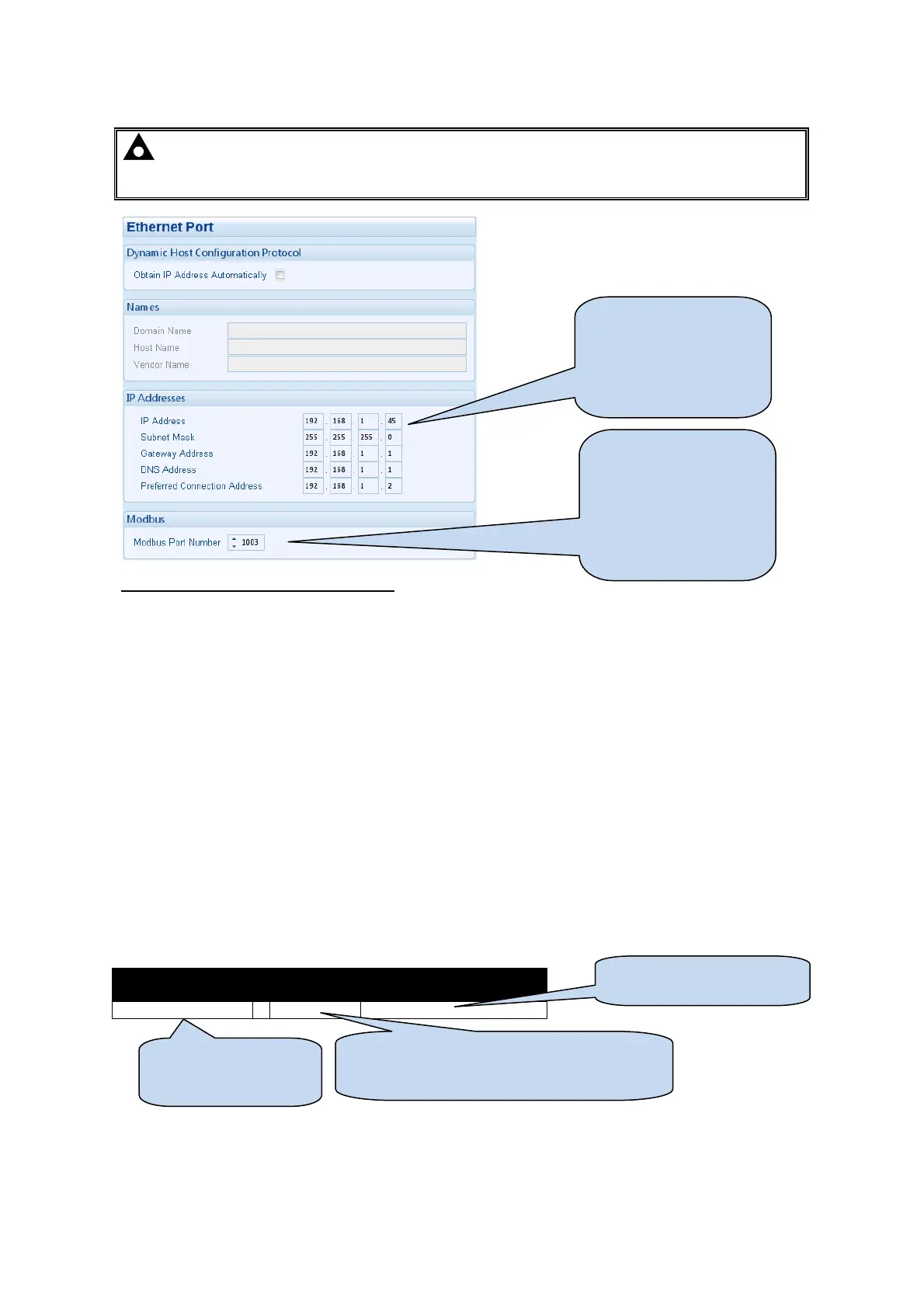
Edit Configuration - Communications
85
4.10.5 ETHERNET PORT
NOTE: Consult the network administrator of the host network before changing these settings.
Incorrect settings could cause network errors in the existing network. These settings must only be
changed by qualified network administrators.
Firewall configuration for internet access
As modem/routers differ enormously in their configuration, it is not possible for DSE to give a complete guide
to their use with the module. However it is possible to give a description of the requirements in generic terms.
For details of how to achieve the connection to your modem/router you are referred to the supplier of your
modem/router equipment.
The module makes its data available to a configurable TCP port number.
You must configure your modem/router to allow inbound traffic on this port. For more information you are
referred to your WAN interface device (modem/router) manufacturer.
Incoming traffic (virtual server)
Network Address and Port Translation (NAPT) allows a single device, such as the modem/router gateway, to
act as an agent between the Internet (or "public external network") and a local (or "internal private") network.
This means that only a single, unique IP address is required to represent an entire group of computers.
For our DSE7400 application, this means that the WAN IP address of the modem/router is the IP address we
need to access the site from an external (internet) location.
When requests reach the modem/router, we want this passed to a ‘virtual server’ for handling, in our case this
is the DSE7400 series module.
Example
Virtual Servers
Filter Name Source Port Destination (LAN) Address
DSE7410/DSE7420 1003 192.168.1.3
Result : Traffic arriving from the WAN (internet) on port 1003 is automatically sent to IP address 192.168.1.3
on the LAN (DSE7400) for handling.
After the IP address is
changed by writing the
configuration, the
controller must be power
cycled before the change
takes effect.
Network port number that
the modbus TCP
communications will
operate over. Ensure any
firewall in the system (for
instance within the
router) is configured to
allow traffic on this port.
DSE7400 series controller
Port number of the communications (must
match the configuration of the DSE7400
controller
for the Port
Forwarding rule



 To Next Page