Edit Configuration – Expansion
103
4.14.7 DSE2548 LED EXPANSION
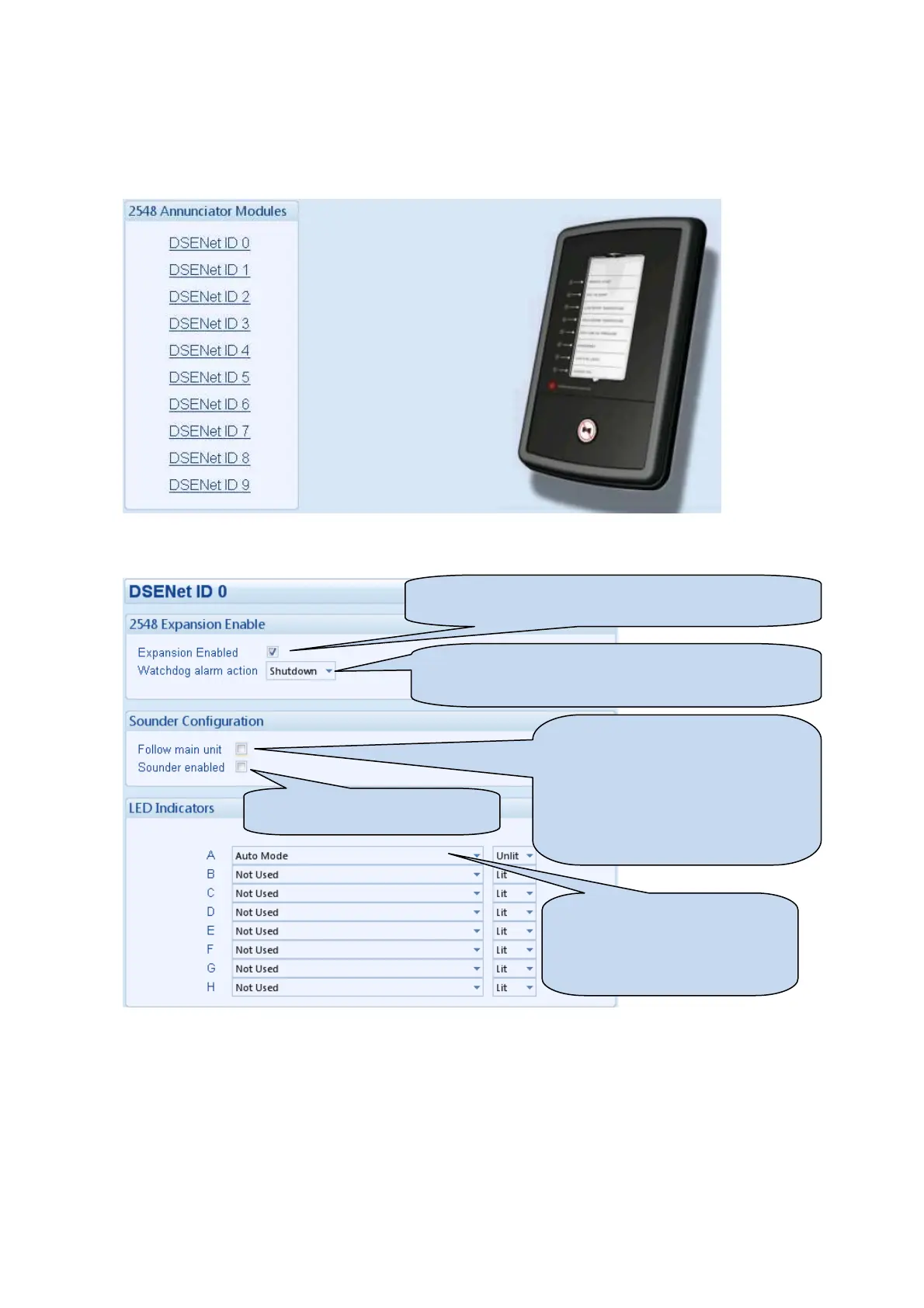
Select the DSENet ID of the LED expansion you wish to configure. The ID of the Annunciator is set by rotary
decimal switch accessible on the back of the device.
The following is then shown:
Click to enable or disable the option. The relevant values
below will appear greyed out if the alarm is disabled.
Select the alarm type of the
. This alarm will
take action if the expansion module is not detected by the
- If the
button is
pressed, other DSE2548 modules
configured to Follow main unit and the
host module will also lamp test / mute
their alarm and vice-versa.
- If the mute / lamp test button is
pressed, other DSE2548 modules and
the host module will not respond to this.
Enable or disable the expansion
Select the configuration for the
LED. For instance this LED is
configured to be unlit when in auto
mode. Hence this is a not in auto
LED.



 To Next Page