Edit Configuration – Expansion
93
4.14.1.2 ANALOGUE INPUTS (E-H)
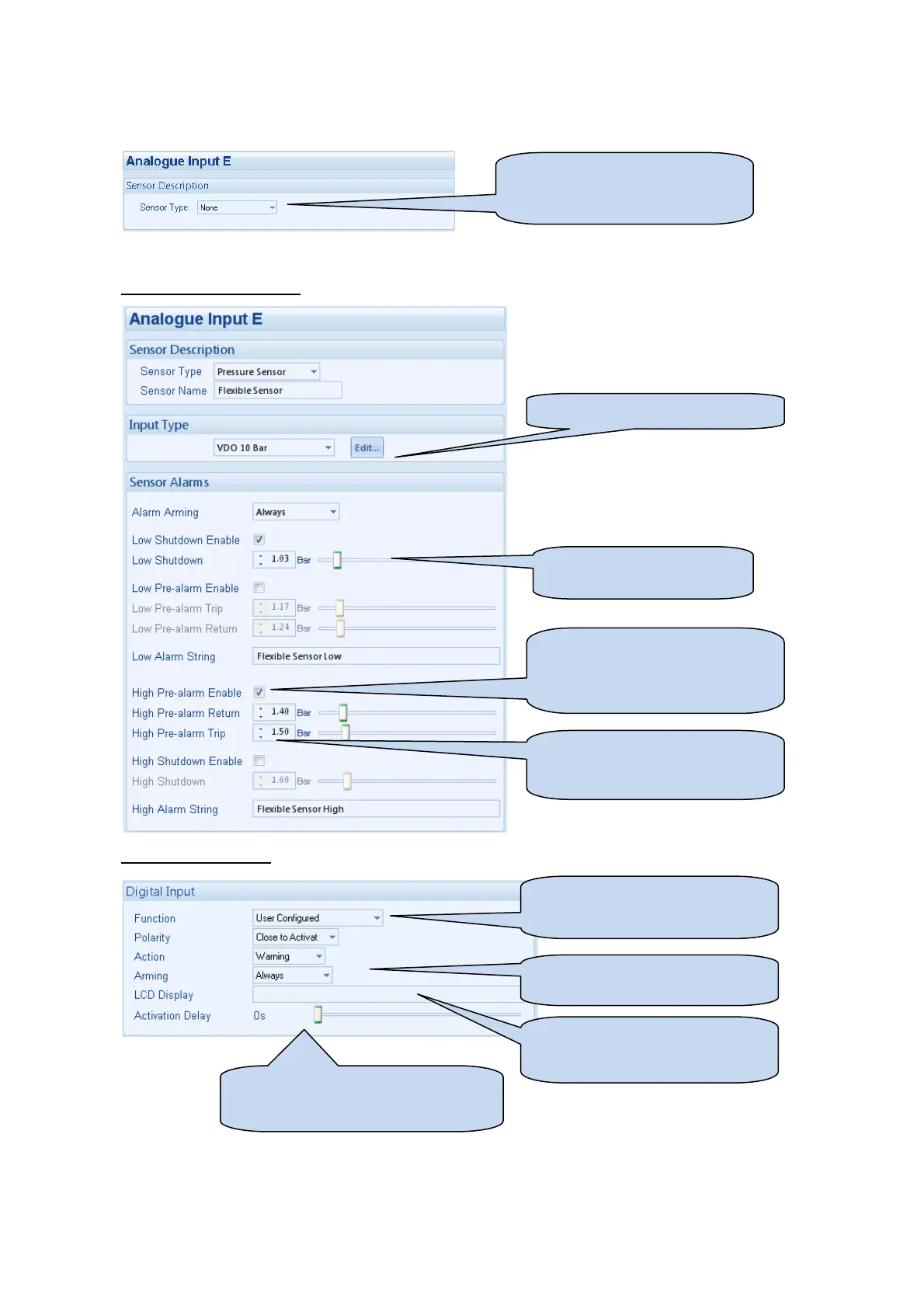
Depending upon your selection above, either the Analogue Input or Digital Input configuration screen is shown
Used as an Analogue Input
Used as a Digital Input
Configure the sensor type.
Select Digital Input to use the
analogue input as a digital input
Edit the sensor curve if required.
Click to enable or disable the
option. The relevant values below
will appear greyed out if the alarm
is disabled.
Type the value or click the up and
down arrows to change the
settings
Click and drag to change the
setting.
Select the required function of the
input and whether it is open or
Select the required alarm type of
the input and when it is active.
Type the text that is to appear on
the module’s display when the
alarm is active.
Gives a delay upon activation of the
input to allow the input to be used as a
liquid level switch for example.



 To Next Page