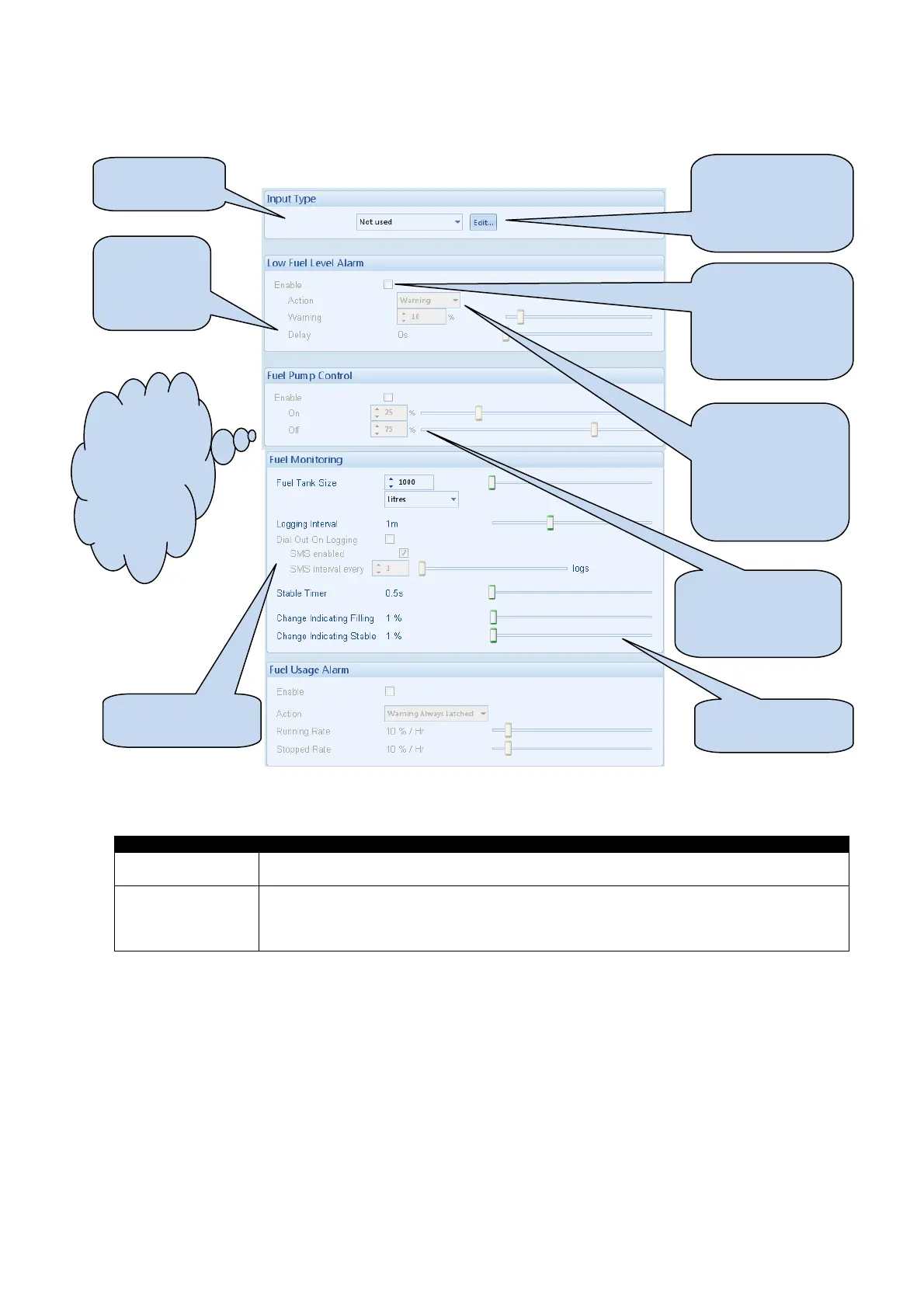
Edit Configuration - Inputs
20
4.4.3 FUEL LEVEL
Fuel level options
Fuel Pump Control If enabled, allows the module to control an external fuel pump to transfer fuel from a bulk
tank to the generator set’s day tank.
Fuel Usage Alarm Provides an alarm to monitor the usage of the generator set’s fuel.
There are two settings, one to monitor fuel usage when the set is running and another to
monitor the fuel usage when the set is stopped.
These alarms are provided to check for fuel leakage problems or potential fuel theft.
Click to edit the
‘sensor curve’. See
section entitled
Editing the sensor
Select the
sensor type
Click and drag to
change the settings
Type the value or
click the up and
down arrows to
change the settings
Click to enable or
disable the alarms.
The relevant values
below will appear
greyed out if the
alarm is disabled.
Hint : Set an
output to “Fuel
pump control’.
This can be
used to transfer
fuel from a bulk
tank to the day
tank, for
example.
Select the type of
alarm required.
For details of these,
see the section
entitled Alarm
Types elsewhere in
this document.
Click and
drag to alter
the time
delay
SMS logging of
Fuel monitoring



 To Next Page