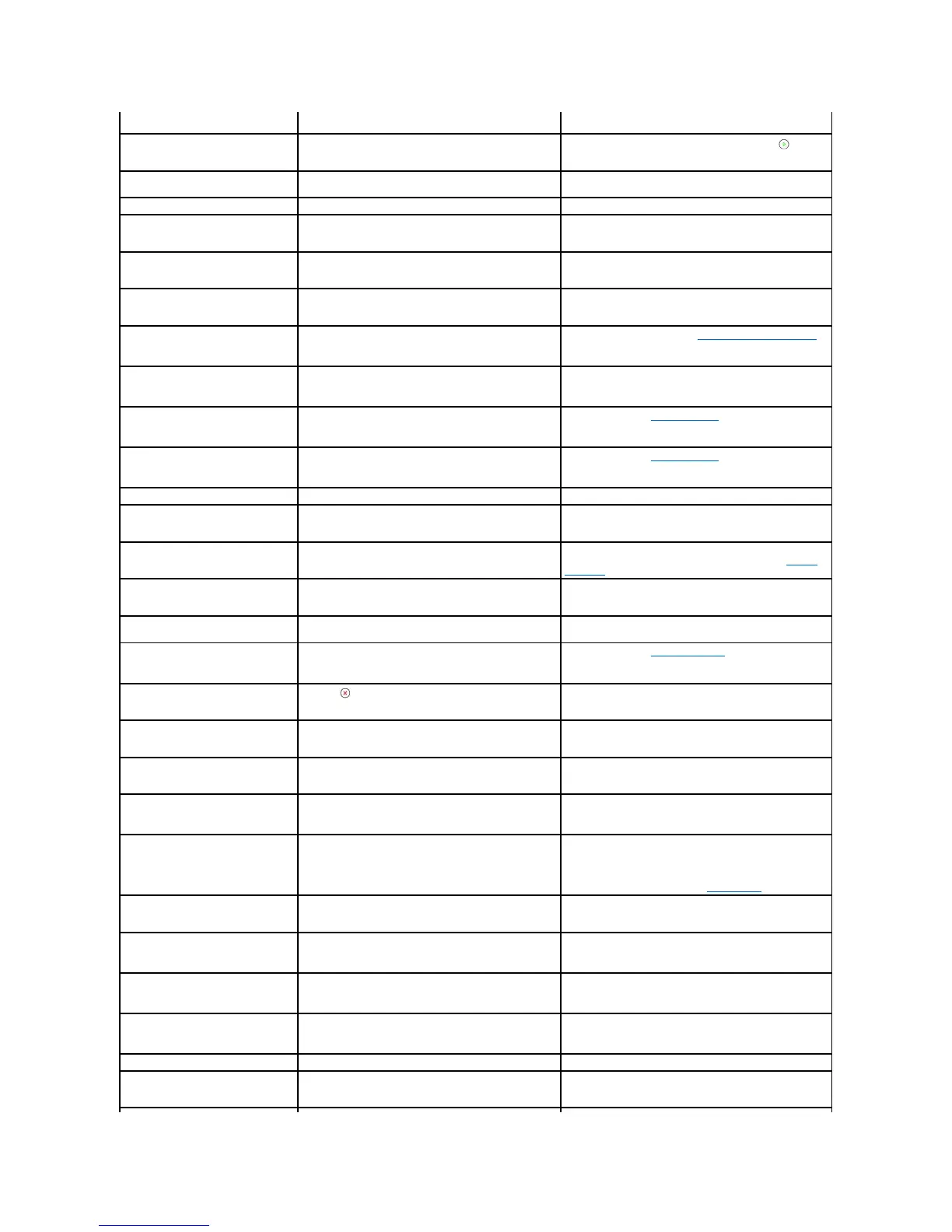
Delete the number after the delayed fax job is sent.
The bypass tray is empty in the manual feeder mode.
Load a sheet of print material and press Start ( ). You
need to press the button each page to be printed.
The toner cartridge you have installed is not for your
printer.
Install a Dell-genuine toner cartridge, designed for your
printer.
Connection with the SMTP server failed.
Check the server settings and the network cable.
The printer has a communication problem.
Ask the sender to try again.
Data Read Fail
Check USB key
Time expired while reading data.
Data Write Fail
Check USB key
Storing to the USB memory key failed.
Check the available USB memory space.
Document Jam
Check Feeder
The loaded document has jammed in the ADF.
Clear the document jam. See "Clearing Jams in the ADF".
The front cover is not securely latched.
Close the cover until it locks into place.
Duplex jam 0
Check Inside
Paper has jammed during duplex printing.
Clear the jam. See "Duplex Jam 0".
Duplex jam 1
Check Inside
Paper has jammed during duplex printing.
Clear the jam. See "Duplex Jam 1".
You entered an unavailable item.
Enter the correct item again.
File Format
Not Supported
The selected file format is not suppoted .
Use the correct file format.
The fuser door is not securely latched.
Open the rear cover and close the fuser door until it locks
into place. For the location of the fuser door, see "Paper
Exit Jam".
You have tried to select a group location number where
only a single location number can be used, such as when
adding locations for a broadcasting operation.
Use a speed dial number or dial the number manually
using the number keypad.
A problem has occurred in the Laser Scanning Unit (LSU).
Unplug the power cord and plug it back in. If the problem
persists, call for service.
JAM 2 OPEN REAR
& FRONT DOOR
Paper has jammed in the paper exit area.
Clear the jam. See "Paper Exit Jam".
Cancel ( ) is pressed during transmission.
Try again after a few minutes.
The number of jobs stored in the printer is 15 and you
are trying to add 16th job.
Delete jobs in the printer or try later after completing
some jobs.
The received fax number is the number stored in memory
as junk fax number.
Change the Junk Fax Setup option.
The receiving party did not answer or the line is already
engaged.
Try again after a few minutes.
Your printer cannot connect with a remote printer or has
lost contact because of a problem with the phone line.
Try again. If the problem persists, wait for an hour or try a
different phone line if possible and then try to connect
again.
Or, turn the ECM mode on. See "ECM Mode".
Low Heat Error
Cycle Power Once
There is a problem in the fuser unit.
Unplug the power cord and plug it back in. If the problem
persists, call for service.
Mail Excceds
Server Support
The mail size is larger than the supported size by SMTP
server.
Divide your mail or reduce the resolution.
Memory Full
Cancel or Start
Delete unnecessary documents, retransmit after more
memory becomes available.
Memory Full
Divide the Job
Split the transmission into more than one operation.
There is a problem with the network.
Contact your network administrator.
The remote fax machine has not answered after several
redial attempts.
Try again. Verify the number to make sure a fax can be
received.














 To Next Page