EasyManua.ls Logo

Dell 1815dn Multifunction Mono Laser Printer - Printer Fonts; Installing the Toner Cartridge; Toner Cartridge Preparation

Dell 1815dn Multifunction Mono Laser Printer
148 pages
Print Icon
To Next Page IconTo Next Page
To Previous Page IconTo Previous Page
Loading...
Fonts
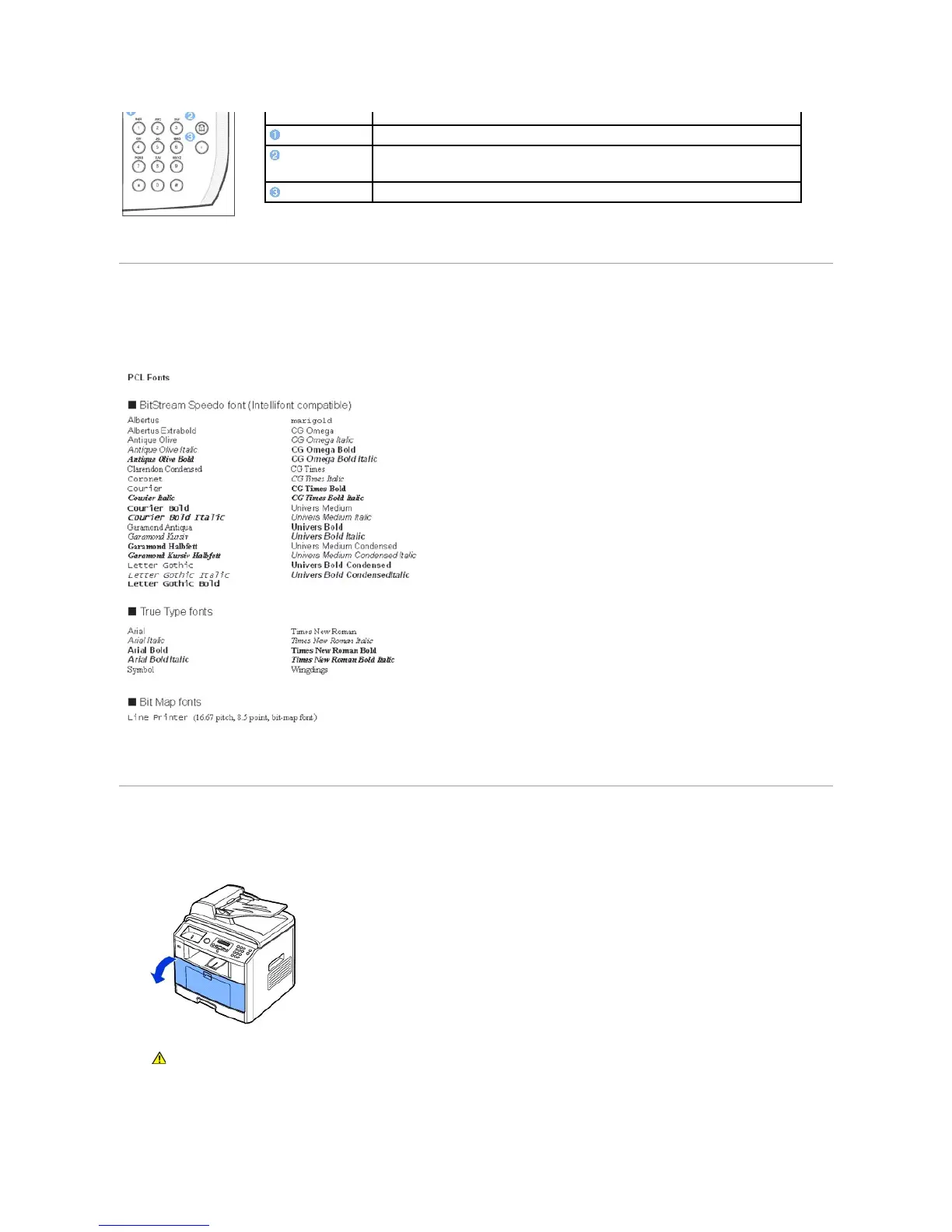
The Dell Laser printer supports the following fonts:
Installing the Toner Cartridge
1. Open the front cover.
2. Remove the toner cartridge from its bag and thoroughly shake the cartridge from side-to-side to distribute the toner evenly inside the cartridge.
Press:
To:
Dial/Enter number or enter alphanumeric characters.
Store frequently used fax numbers in memory or search for stored fax numbers or email
addresses.
It also enables you to print a Phonebook list.
Insert a pause into a fax number in edit mode.
CAUTION: To prevent damage, do not expose the toner cartridge to light for more than a few minutes.

Table of Contents

Related product manuals