Removing Options 405
FILE LOCATION: C:\Users\fxstdpc-
admin\Desktop\0630_UG??\Mioga_SFP_UG_FM\Mioga_SFP_UG_FM\section26.fm
DELL CONFIDENTIAL – PRELIMINARY 9/13/10 - FOR PROOF ONLY
6
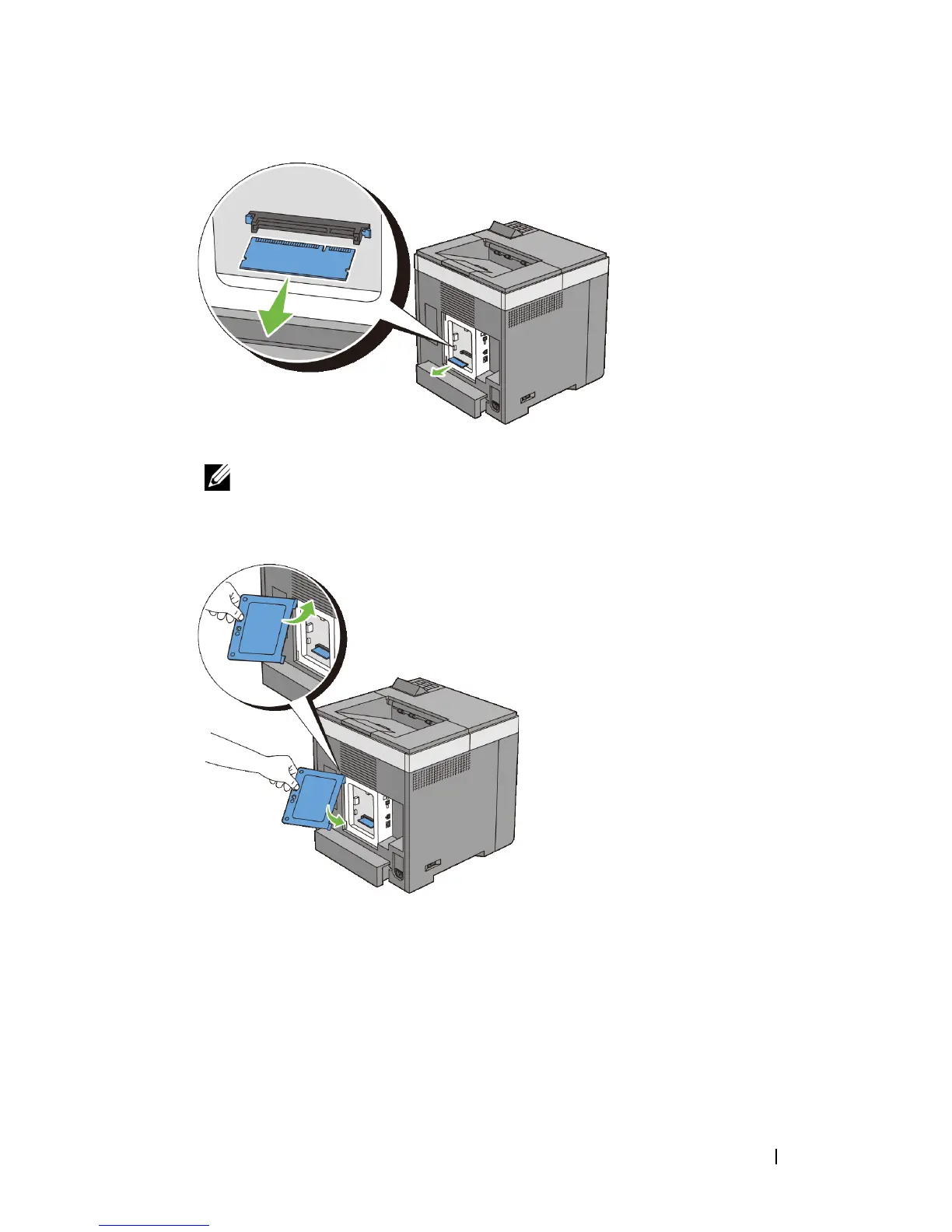
Install the control board cover.
NOTE: Insert the upper hinge of the control board cover into the upper slit
on the printer. Next, insert the lower hinge of the control board cover into the
lower slit of the printer.
7
Close the control board cover and turn the screw clockwise.











 To Next Page