Installing Optional Accessories 47
4
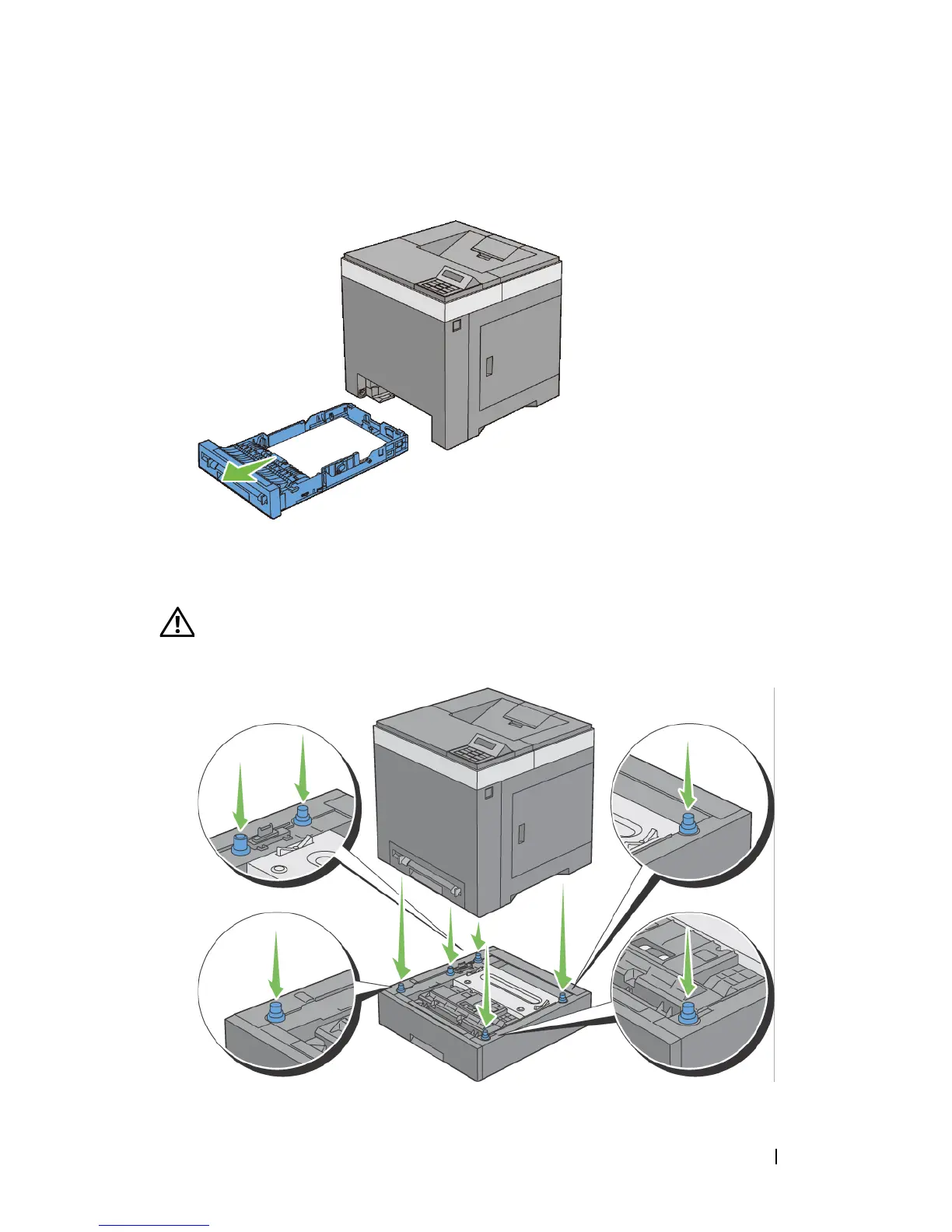
Pull the standard 250-sheet tray out of the printer about 200 mm. Hold the
standard 250-sheet tray with both hands, and remove it from the printer.
5
Lift the printer and align the five guide pins of the optional 250-sheet feeder
with the holes at the bottom of the printer. Gently lower the printer onto the
optional 250-sheet feeder.
CAUTION: Two people are required to lift the printer. The printer should be
lifted holding the front and back. Never lift the printer from its sides.











 To Next Page