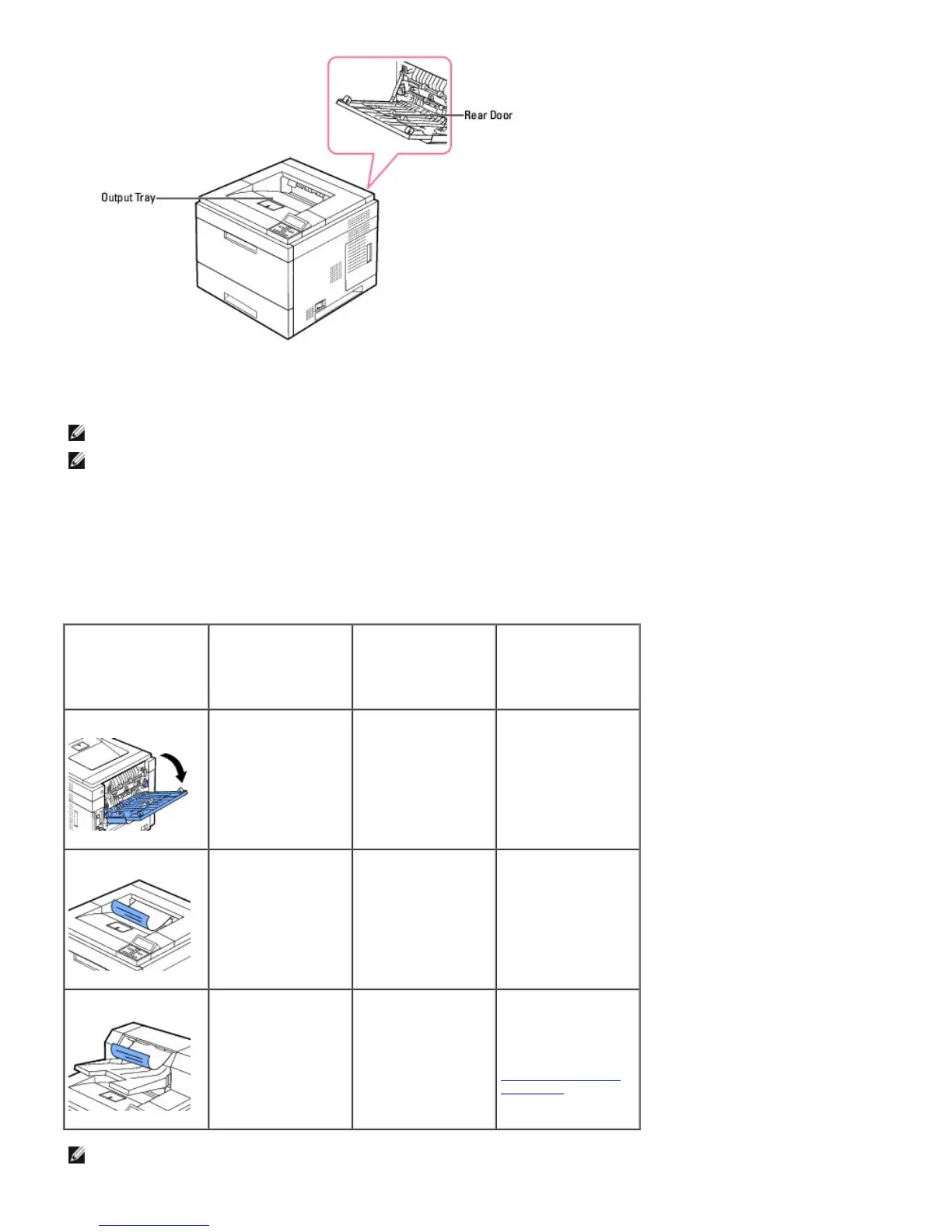
To use the output tray, ensure that the rear door is closed. To use the rear door, open it.
NOTE: If paper coming out of the output tray has problems, such as excessive curl, try printing to the rear door.
NOTE: To avoid paper jams, do not open or close the rear door while the printer is printing.
Printing to the Output Tray
Output bins available
The following table provides information on standard and optional output bin capability and connectivity.
Output Bin Name Capacity Maximum Weight &
Media Type
Supported
How Many Can Be
Installed on the
Printer?
Rear output Tray
100 sheets of 75 g/m
2
paper
Plain paper 60-216
g/m
2
, Label,
Envelopes, Cardstock,
Transparencies.
N/A - One is standard
on the printer and
located at the rear
side.
Standard bin
250 sheets of 75 g/m
2
plain paper
Plain paper up to 163
g/m
2
, Envelopes
(Short - edge Feed
Only), Labels.
N/A - One is standard
on the printer and
located on the top of
the printer.
Output expander-bin 1
600 sheets of 75 g/m
2
paper
Plain paper up to 163
g/m
2
1
For information on
installing an output
expander, see
"Installing an Output
Expander."
NOTE: For printing to the Standard bin, Output Expander and Duplexer, close the rear output tray. Use the rear output tray only for
special media, such as like envelope, labels and transparencies.













 To Next Page