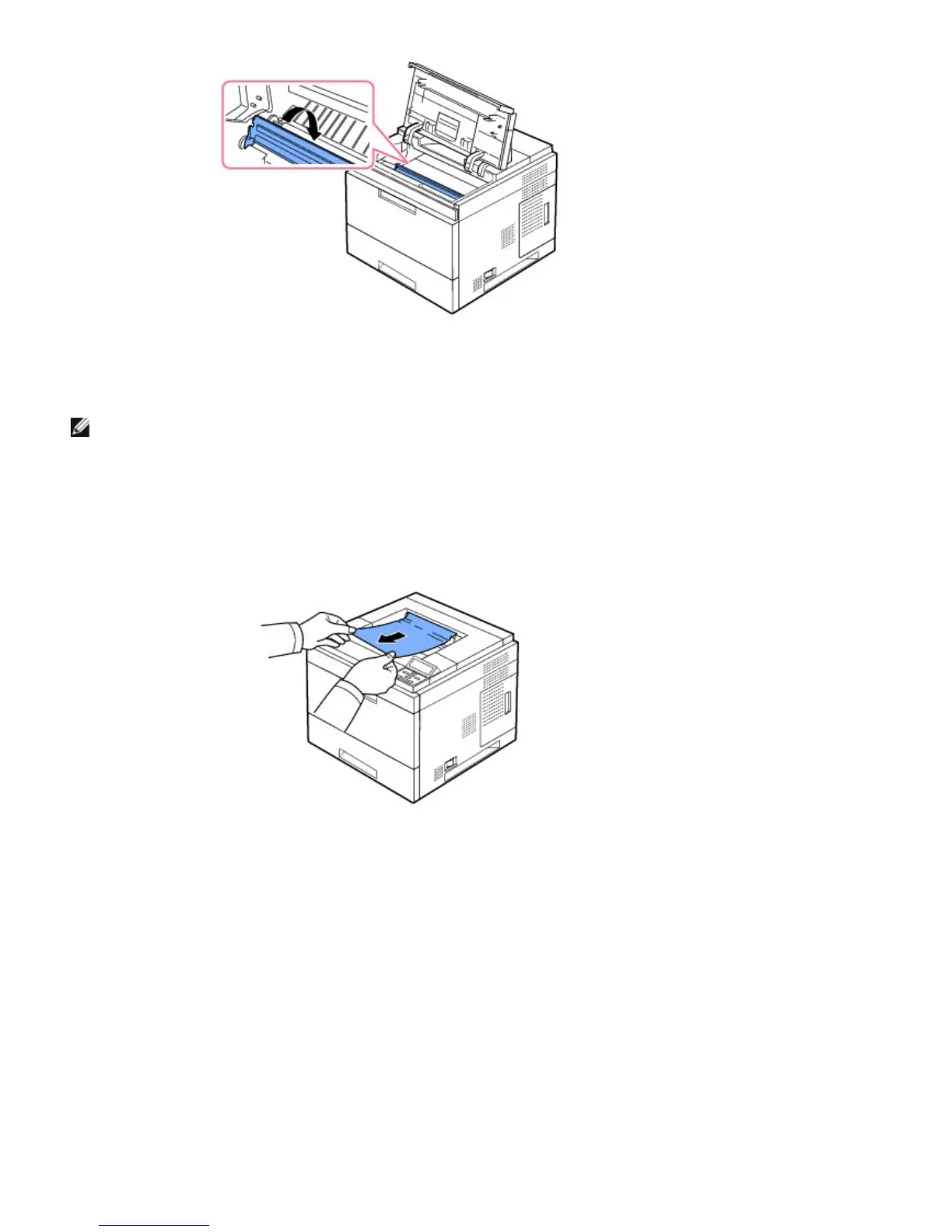
4. Flip down the feed guide.
5. Reinsert the toner cartridge and close the top cover. Printing automatically resumes.
NOTE: If it is difficult to reinstall the toner cartridge, ensure that the feed guide has been flipped back down into
position.
In the Paper Exit Area
1. Open and close the top cover. The paper is automatically ejected from the printer.
2. Gently pull the paper out of the output tray.
3. If you cannot see the paper in this area or if there is any resistance removing the paper, stop pulling and go to the
next step.
4. Open the rear door.
5. Then gently pull the paper straight out.













 To Next Page