Using the Dell™ Toner Management System
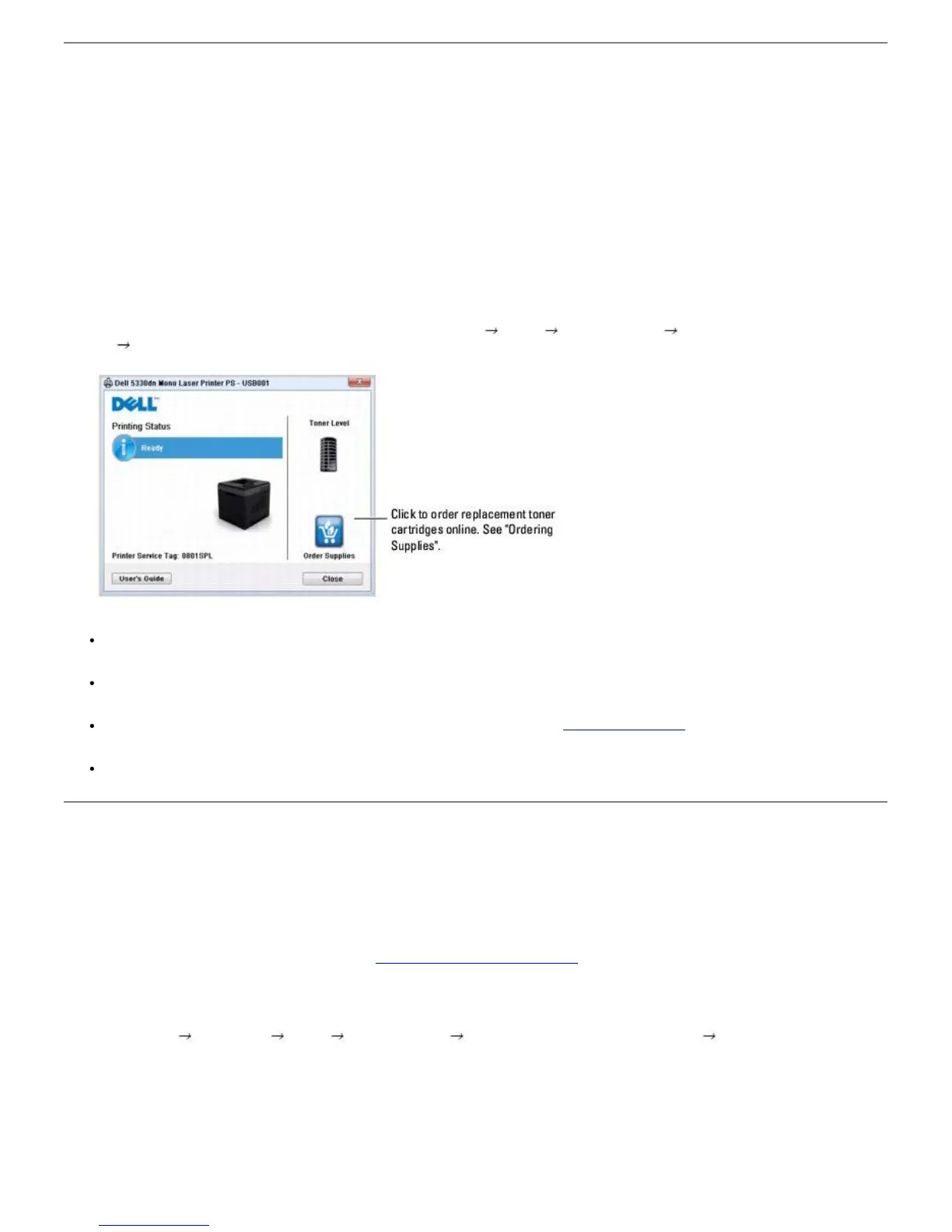
The Printer Status Monitor displays the status of the printer (Printer Ready, Printer Offline, and Error-Check Printer) and the toner
level (100%, 50%, Toner Low) for your printer.
Printer Status Monitor
The Printer Status Monitor screen launches when you send a print job to the printer. This only appears on the computer screen.
Depending on the remaining toner level, the launched Printer Status Monitor screen is different.
If you are a Windows user, from the Start menu, select Programs
DELL DELL Printers DELL 5330dn Mono Laser
Printer
Printer Status Monitor.
Printing Status: The Printer Status Monitor displays the current status of the printer.
Toner Level: View the level of toner remaining in the toner cartridge.
Order Supplies: Click to order replacement toner cartridges online. See "Ordering Supplies".
User's Guide: Allows you to view the DELL 5330dn Mono Laser Printer User's Guide.
Printer Settings Utility
When you install the Dell software, the Printer Settings Utility is automatically installed.
For information about installing the software, see
"Installing Software in Windows".
To open the Printer Settings Utility:
1. Click Start
Programs DELL DELL Printers DELL 5330dn Mono Laser Printer Printer Settings Utility.
The Printer Settings Utility window opens.













 To Next Page