Unpacking Your Printer
About Your Printer
Operator Panel Button Functions
Internal Fonts
Installing the Toner Cartridge
Loading Print Media
Changing the size of the paper in the paper tray
Setting up Your Printer
Powering On the Printer
Understanding Operator Panel Menus
Accessing Operator Panel Menus
Printing a Demo Page
Changing the Display Language
Power Save Mode
Changing the Font Setting
Unpacking Your Printer
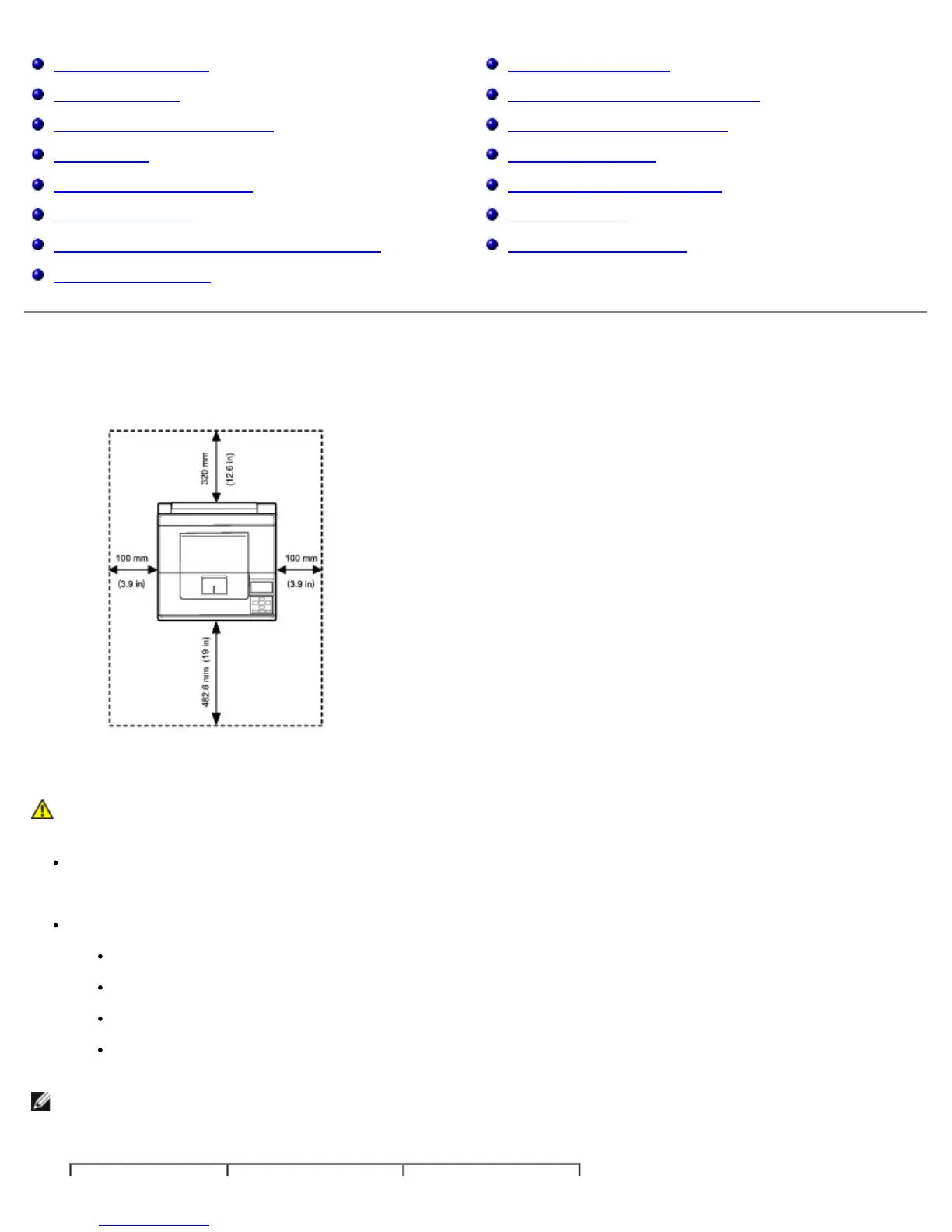
1. Select a location for your printer.
CAUTION: The printer requires at least two people to lift it safely.
Leave enough room to open the printer tray, covers, doors, and additional options. It is also important to allow enough space
around the printer for proper ventilation.
Provide the proper environment:
A firm, level surface
Away from the direct airflow of air conditioners, heaters, or ventilators
Away from sunlight, extreme humidity, or high fluctuations in temperature
A clean, dry, and dust-free location
NOTE: Leave the printer in the box until you are ready to install it.
2. In addition to the Dell™ 5330dn Mono Laser Printer, ensure that you have the following items in the box. If there is a
missing item, contact Dell:













 To Next Page