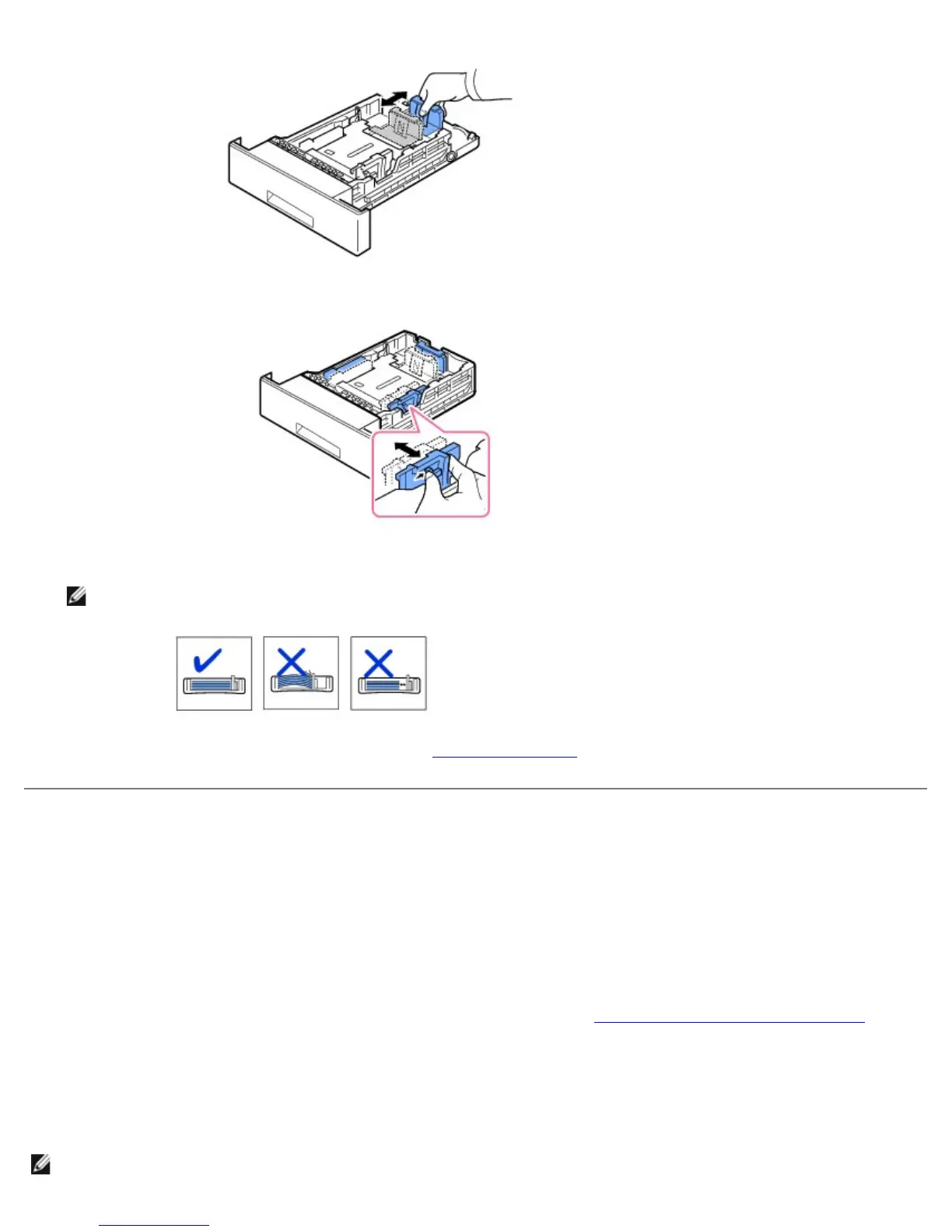
3. Squeeze the paper width guide and slide it to the required paper size. The sizes are marked at the bottom of the tray.
Improper adjustment of paper guides could result in paper jams.
4. Load paper with the print side down. For details, see "Loading Print Media".
Setting up Your Printer
Connecting the Printer Cable
Connecting the Printer Locally
A local printer is a printer connected to your computer using USB or Parallel (IEEE1284 compatible) cable. If your printer is
attached to a network instead of your computer, skip the following steps and go to
"Connecting the Printer to the Network".
USB and Parallel cables are sold separately. Contact Dell to purchase printer cable.
Using a USB cable:
NOTE: Connecting the printer to the USB port of the computer requires a certified USB cable. You will need to buy a USB













 To Next Page