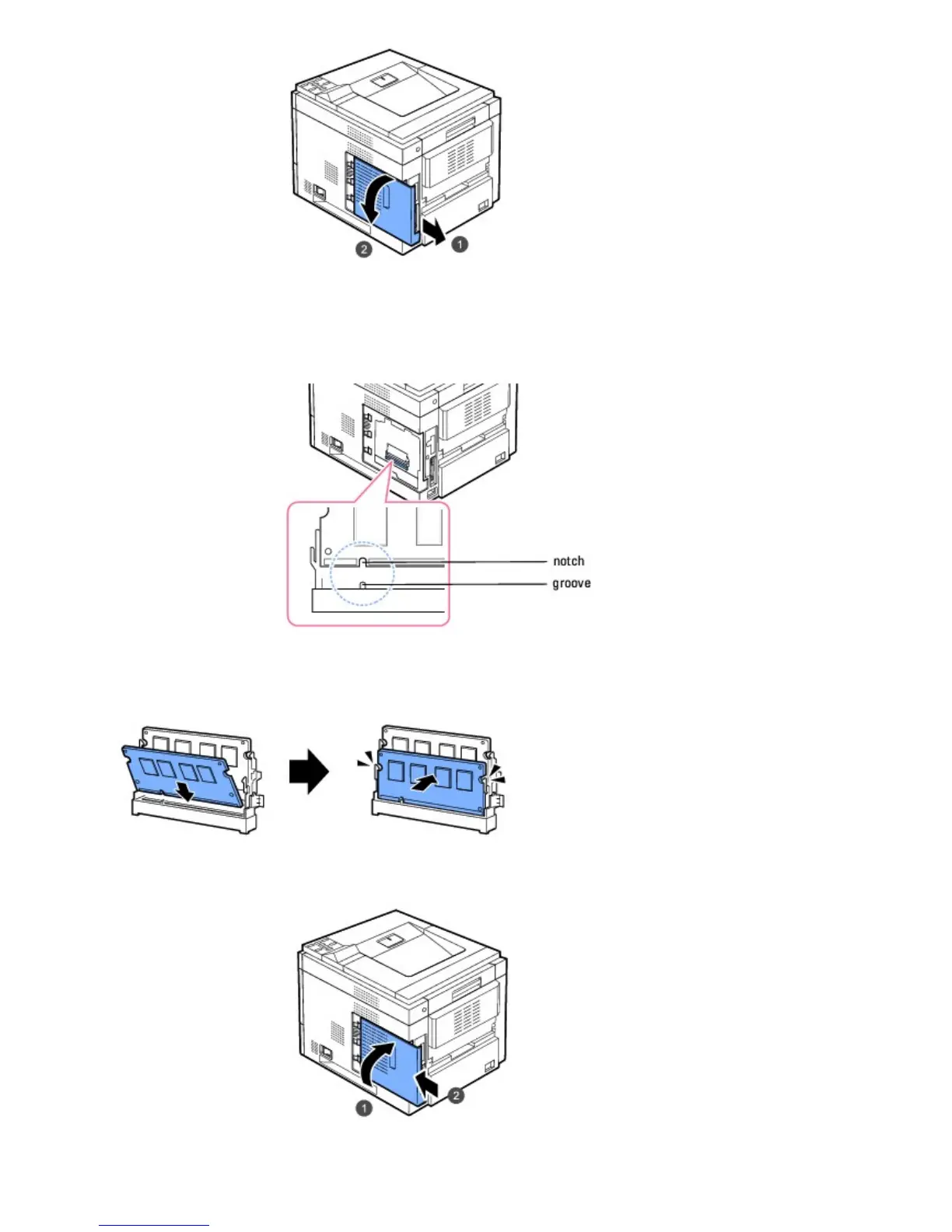
3. Remove a new memory DIMM from its antistatic package.
4. Locate the extra DIMM slot and align the notch on the DIMM with the groove at the DIMM slot, holding the DIMM by
its edges.
5. Push the DIMM into the printer until it snaps into place. Ensure that the latches fit over the notches located on
either side of the DIMM.
6. Close the control board cover by aligning the groove on it with the notch on the printer and sliding it.
7. Reconnect the power cord and printer cable, and turn the printer on.













 To Next Page