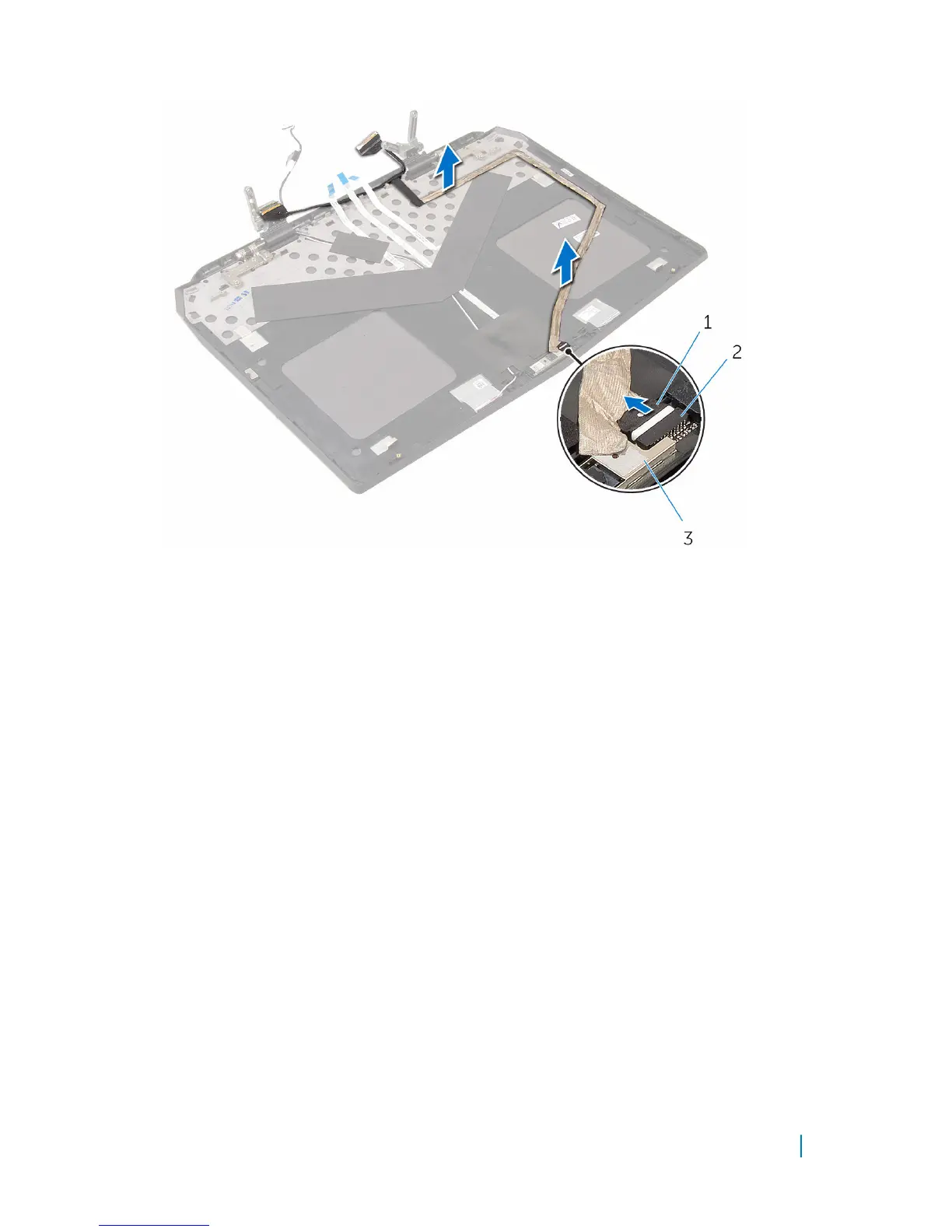
3 Peel the display-board and camera cable off the display back-cover.
1 camera cable 2 connector
3 camera module
4 Remove the AlienFX Display light.
5 Remove the AlienFX AlienHead board.
6 We are left with the display back-cover.
Removing the display back-cover 138












 To Next Page