Installing System Components | 211
“Removing the Expansion Card for 2U Node” on page 158.
3 When removing the memory module from the system equipped with
the RAID battery assembly, remove the RAID battery assembly first.
See “Removing the LSI 9265-8i raid battery Assembly” on page 180.
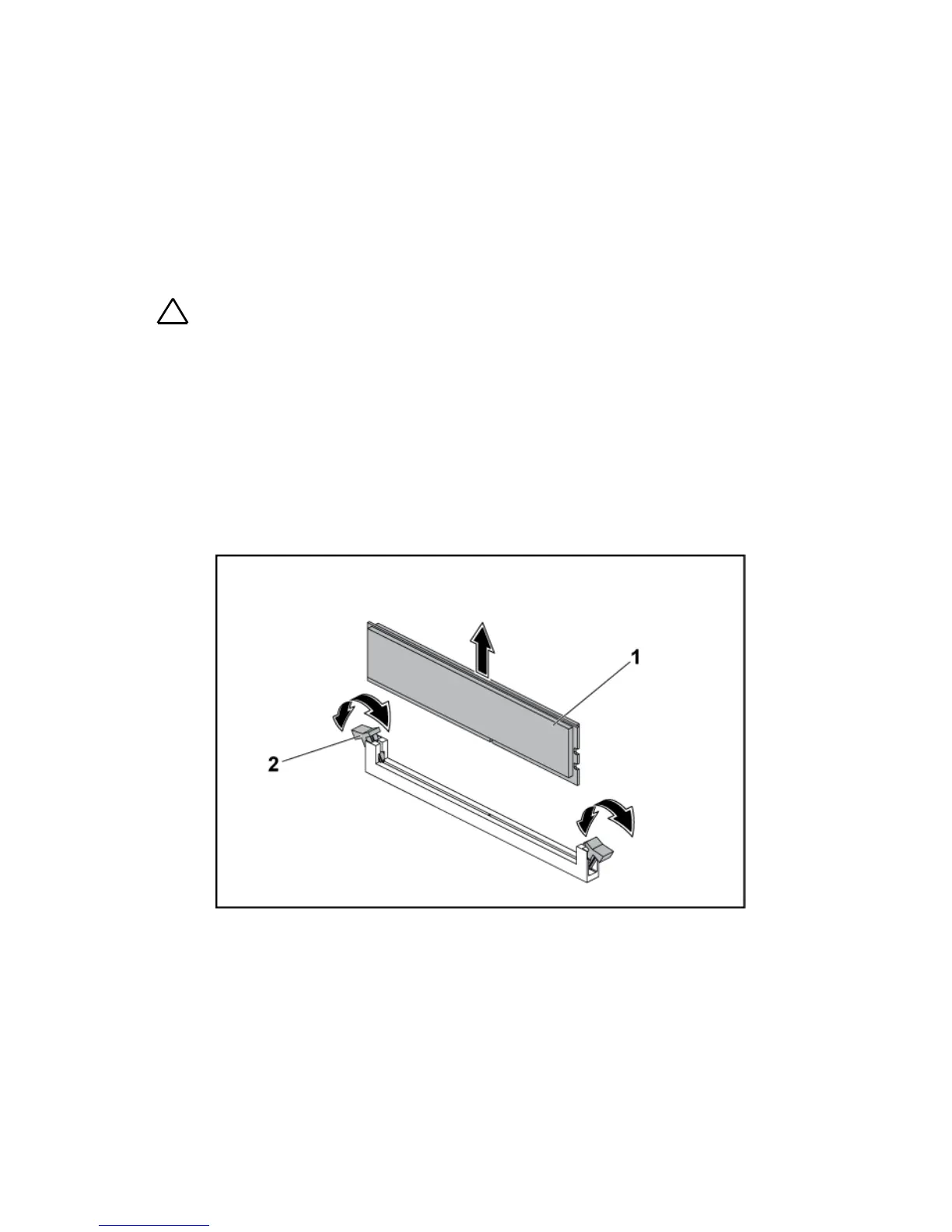
Locate the memory module sockets. See Figure 3-54.
CAUTION: Handle each memory module only on either card edge, making sure not
to touch the middle of the memory module. To avoid damaging components on the
memory module, remove only one memory module at a time.
4 Simultaneously press down and out on the ejectors at both ends of the
memory module socket until the memory module is released from the
socket. See Figure 3-54.
5 Lift the memory module out of the socket by contact only at the ends
of the module. See Figure 3-54.
Figure 3-54. Removing a Memory Module
memory module socket ejector
(2)









 To Next Page