● Swollen batteries should not be used and should be replaced and disposed properly. For guidelines on how to
handle and replace swollen Lithium-ion batteries, see Handling swollen Lithium-ion batteries.
Removing the battery
Prerequisites
1. Follow the procedure in Before working inside your computer.
2. Remove the base cover.
About this task
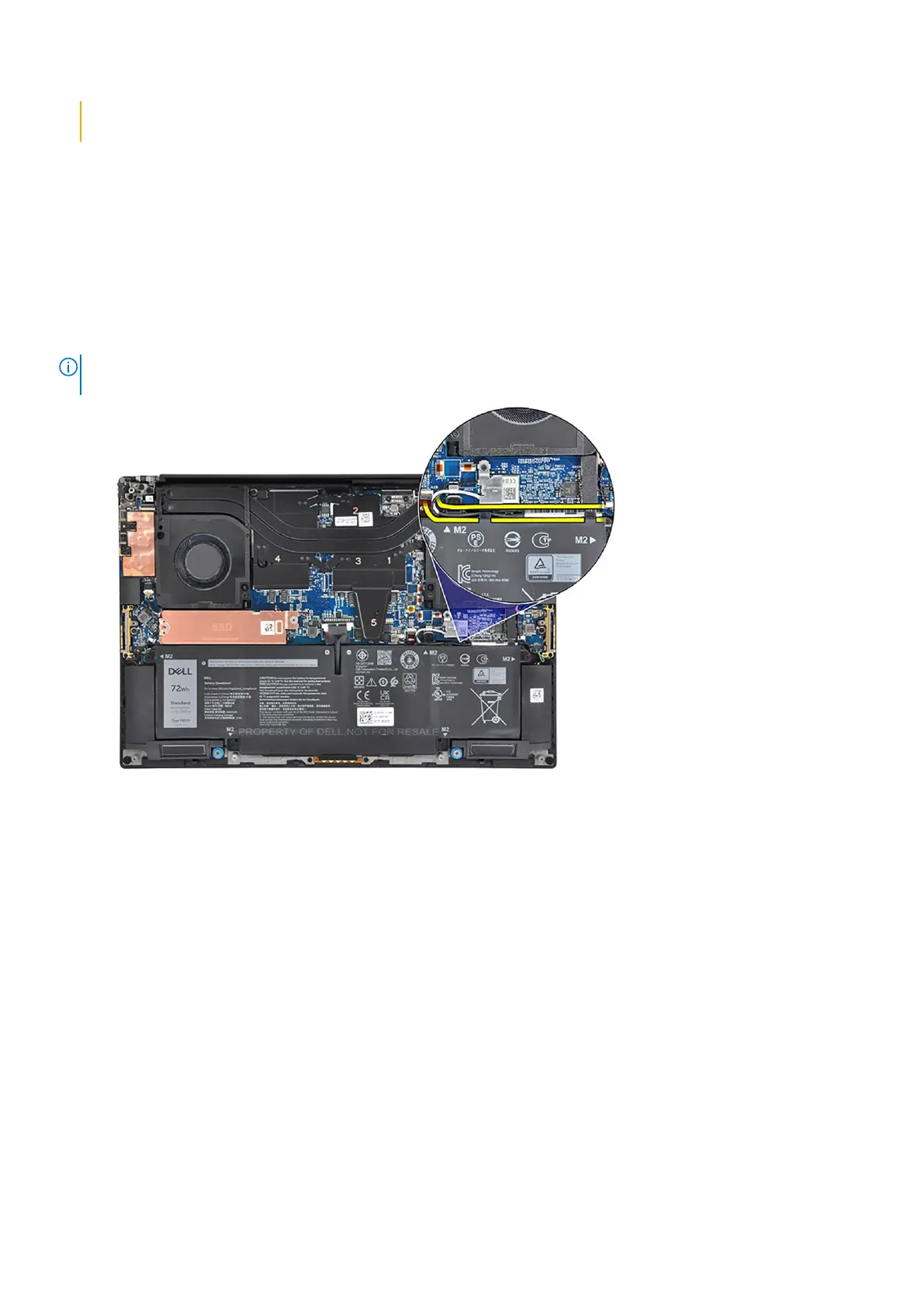
The figure indicates the location of the battery and provides a visual representation of the removal procedure.
NOTE: For models shipped with WLAN antennas, unroute the cables from the top-right side of the battery before battery
removal and then tuck the cables back into the routing channels when re-installing the battery.
22 Removing and installing components













 To Next Page