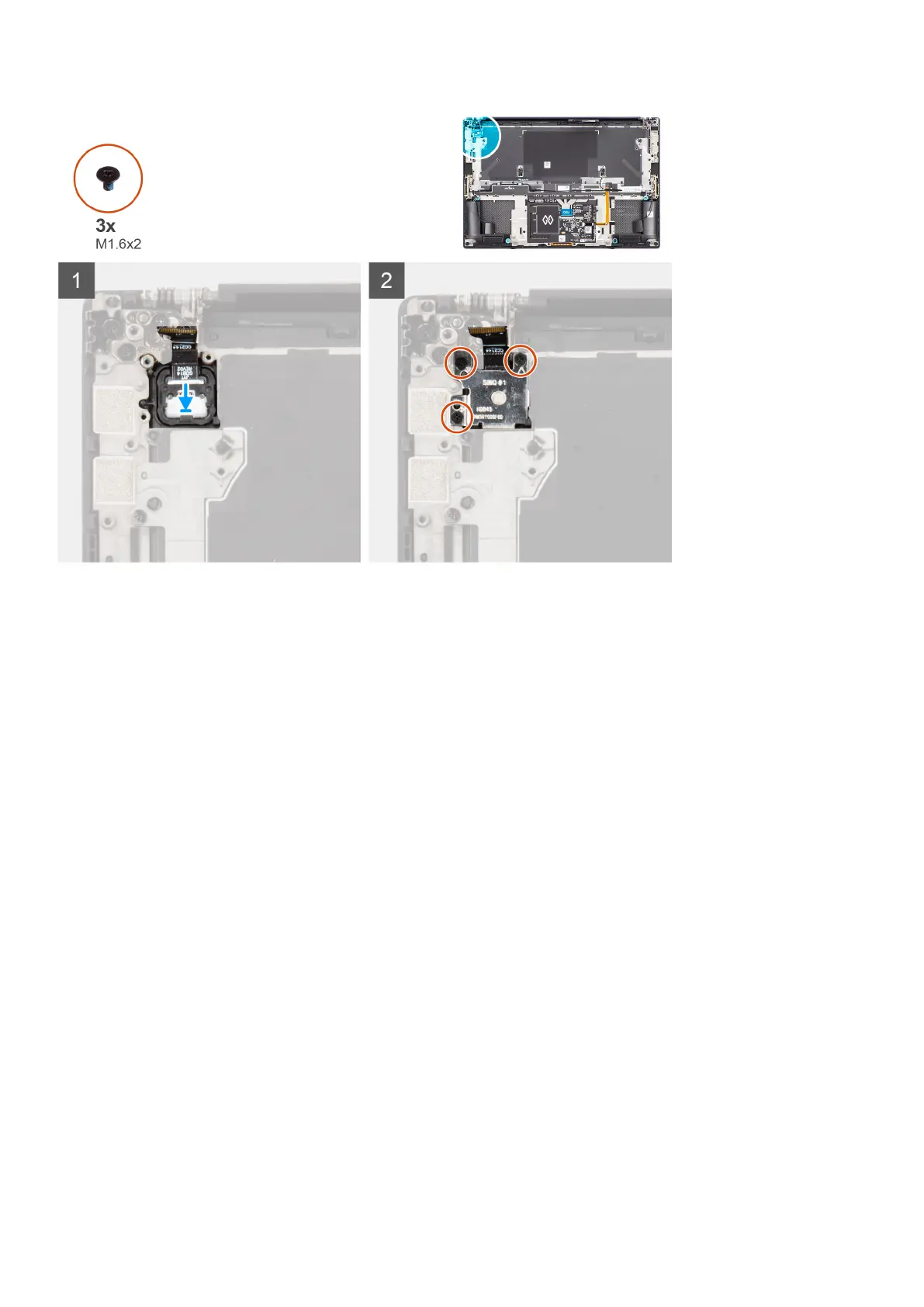
Steps
1. Align and place the power button board with power button FPC into its slot on the palm-rest and keyboard assembly.
2. Align and place the fingerprint reader on the power button board.
3. Replace the three (M1.6x2) screws to secure the fingerprint reader bracket to the power button board.
Next steps
1. Install the system board.
2. Install the display assembly.
3. Install the audio jack.
4. Install the right fan.
5. Install the left fan.
6. Install the battery.
7. Install the M.2 2230 solid state drive or M.2 2280 solid state drive.
8. Install the base cover.
9. Follow the procedure in after working inside your computer.
USH board
Removing the USH board
Prerequisites
1. Follow the procedure in before working inside your computer.
2. Remove the base cover.
3. Remove the M.2 2230 solid state drive or M.2 2280 solid state drive.
4. Remove the battery.
5. Remove the left fan.
6. Remove the right fan.
7. Remove the audio jack.
58
Removing and installing components













 To Next Page