System board
Removing the system board
Prerequisites
1. Follow the procedure in before working inside your computer.
2. Remove the base cover.
3. Remove the M.2 2230 solid state drive or M.2 2280 solid state drive.
4. Remove the battery.
5. Remove the left fan.
6. Remove the right fan.
7. Remove the audio jack.
8. Remove the heat-sink for integrated graphics or heat-sink for discrete graphics.
About this task
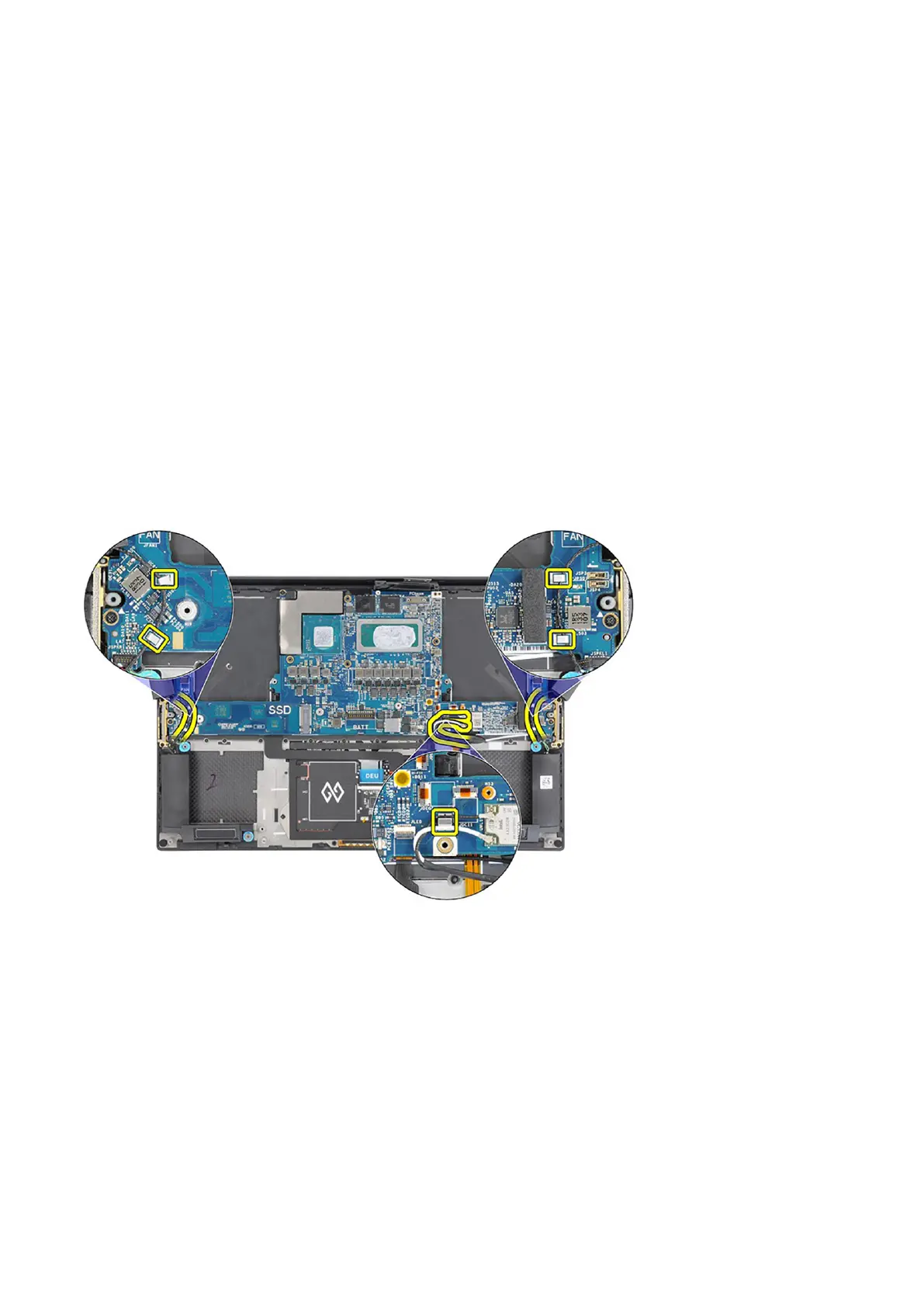
The figure indicates the location of the system board and provides a visual representation of the removal procedure.
Before removing the system board:
1. Unroute the cables for the left and right tweeter speakers and the WLAN antennas (for models that are shipped with WLAN
antennas) from the metal clips on the system board.
The following image indicates the connectors on your system board:
Removing and installing components
47













 To Next Page