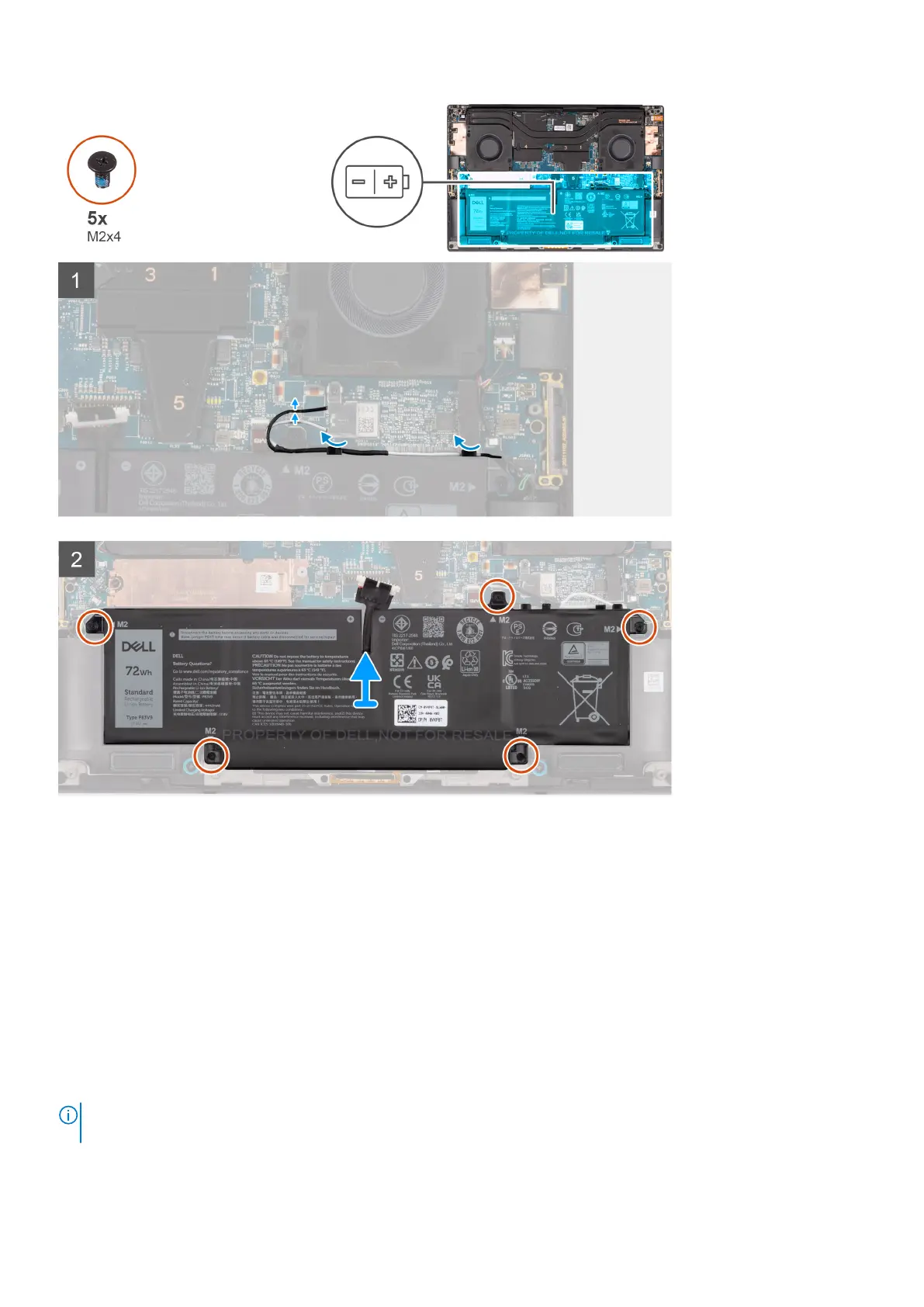
Steps
1. Unroute the WLAN antennas from the routing guides on the battery.
2. Remove the five (M2x4) screws that secure the battery to the palm-rest and keyboard assembly.
3. Slightly lift the battery at an angle and slide to remove from the palm-rest and keyboard assembly.
Installing the battery
Prerequisites
If you are replacing a component, remove the existing component before performing the installation procedure.
About this task
The figure indicates the location of the battery and provides a visual representation of the installation procedure.
NOTE:
For models shipped with WLAN antennas, unroute the cables from the top-right side of the battery before battery
removal and then tuck the cables back into the routing channels when re-installing the battery.
Removing and installing components 23













 To Next Page