Steps
1. Place the battery onto its slot in the palm-rest and keyboard assembly.
2. Replace the five (M2x4) screws that secure the battery to the palm-rest and keyboard assembly.
3. Route the WLAN antennas using the routing guides on the battery.
Next steps
1. Install the base cover.
2. Follow the procedure in After working inside your computer.
Left fan
Removing the left fan
Prerequisites
1. Follow the procedure in Before working inside your computer.
2. Remove the base cover.
About this task
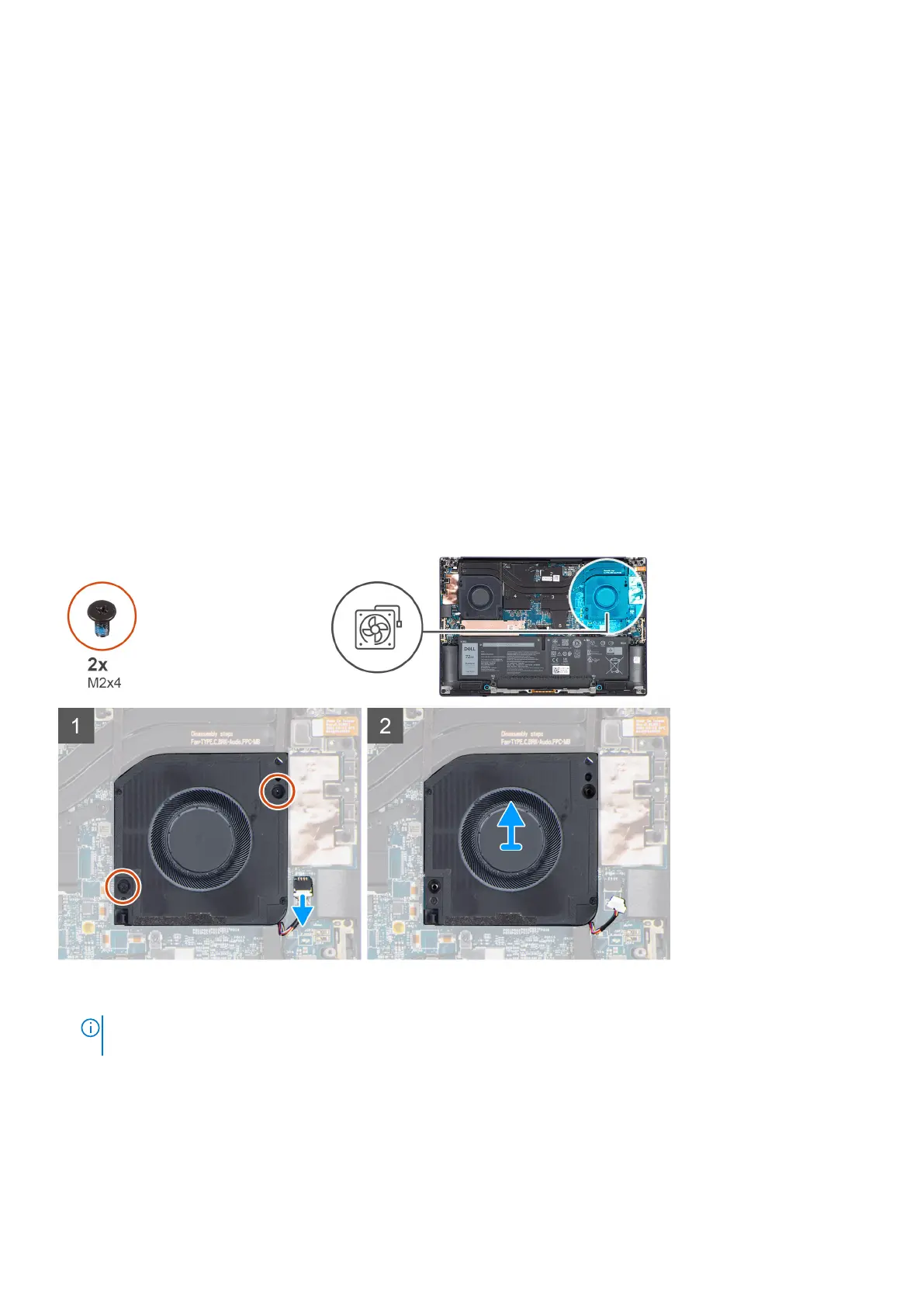
The following images indicate the location of the left fan and provide a visual representation of the removal procedure.
Steps
1.
NOTE:
Before disconnecting the fan cables from the system board, carefully peel off the (1) tweeter speaker from its
compartment next to the (2) connector to create more space for the disconnection.
Removing and installing components 25













 To Next Page